Location
and
Function
of
Controls
Refer to the pages indicated ( )
in
for details.
IH.!.11
21----1~1---
[II
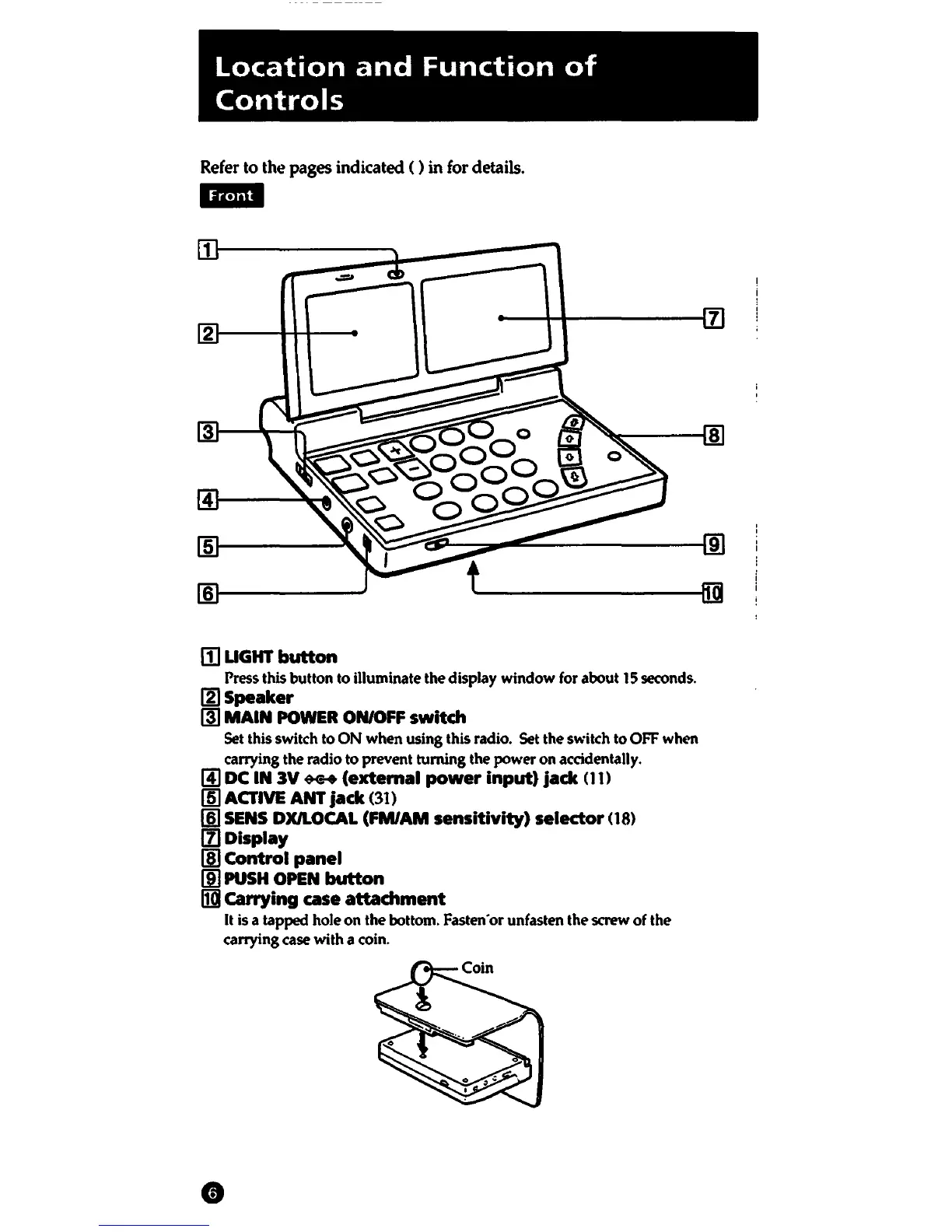
LIGHT
button
Press this button to illuminate the display window
for
about
15
seconds.
IZJSpeaker
(ID
MAIN
POWER
ON/OFF
switch
Set
this switch to ON when using this radio. Set the switch to
OFF
when
carrying the radio to prevent turning the power on accidentally.
[!)
DC
IN
3V
*-+
(extemal
power
input)
jack
01)
(m
ACTIVE ANT
jack
(31)
[§I
SENS
DXJLOCAL
(FM/AM
sensitivity)
selector
08)
[fl
Display
!ID
Control
panel
(ID
PUSH
OPEN
button
IIl1
carrying
case
attachment
It
is
a tapped hole on the bottom.
Fasten•
or
unfasten the
screw
of the
carrying case with a coin.















 To Next Page