Overview
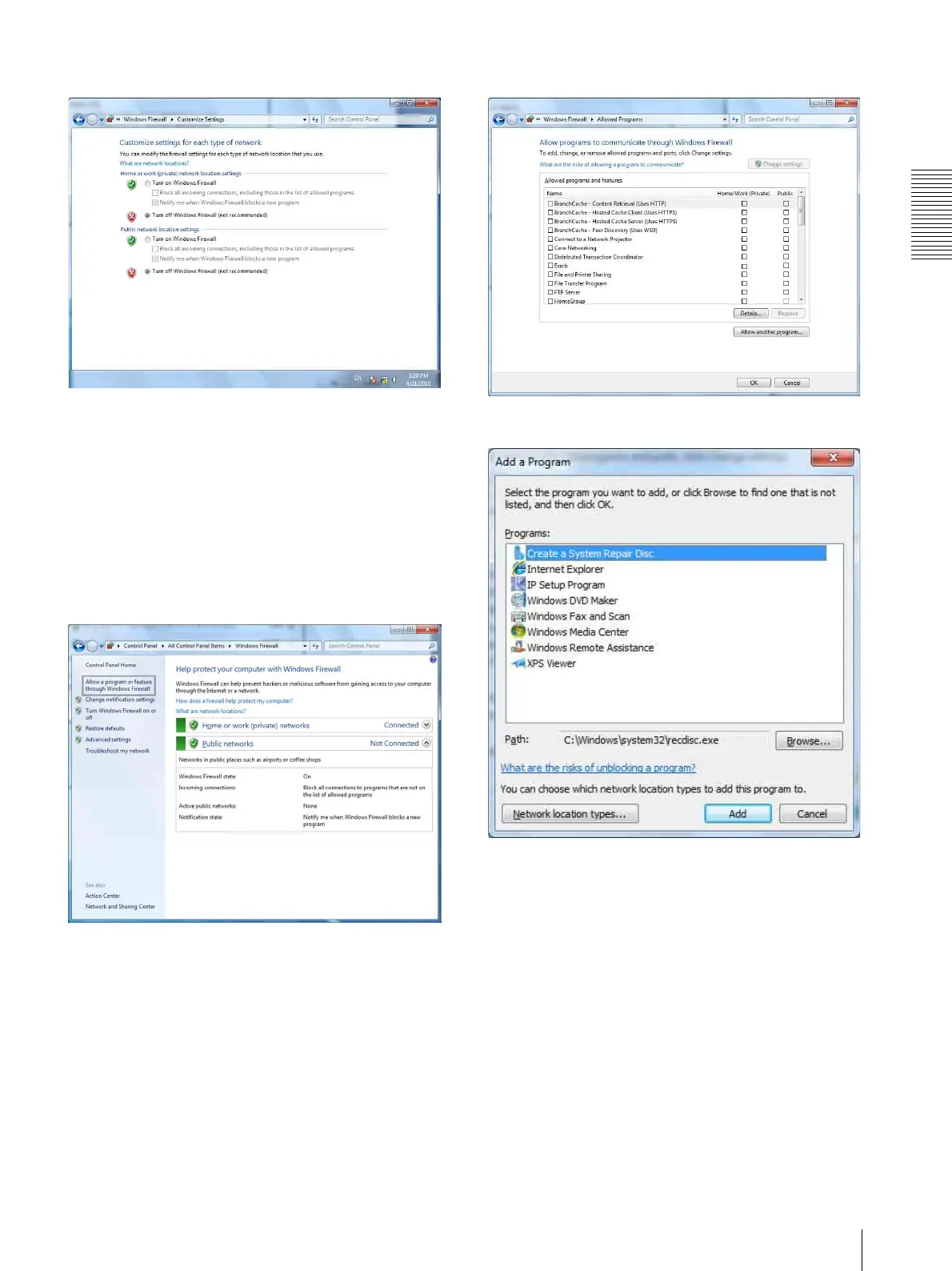
Configuring Windows Firewall
7
4
Select Disable Windows Firewall.
The cameras will be displayed in the list.
To turn Windows Firewall on
1
Select Control Panel from the Start menu of
Windows.
2
Click Windows Firewall.
3
Select Allow a program or feature through
Windows Firewall.
4
Select Allow another program....
5
Add program.
When the above procedure is completed, the
cameras connected in the local network are
displayed in SNC easy IP setup.









 To Next Page