Help Guide | Using Wi-Fi Direct to connect to the TV (no wireless router required)
06-02_02.html[3/31/2021 7:18:38 AM]
Help Guide
1
2
>
Connecting to a Network
>
Connecting to a network
>
Connecting to a network using a wireless connection
>
Using Wi-Fi Direct to connect to the TV (no wireless router required)
Print
Using Wi-Fi Direct to connect to the
TV (no wireless router required)
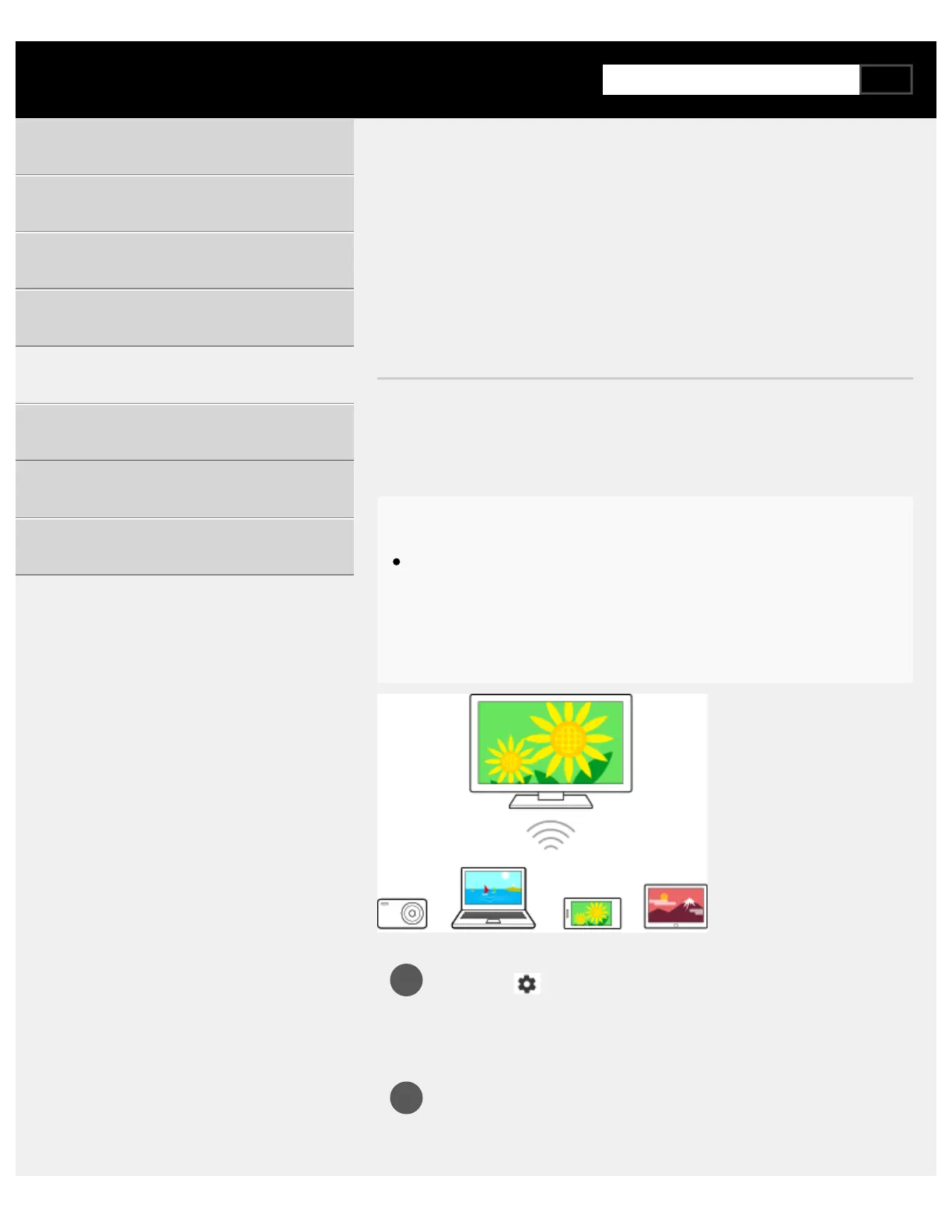
You can connect a device to the TV wirelessly, without using a wireless
router, and then stream videos, photos, and music that is stored on your
device directly to the TV.
Note
Wi-Fi Direct connects smartphones and computers to the TV
directly instead of through the Internet, so streaming video content
that require an Internet connection cannot be played back on the
TV.
Press the (Quick Settings) button on the remote control,
then select [Settings] — [Network & Internet] — [Wi‑Fi Direct]
— [Wi‑Fi Direct settings].
Select the TV name displayed on the TV screen with the Wi-Fi
Direct device.
If the device does not support Wi-Fi Direct, select the [Show
Getting Started
Useful features
Watching TV
Using the TV with Other Devices
Connecting to a Network
Settings
Troubleshooting
Index/Other



 To Next Page