Help Guide
print.html[3/31/2021 7:15:59 AM]
2
3
4
5
1
2
We recommend authorized Premium High Speed HDMI Cable(s) bearing the HDMI logo.
Press the
(Quick Settings) button on the remote control, then select [Settings] —
[Display & Sound] — [Audio output] — [eARC mode] — [Auto].
Select [Speakers] — [Audio system].
Enable the audio system’s eARC feature.
Refer to the instruction manual of the device.
Adjusting an audio system
Note
You cannot select [eARC mode] if the text-to-speech function for on-screen text within the TV’s
accessibility features is enabled.
If audio is being output from an eARC supported device while you are watching HDMI input, the
TV operates as follows:
audio from system sounds and audio responses is not output, and
the voice recognition performance of the built-in MIC may degrade (only TVs with a built-in
MIC).
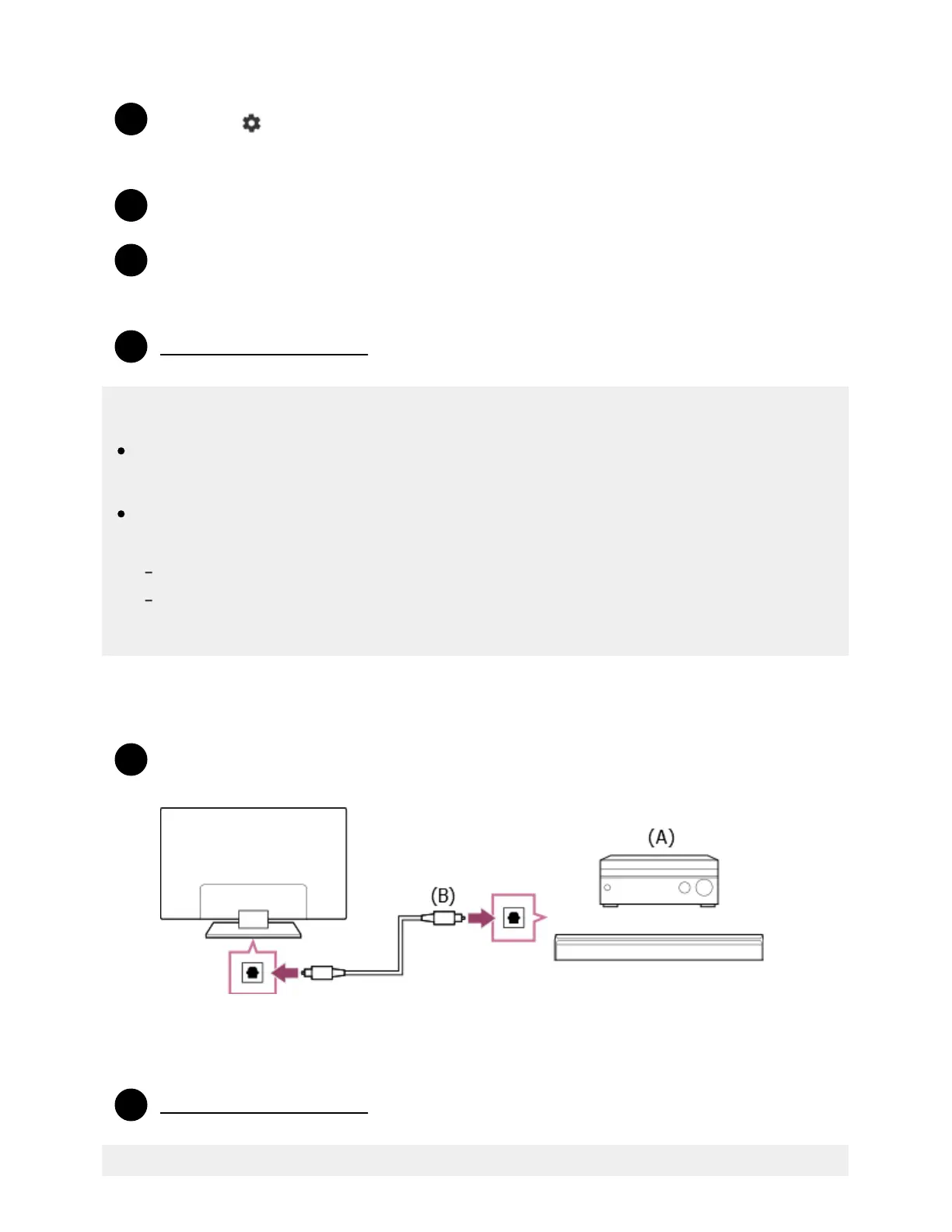
Digital optical cable connection
Connect the TV and audio system with a digital optical cable.
Connect to the audio system’s digital optical input terminal.
(A) AV receiver or Sound bar
(B) Optical audio cable (not supplied)
Adjusting an audio system
* ™



 To Next Page