A-3
KF-42E200A/42E201A/50E200A/50E201A
KF-42E200A/42E201A/50E200A/50E201A
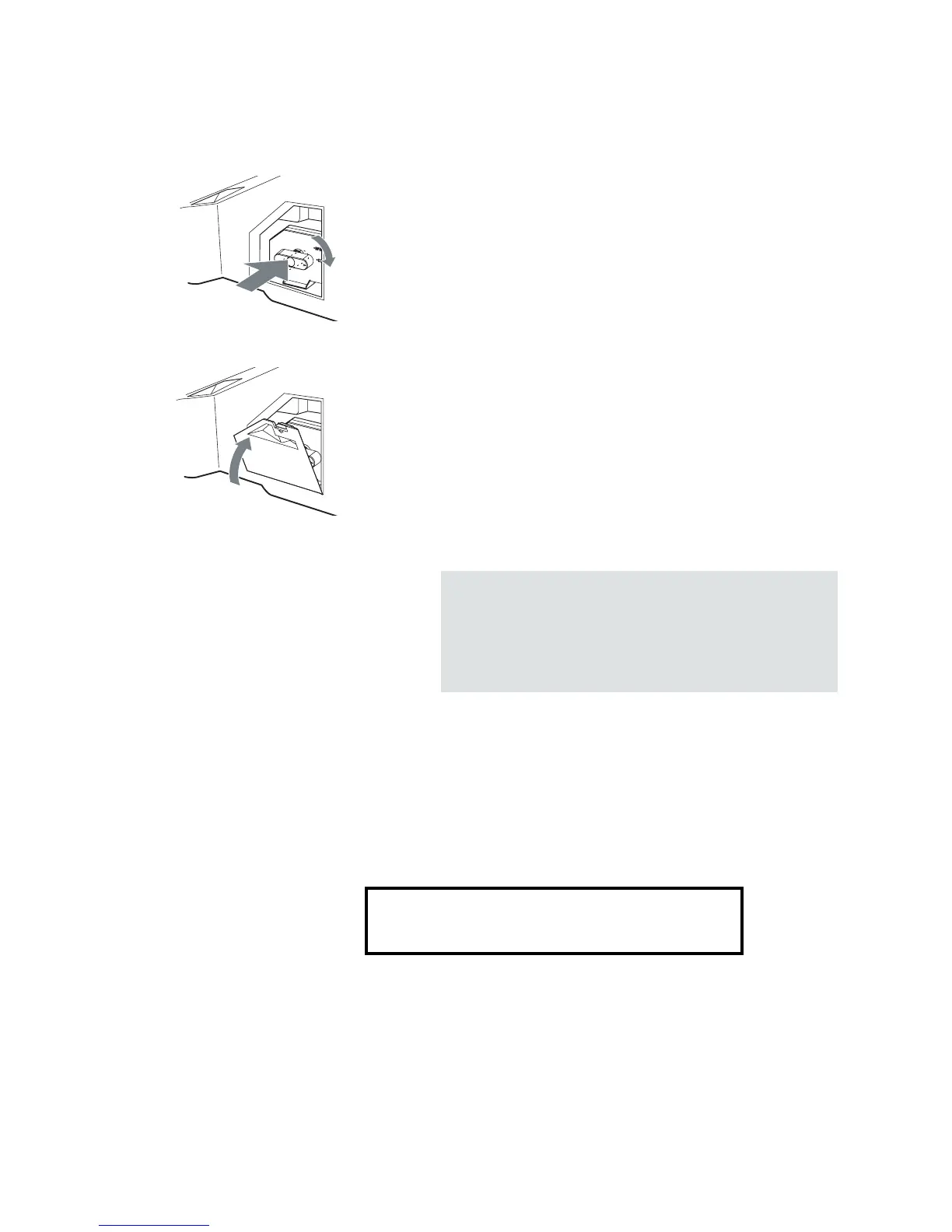
8 Reattach the lamp door.
Turn the knob back to CLOSE and secure the cover.
9 Put the outside lamp cover back in its place.
10 Select the Lamp Replacement option (MENU > Settings >
Setup menu) and follow the on-screen procedure.
The used lamp
This product contains mercury. For disposal or recycling information, please
contact your local authorities or the Electronics Industry Alliance
(http://www.eiae.org).
❑ Do not leave the used lamp near flammable materials or within the
reach of children.
❑ Do not pour water onto the used lamp or put any object inside the lamp.
Doing so may cause the lamp to burst.
✍ Consult your Sony dealer for a Sony XL-2400
replacement lamp.
✍ Take great care when replacing the lamp or plugging
in/unplugging the connecting cords. Rough handling
may cause the TV to fall, damaging the TV, the TV
stand and the floor.
For replacement lamp information visit:
Canada: http://www.sonystyle.ca/tv/


 To Next Page