16
Getting Started
The VCR Plus+ feature allows you to simplify the task of programming
your Video/TV to make recordings with the timer. Setting up your Video/
TV involves coordinating the TV channel number (the number you turn to
on your Video/TV or VCR to watch a program) with the guide channel
(the number that’s assigned to that channel in your program guide). To
find the guide channel numbers, look in the “Channel Line-up Chart” in
the program guide for your area that features VCR PlusCodes. It usually
looks like the example on the next page.
Setting the guide channel
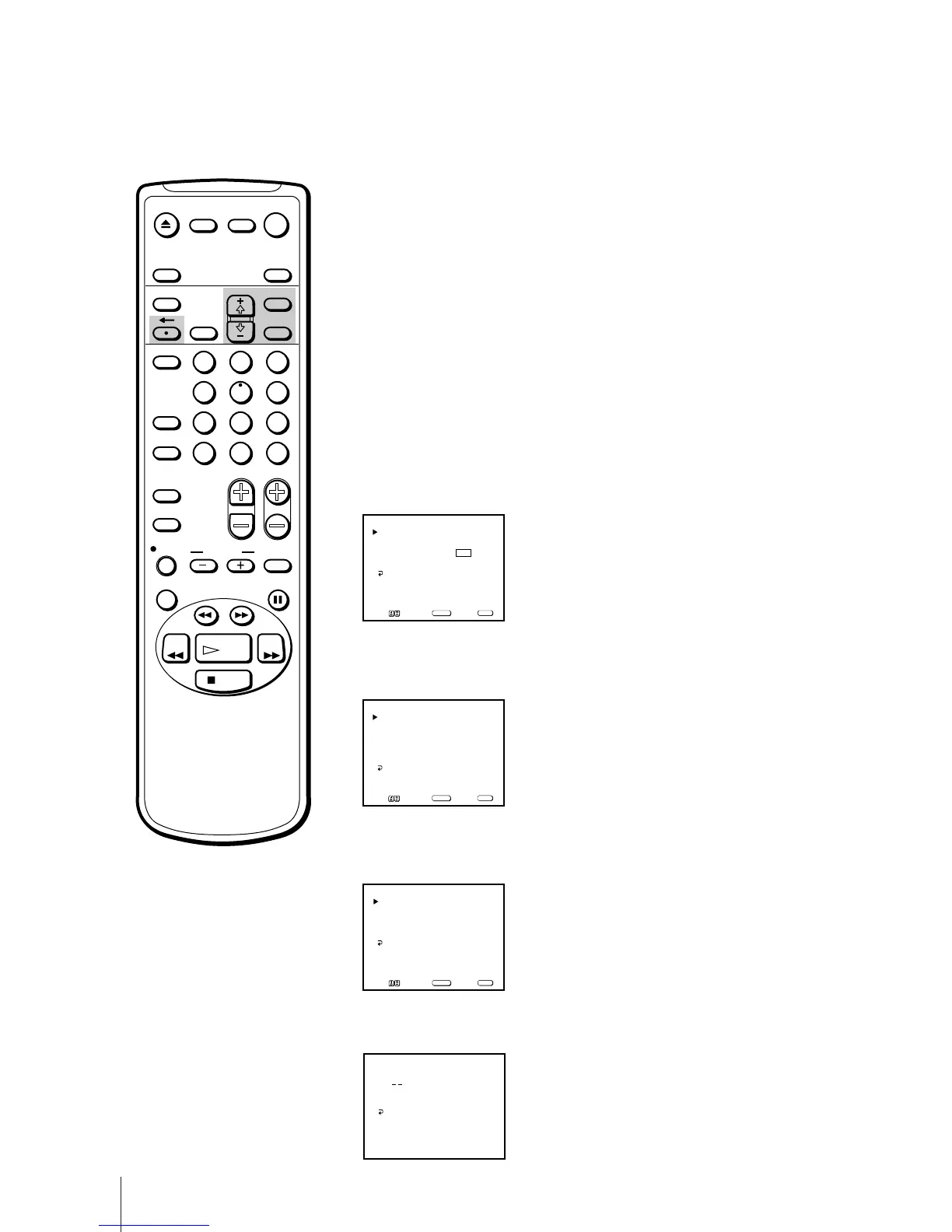
1 Press MENU to display the main menu.
2 Move the cursor (z) to “SET UP” with + ◊ or – √ and press SELECT.
The SET UP menu appears.
3 Move the cursor (z) to “CHANNEL SET UP” with + ◊ or – √ and press
SELECT.
The CHANNEL SET UP menu appears.
4 Move the cursor (z) to “VCR Plus+ SET UP” with + ◊ or – √ and press
SELECT.
The VCR Plus+ SET UP menu appears.
5 Press SELECT to enter the guide channel number.
The GUIDE CH position turns red.
Step 5 —
Setting Up VCR Plus+
Note
If VCR Plus+ SET UP appears in
black, the Video/TV is set to receive
a video input signal through the
input jacks and you cannot select
VCR Plus+ SET UP. Press INPUT
SELECT so that a channel number
appears on the screen.
If you have made a mistake
Press ? to return to the previous
position.
CABLE: OFF
CHANNEL FIX: OFF
AUTO PROGRAM
CHANNEL SKIP/ADD
VCR P lus+ SET UP
CHANNEL SET UP
MENU
Move Select Exit
SELECT
MENU
CHANNEL SET UP
FAVORITE CHANNEL
CAPTION VISION: CC 1
LANGUAGE: ENGLISH
SET UP
MENU
Move Select Exit
SELECT
MENU
GUIDE CH – TV CH
CHANNEL LIST
VCR Plus+ SET UP
Use [0-9] to set a
guide channel
MENU
Then press [ENTER]
– ___
EJECT
INPUT
SELECT
COUNTER/
REMAIN
COUNTER
RESET
SLEEP
MENU
CHVOL
SELECTRESET
INDEX
JUMP ENTER
TAPE SPEED
X2 PAUSE
SEARCH
REC
SLOW
VCR Plus
MUTING DISPLAY
POWER
TV
1
2
3
4
5
6
7
8
9
0
&7
STOP
PLAY
REW FF
TIMER ON SCREEN
GUIDE CH – TV CH
CHANNEL LIST
VCR Plus+ SET UP
MENU
__ – ___
Move Select Exit
SELECT
MENU


 To Next Page
 Loading...