Basic Operations
23
Listening to surround sound
effects
(KV-20VS40 only)
The surround feature simulates the sound reproduction of a movie theater
or a concert hall. Surround is only effective for stereo programs.
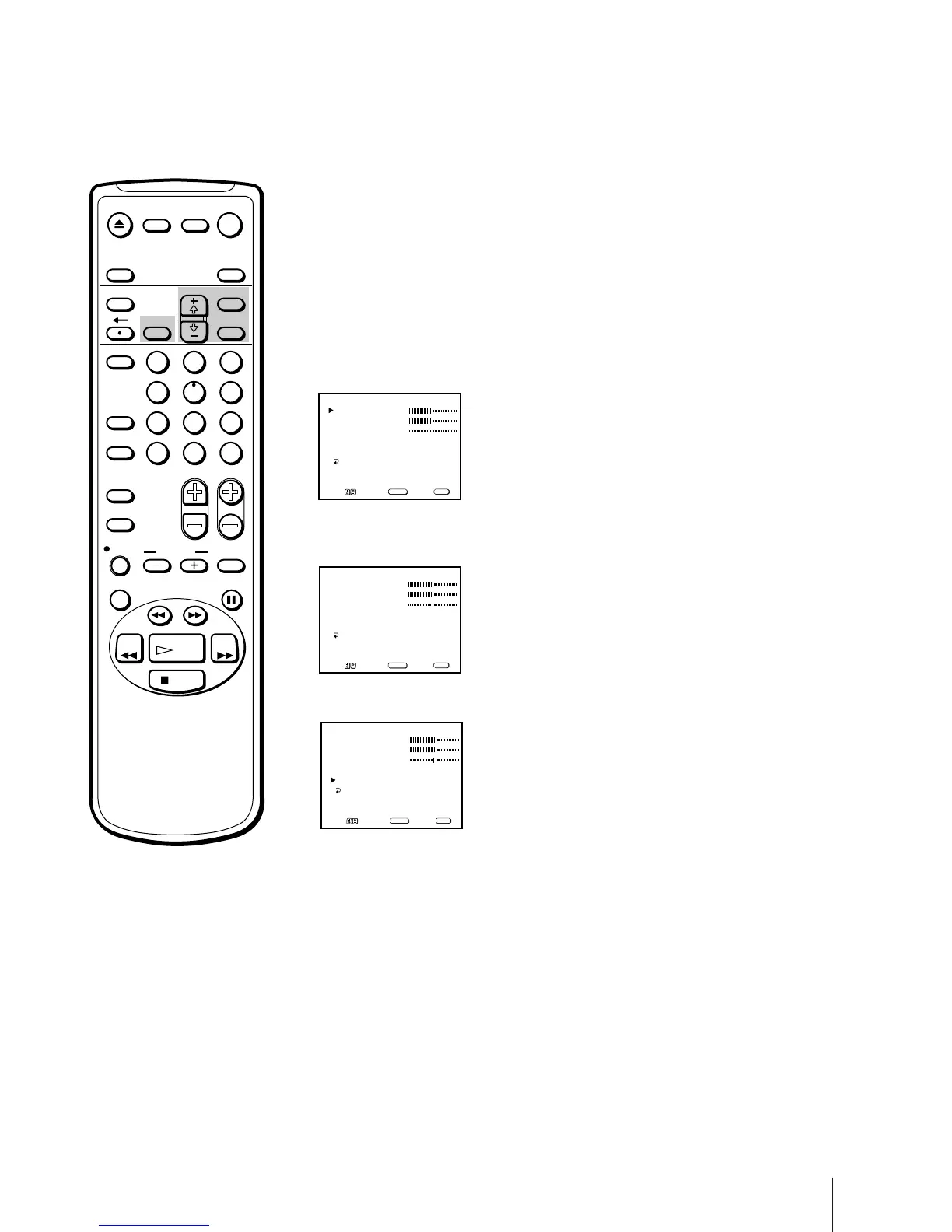
1 Press MENU to display the main menu.
2 Move the cursor (z) to “AUDIO” with + ◊ or – √ and press SELECT.
The AUDIO menu appears.
3 Move the cursor (z) to “SURROUND” with + ◊ or – √ and press SELECT.
The selected position turns red.
4 Using + ◊ or – √, select “ON” or “OFF” and press SELECT.
To restore the factory settings
Press RESET after selecting and displaying the AUDIO menu.
All of the settings are restored to the factory settings.
BASS
AUDIO
TREBLE
BALANCE
MTS : STEREO
SURROUND : ON
MENU
Move Select Exit
SELECT
MENU
BASS
AUDIO
TREBLE
BALANCE
MTS : STEREO
SURROUND : OFF
MENU
Move Select Exit
SELECT
MENU
BASS
AUDIO
TREBLE
BALANCE
MTS : STEREO
SURROUND : ON
MENU
Move Select Exit
SELECT
MENU
EJECT
INPUT
SELECT
COUNTER/
REMAIN
COUNTER
RESET
SLEEP
MENU
CHVOL
SELECTRESET
INDEX
JUMP ENTER
TAPE SPEED
X2 PAUSE
SEARCH
REC
SLOW
VCR Plus
MUTING DISPLAY
POWER
TV
1
2
3
4
5
6
7
8
9
0
&7
STOP
PLAY
REW FF
TIMER ON SCREEN


 To Next Page
 Loading...