40
Additional Operations
The CHANNEL BLOCK feature allows you to prevent children from
watching unsuitable programs. Make sure the clock is set correctly. If it is
not, set the clock first (page 12.)
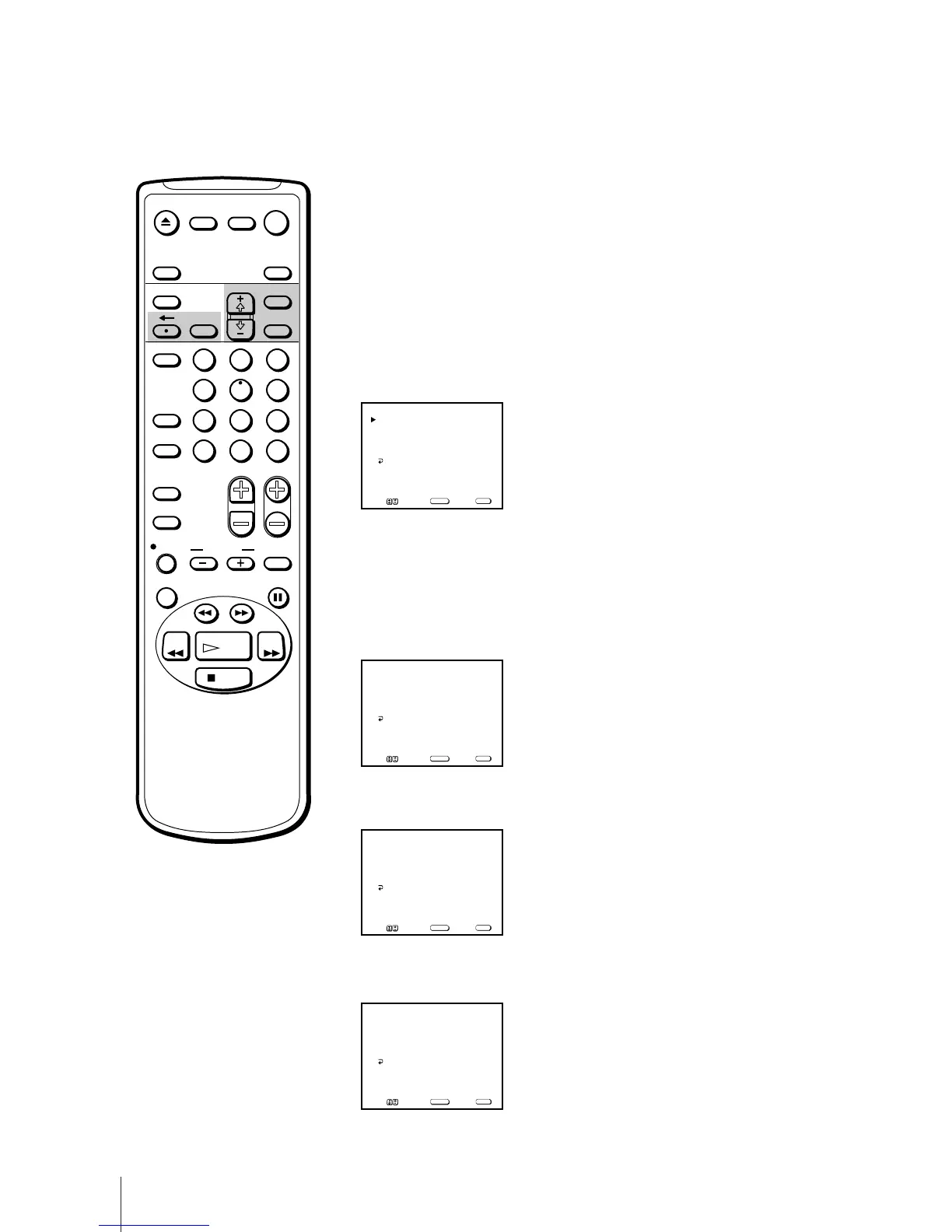
1 Press MENU to display the main menu.
2 Move the cursor (z) to “TIMER” with + ◊ or – √ and press SELECT.
3 Move the cursor (z) to “CHANNEL BLOCK” with + ◊ or – √ and press
SELECT.
The CHANNEL BLOCK menu appears.
4 Press SELECT to enter the CHANNEL BLOCK setting.
5 Press + ◊ or – √ to set the days.
With each press, the days change as shown below.
EVERY SUN-SAT n EVERY MON-FRI n SUNDAY ...n... SATURDAY
n EVERY SUNDAY ...n... EVERY SATURDAY.
6 Press + ◊ or – √ to set the time (hour then minute) that you want to block
out and press SELECT.
7 Press + ◊ or – √ to set the duration time that you want to block and press
SELECT.
Blocking Out a Channel – CHANNEL BLOCK
If you have made a mistake
Press ? to return to the previous
position.
To erase the setting
Press RESET while the CHANNEL
BLOCK menus is displayed.
EJECT
COUNTER/
REMAIN
COUNTER
RESET
SLEEP
MENU
CHVOL
SELECT
INDEX
JUMP ENTER
TAPE SPEED
X2 PAUSE
SEARCH
REC
SLOW
VCR Plus
MUTING DISPLAY
POWER
TV
1
2
3
4
5
6
7
8
9
0
&7
STOP
PLAY
REW FF
TIMER ON SCREEN
INPUT
SELECT
RESET
1.______
––:–– AM _H CH___
CHANNEL BLOCK
Select a program
SUN 12:00 AM
2.______
––:–– AM _H CH___
Move Select Exit
SELECT
MENU
MENU
1.EVERY MON–FRI
––:–– AM _H CH___
CHANNEL BLOCK
Set the day
SUN 12:00 AM
2.______
––:–– AM _H CH___
Move Select Exit
SELECT
MENU
MENU
1.EVERY MON–FRI
7:00 AM _H CH___
CHANNEL BLOCK
Set the time
SUN 12:00 AM
2.EVERY SUN –SAT
––:–– AM _H CH___
Move Select Exit
SELECT
MENU
MENU
1.EVERY MON–FRI
7:00 AM 1H CH___
CHANNEL BLOCK
Set the duration
SUN 12:00 AM
2.______
––:–– AM _H CH___
Move Select Exit
SELECT
MENU
MENU



 To Next Page