46
Additional Operations
You can automatically reduce the picture noise on the video playback
picture by setting NOISE REDUCTION to ON. Use this feature when you
are playing a well-worn or old video, such as a rental video.
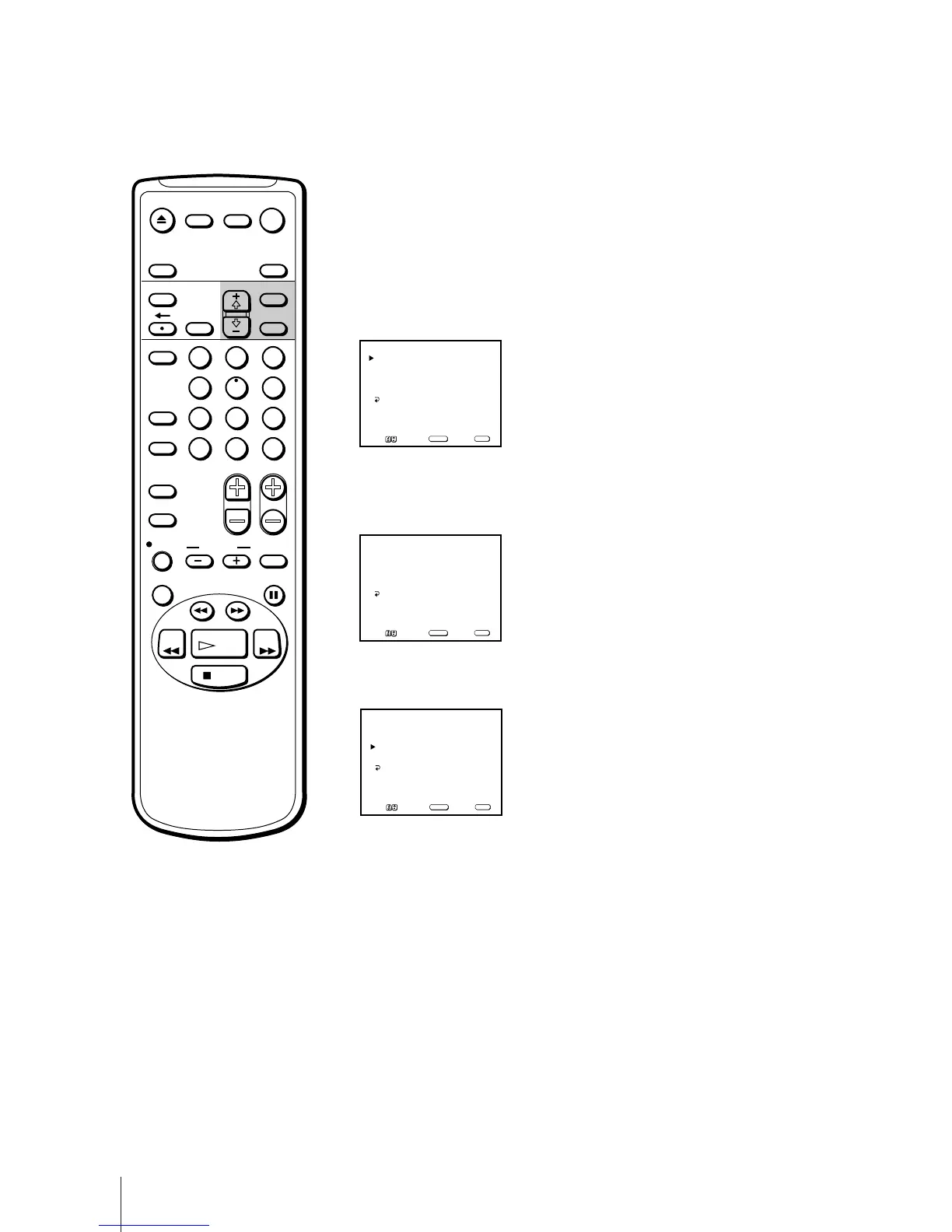
1 Press MENU to display the main menu.
2 Move the cursor (z) to “TAPE” with + ◊ or – √ and press SELECT.
The TAPE menu appears.
3 Move the cursor (z) to “NOISE REDUCTION” with + ◊ or – √ and press
SELECT.
The selected position turns red.
4 Using + ◊ or – √, select “ON” and press SELECT.
The picture noise is reduced.
5 Press MENU to return to the original screen.
Reducing the Picture Noise
TAPE REMAIN: T-120
AUTO REPEAT: OFF
NOISE REDUCTION: OFF
TRACKING
TAPE
MENU
Move Select Exit
SELECT
MENU
TAPE REMAIN: T-120
AUTO REPEAT: OFF
NOISE REDUCTION: OFF
TRACKING
TAPE
MENU
Move Select Exit
SELECT
MENU
TAPE REMAIN: T-120
AUTO REPEAT: OFF
NOISE REDUCTION: ON
TRACKING
TAPE
MENU
Move Select Exit
SELECT
MENU
EJECT
COUNTER/
REMAIN
COUNTER
RESET
SLEEP
MENU
CHVOL
SELECTRESET
INDEX
JUMP ENTER
TAPE SPEED
X2 PAUSE
SEARCH
REC
SLOW
VCR Plus
MUTING DISPLAY
POWER
TV
1
2
3
4
5
6
7
8
9
0
&7
STOP
PLAY
REW FF
TIMER ON SCREEN
INPUT
SELECT



 To Next Page