Basic Operations
33
Checking the timer settings
You can display the list of the timer settings which you preset.
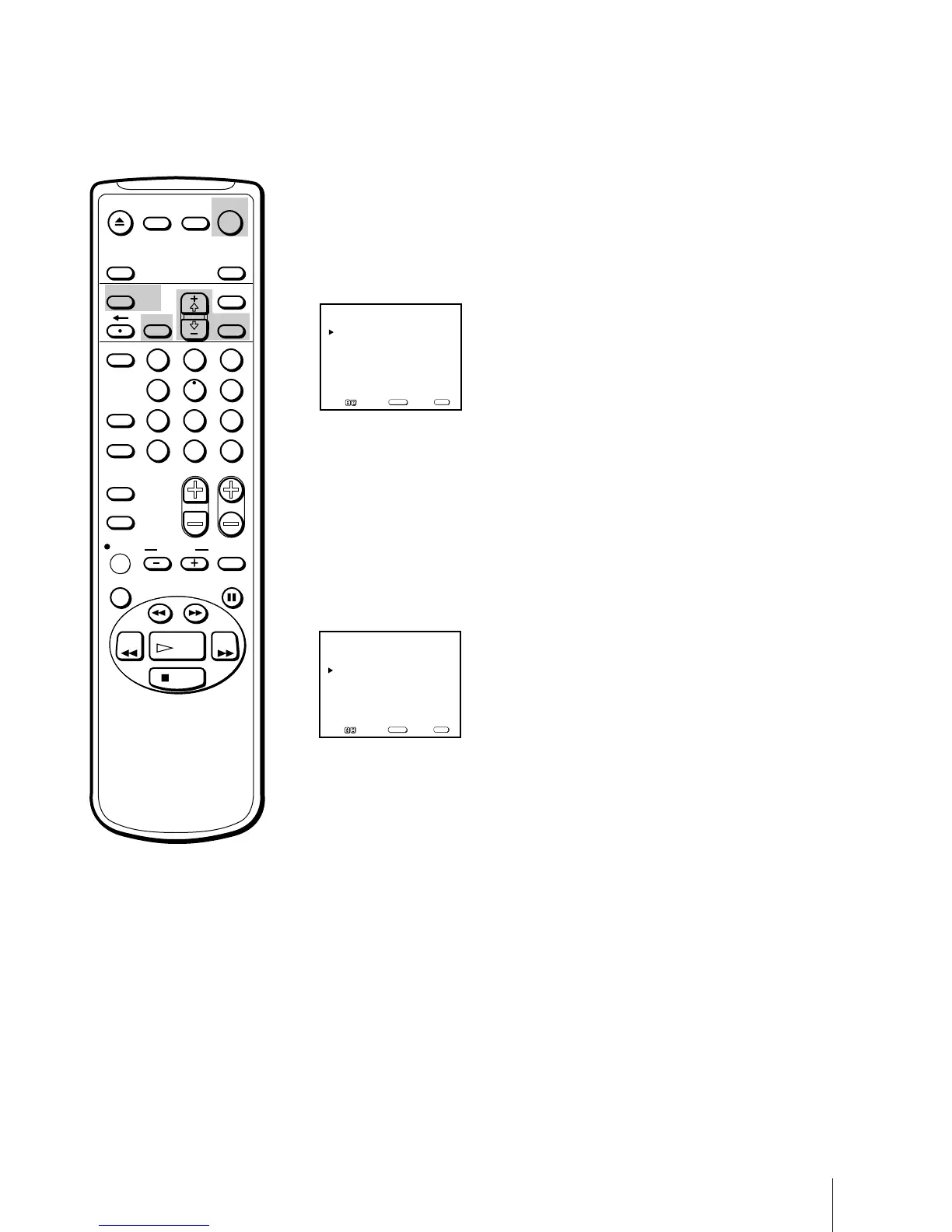
Press TIMER ON SCREEN.
The TIMER SET/CHECK menu appears.
Press TIMER ON SCREEN again to erase the TIMER SET/CHECK menu.
Changing or cancelling the timer
settings
1 Press TIMER ON SCREEN to display the TIMER SET/CHECK menu.
2 Select the setting you want to change or cancel with + ◊ or – √.
3 To change the setting
Using + ◊ or – √ and SELECT, re-enter the items you want to change.
Refer to steps 2 through 10 of “Setting the timer” on pages 30 through 32.
To cancel the setting
Press RESET.
4 Press TIMER ON SCREEN to return to the original screen.
5 If there are other timer settings on the list, press POWER to set the Video/
TV to timer recording standby mode.
DATE START STOP CH
10
/ 6
TUE
8:15
PM
9:55
PM
26
EP
10
/ 7
WED
7:30
PM
8:30
PM
50
EP
MON
-
SAT
11
:00
PM
12
:00
AM
32
SP
EVERY
THU
9:55
AM
12
:30
PM
21
EP
_/__ _:__ _:__ ___ _
_/__ _:__ _:__ ___ _
TIMER SET / CHECK 10 / 5
MON
Move Select Exit
SELECT
MENU
DATE START STOP CH
10
/ 6
TUE
8:15
PM
9:55
PM
26
EP
10
/ 7
WED
7:30
PM
8:30
PM
50
EP
MON
-
SAT
11
:00
PM
12
:00
AM
32
SP
EVERY
THU
9:55
AM
12
:30
PM
21
EP
_/__ _:__ _:__ ___ _
_/__ _:__ _:__ ___ _
TIMER SET / CHECK 10 / 5
MON
Move Select Exit
SELECT
MENU
EJECT
INPUT
SELECT
COUNTER/
REMAIN
COUNTER
RESET
SLEEP
MENU
CHVOL
SELECTRESET
INDEX
JUMP ENTER
TAPE SPEED
X2 PAUSE
SEARCH
REC
SLOW
VCR Plus
MUTING DISPLAY
POWER
TV
1
2
3
4
5
6
7
8
9
0
&7
STOP
REW FF
PLAY
TIMER ON SCREEN



 To Next Page