8
Getting Started
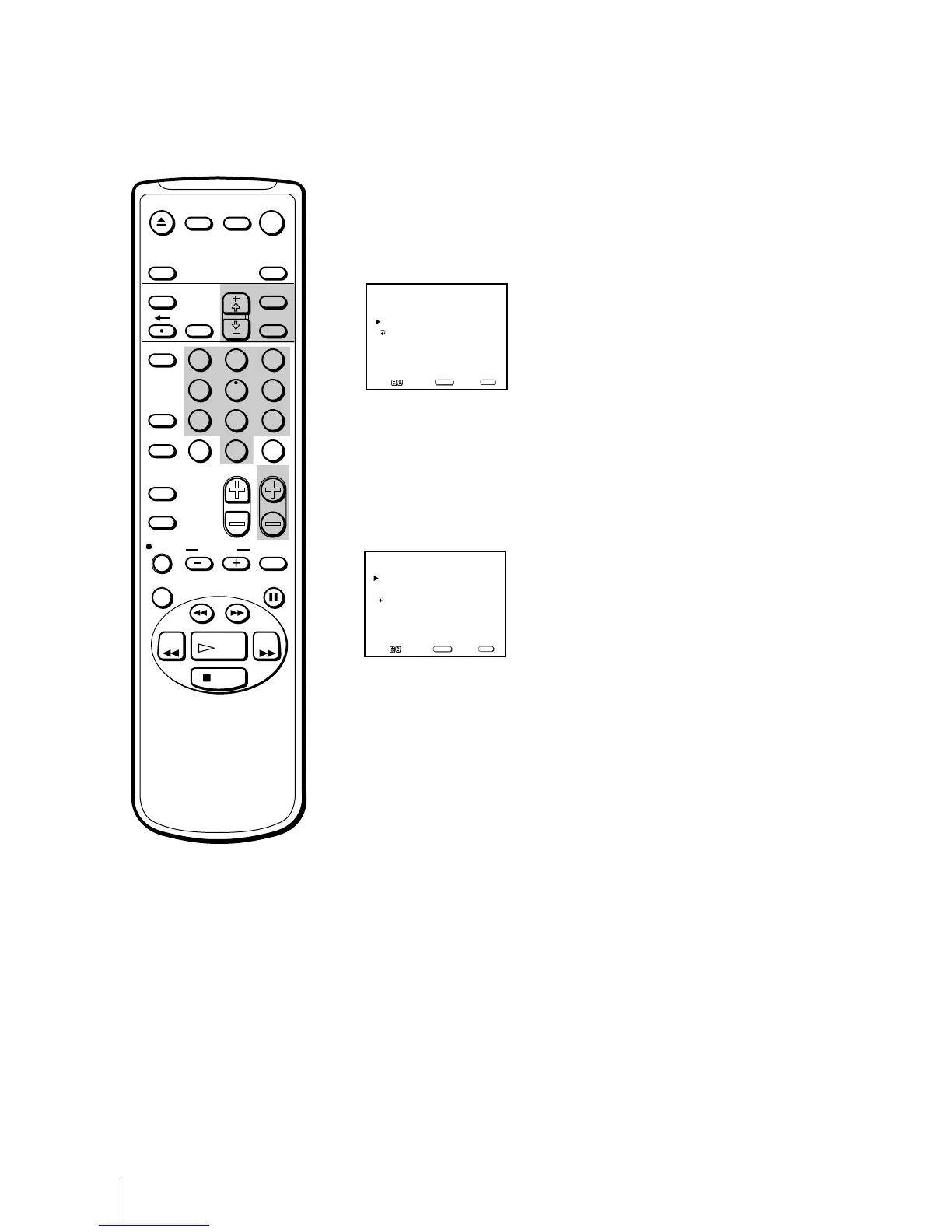
5 Erase and/or add channels:
To erase an unwanted channel
(1) Make sure the cursor (z) is beside SKIP.
(2) Press CH +/– or the 0 - 9 buttons to select the channel you want to
erase and press SELECT.
The message “Channel will be skipped” appears for several seconds and
the cursor (z) moves to ADD.
To add a channel
(1) Make sure the cursor (z) is beside ADD.
(2) Press CH+/– or the 0 - 9 buttons to select the channel you want to add
and press SELECT.
The message “Channel will be added” appears and the cursor (z) moves
to SKIP.
6 To erase and/or add other channels, repeat step 5.
7 Press MENU to return to the original screen.
SKIP
3
ADD
Use
[
0–9
]or[
CH+/–
]
to select the channel
CHANNEL SKIP/ADD
MENU
Move Select Exit
SELECT
MENU
SKIP
3
ADD
Use
[
0–9
]or[
CH+/–
]
to select the channel
CHANNEL SKIP/ADD
MENU
Move Select Exit
SELECT
MENU
EJECT
INPUT
SELECT
COUNTER/
REMAIN
COUNTER
RESET
SLEEP
MENU
CHVOL
SELECTRESET
INDEX
JUMP ENTER
TAPE SPEED
X2 PAUSE
SEARCH
REC
SLOW
VCR Plus
MUTING DISPLAY
POWER
TV
1
2
3
4
5
6
7
8
9
0
&7
STOP
PLAY
REW FF
TIMER ON SCREEN



 To Next Page