Help Guide
Wireless Stereo Headset
LinkBuds Open
Using Amazon Alexa
By using the Amazon Alexa app installed on your smartphone, you can speak to the headset’s microphones to operate
the smartphone or perform a search.
Compatible smartphones
The OS version which supports the latest version of the Amazon Alexa app on Android or iOS
Installation of the latest Amazon Alexa app is required.
For details on Amazon Alexa and its capability, refer to the following website:
https://www.amazon.com/b?node=16067214011
Registering your headset with the Amazon Alexa app (initial setup of Amazon Alexa)
Put the headset units into your ears and connect the headset to the smartphone via Bluetooth connection.
1
Launch the Amazon Alexa app.
When you are using Amazon Alexa for the first time, you will need to login with your Amazon account, and set up
your headset to the Amazon Alexa app. For details, see “Registering your headset with the Amazon Alexa app
(initial setup of Amazon Alexa)”.
If you have set up Amazon Alexa previously, but have configured the left and right units of the headset to a function
other than Amazon Alexa, reconfigure the left or right unit of the headset to Amazon Alexa.
2
Say the wake word
*
(“Alexa”) or operate the headset unit to which Amazon Alexa is assigned to use
Amazon Alexa.
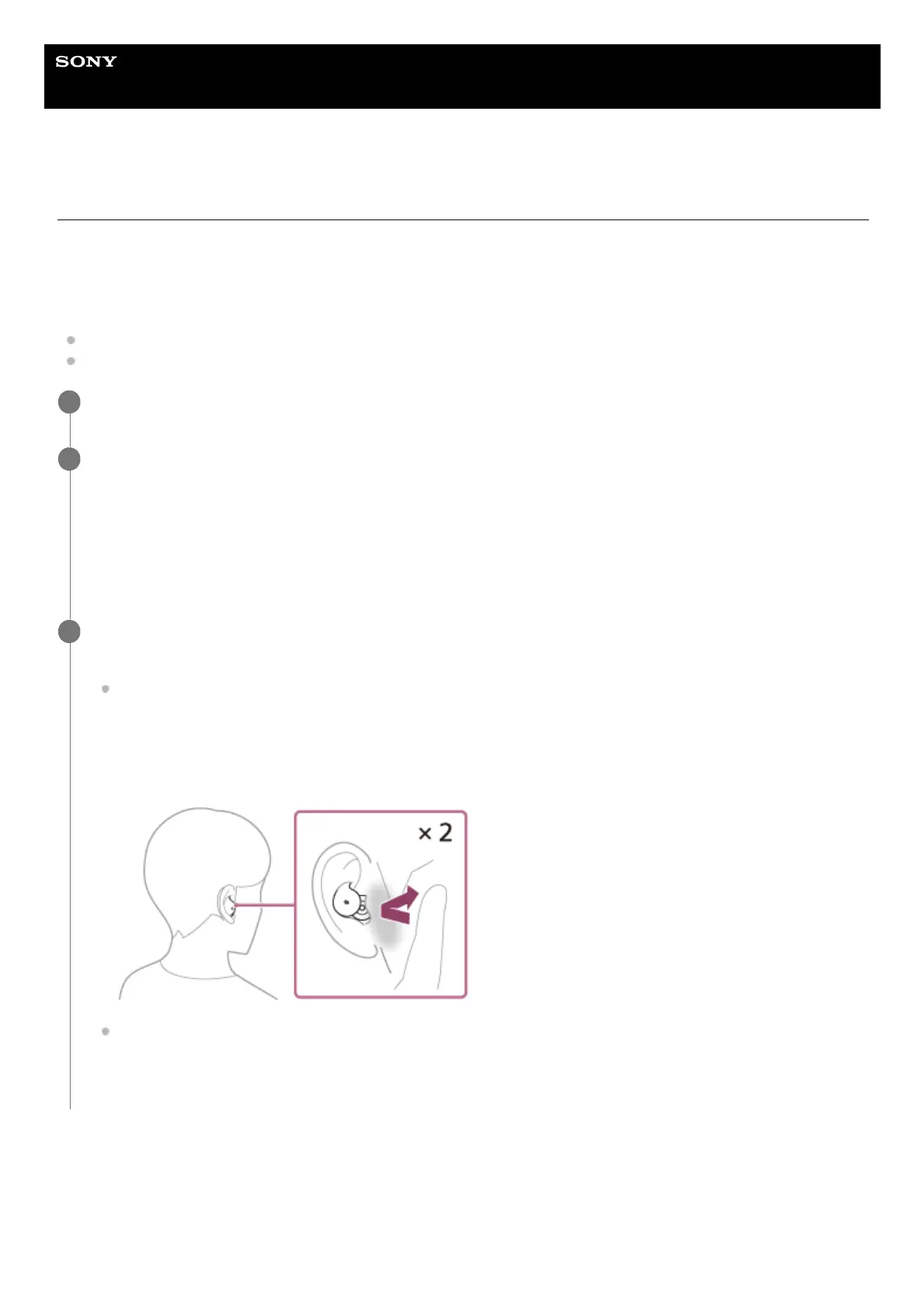
Tap the headset or in the area near your ear twice quickly (with an interval of about 0.2 seconds) to input a voice
command.
Example:
“What is the weather”
“Play music
**
”
If there is no voice, it will be automatically canceled.
3
To set the wake word, enable [Activate Voice Assistant with your Voice] on the “Sony | Sound Connect” app.
*
Need Amazon or Prime Music subscription.
**
Touch the [More] icon in the lower right corner of the Amazon Alexa app screen, and touch [Add a Device].1.



 To Next Page