MHC-EC99/EC79/EC69/EC99T/EC79T/EC69T.GB.4-131-117-11(1)
9
GB
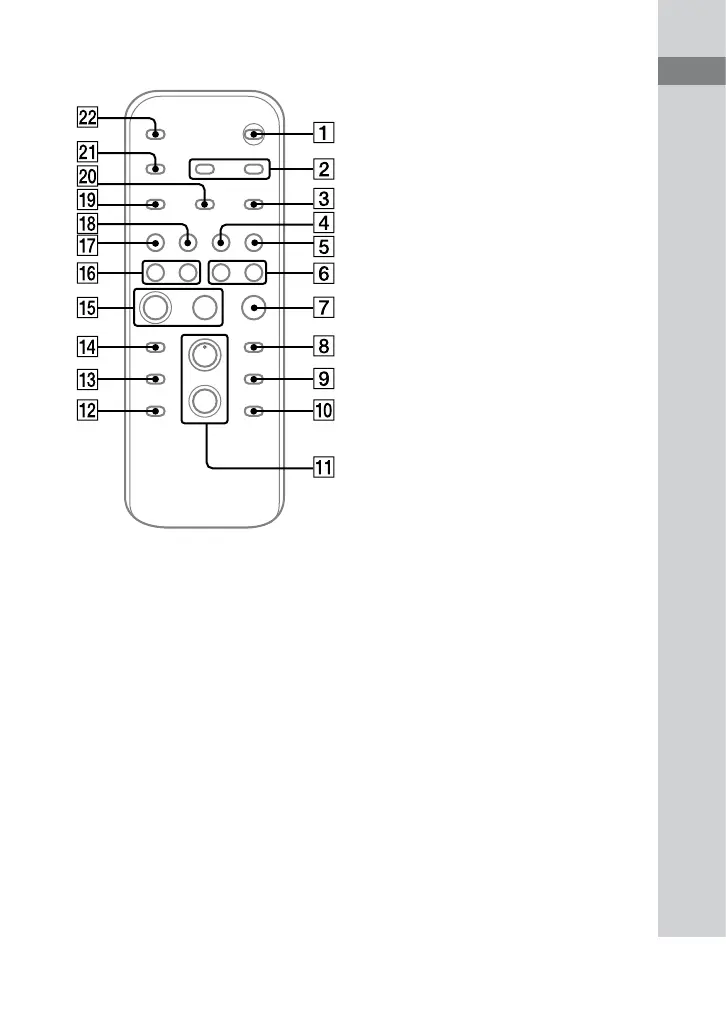
Guide to parts and controls
Remote
/ (on/standby) button (page
14, 26)
Press to turn on the system.
CLOCK/TIMER SELECT button
(page 26)
CLOCK/TIMER SET button (page
14, 26)
Press to set the clock and the Play Timer.
REPEAT/FM MODE button (page
16, 18, 22)
Press to listen to a disc, a USB device, a
single track or le repeatedly.
Press to select the FM reception mode
(monaural or stereo).
TUNER/BAND button (page 18)
Press to select the TUNER function.
Press to select FM or AM reception
mode.
FUNCTION button (page 15, 17,
18, 22, 23)
Press to select the function.
/ (rewind/fast forward)
button (page 16, 22, 33)
Press to nd a point in a track or le.
(stop) button (page 16, 18, 22)
Press to stop playback.
ENTER button (page 14, 18, 19,
26)
Press to enter the settings.
DISC SKIP button (page 15, 17,
20)
Press to select a disc.
Continued












 To Next Page