MHC-EC99/EC79/EC69/EC99T/EC79T/EC69T.GB.4-131-117-11(1)
15
GB
Operations
Operations
Playing a CD/MP3 disc
1
Select the CD function.
Press CD (or FUNCTION
repeatedly).
2
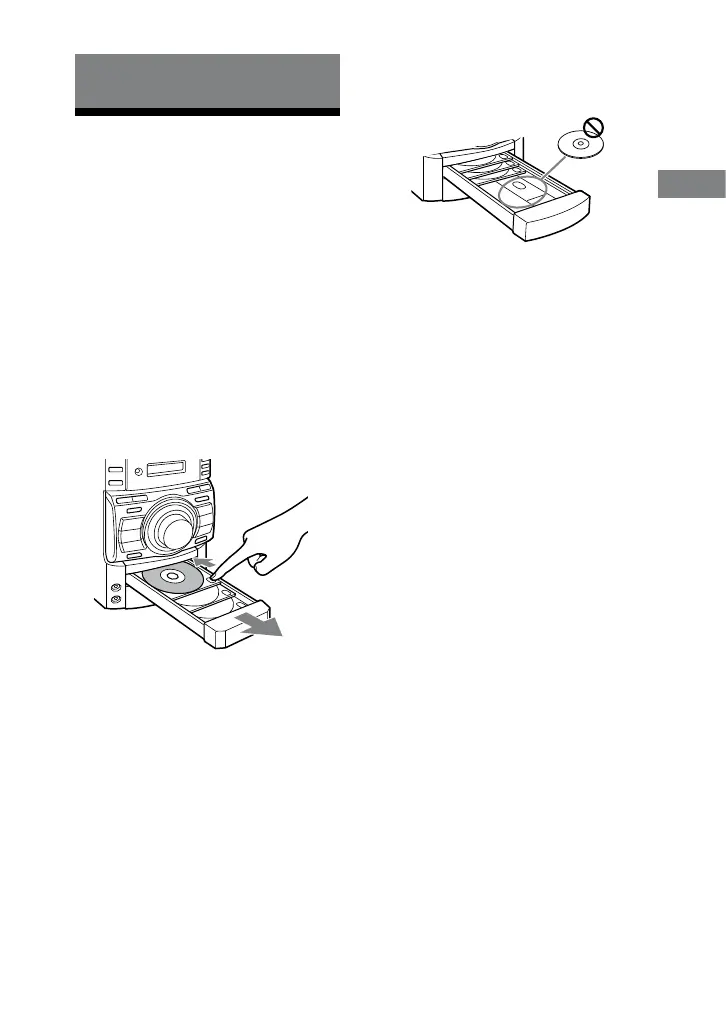
Place a disc.
Press on the unit, and place a disc
with the label side up on the disc tray.
To place additional discs, slide the
disc tray with your nger as shown
below.
To close the disc tray, press on the
unit.
Do not force the disc tray closed with
your nger, as this may damage the
unit.
If the discs are currently stopped,
press DISC SKIP. To change discs
while in other functions, press DISC
1 3 on the unit.
CAUTION
DO NOT place a disc here, as it may cause
the system to malfunction.
3
Start playback.
Press (or on the unit).
To exchange other discs during
playback, press EX-CHANGE on the
unit.
Continued












 To Next Page