MHC-EC99/EC79/EC69/EC99T/EC79T/EC69T.GB.4-131-117-11(1)
17
GB
Operations
Notes on playing MP3 discs
Do not save other types of les or
unnecessary folders on a disc that has MP3
les.
Folders that have no MP3 les are skipped.
MP3 les are played back in the order that
they are recorded onto the disc.
e system can only play MP3 les that have
a le extension of “.mp3”.
Even when le name has the “.mp3” le
extension, if the actual le diers, playing
this le may generate a loud noise which
could damage the speaker system and the
system may malfunction.
e maximum number of:
folders is 150 (including the root folder).
MP3 les is 255.
MP3 les and folders that can be
contained on a single disc is 300.
folder levels (the tree structure of les) is
8.
Compatibility with all MP3 encoding/writing
soware, recording device, and recording
media cannot be guaranteed. Incompatible
MP3 discs may produce noise or interrupted
audio or may not play at all.
Notes on playing multisession discs
If the disc begins with a CD-DA (or MP3)
session, it is recognized as a CD-DA (or
MP3) disc, and playback continues until
another session is encountered.
A disc with a mixed CD format is recognized
as a CD-DA disc.
Creating your own
program
(Program Play)
Use buttons on the remote to create your
own program.
1
Select the CD function.
Press CD (or FUNCTION
repeatedly).
2
Select the play mode.
Press PLAY MODE repeatedly until
“PGM” appears while the player is
stopped.
3
Select a disc.
Press DISC SKIP repeatedly.
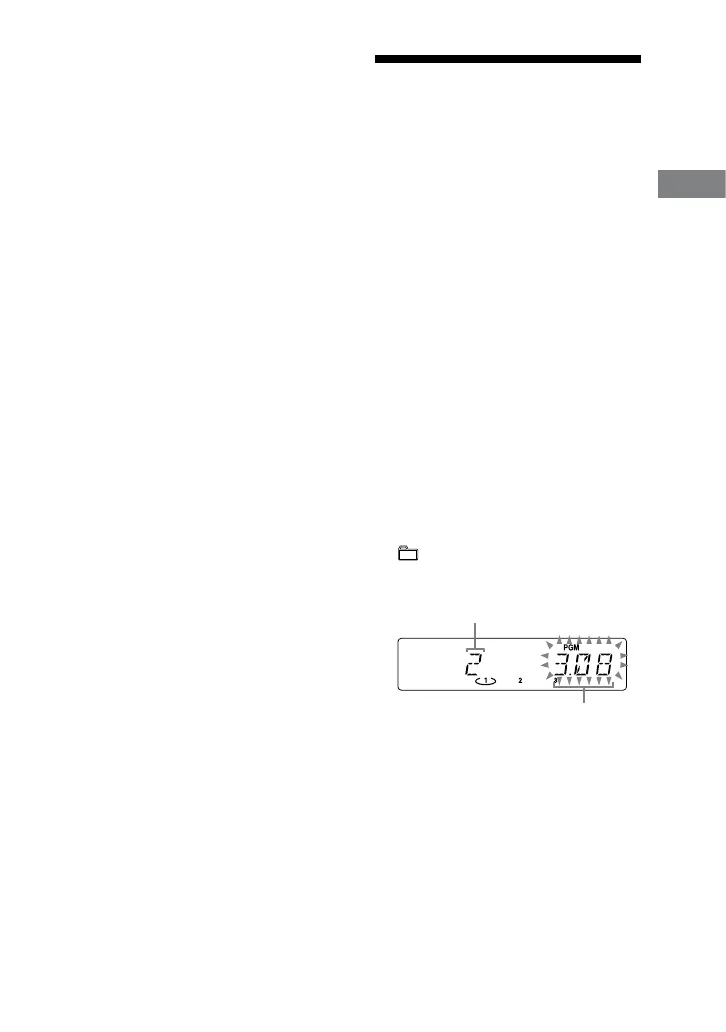
4
Select the desired track or le
number.
Press / repeatedly until the
desired track or le number appears.
When programming MP3 les, press
+/ repeatedly to select the
desired folder, and then select the
desired le.
Selected track or le number
Total playing time of the selected track or le
Continued












 To Next Page