64
Recording TV programs
filename[010BAS.FM] model name1[SLV-N81] model name2[SLV-N71]
[3-065-551-11 (1)]
To watch another TV program while recording
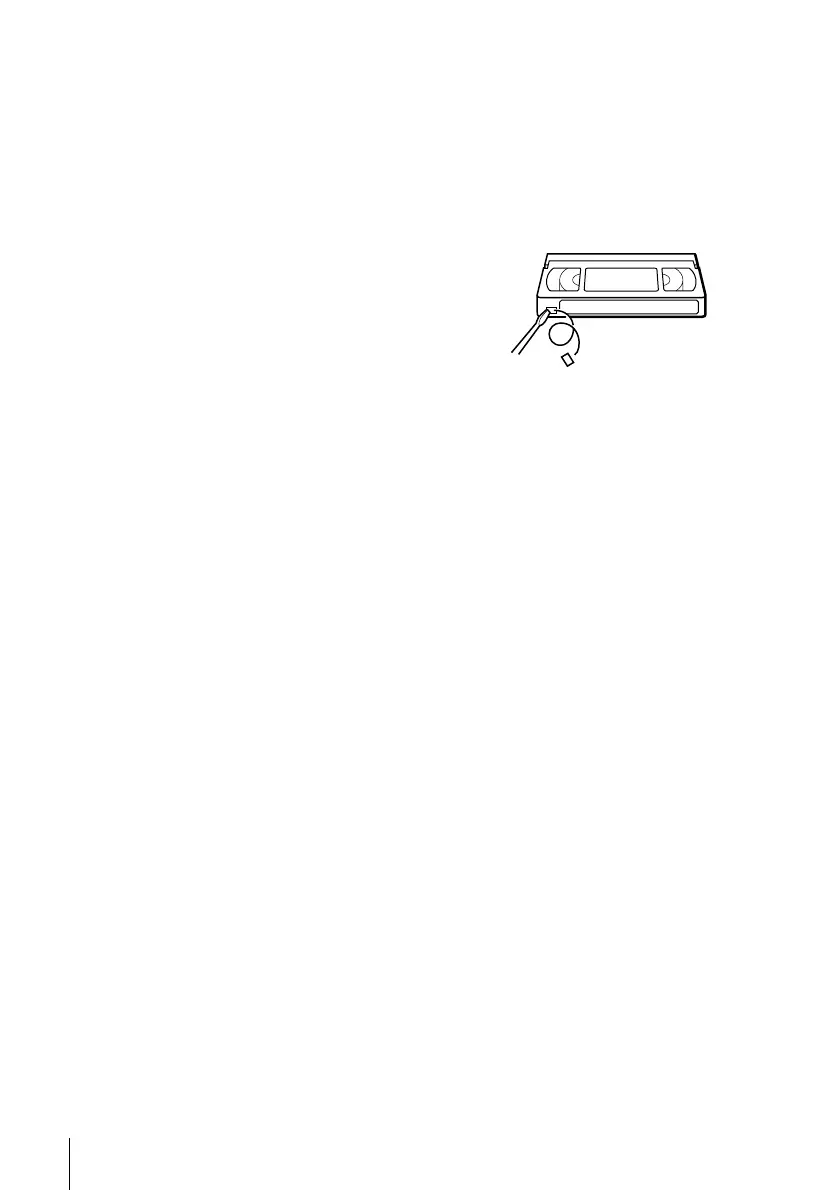
To save a recording
To prevent accidental erasure, break
off the safety tab as illustrated. To
recordonthetapeagain,coverthetab
hole with adhesive tape.
Tips
• To select a channel, you can use the number buttons on the remote commander. Enter the
channel number, then press ENTER.
• You can select a video source from the LINE-1 IN or LINE-2 IN jacks using the INPUT
SELECT button.
• The display appears on the TV screen indicating information about the tape, but the
information won’t be recorded on the tape.
• If you don’t want to watch TV while recording, you can turn off the TV. When using a cable
box, make sure to leave it on.
Notes
• The remaining tape length may not be indicated accurately for short tapes such as T-20 or T-
30, or tapes recorded in the LP mode.
• The display does not appear during still (pause) mode or slow-motion playback.
• It may take up to one minute for the VCR to calculate and display the remaining tape length
after you press DISPLAY.
1
Press TV/VIDEO to turn off the VIDEO indicator in the display window.
2
If the TV is connected to the VCR’s LINE OUT jacks, set the TV to the TV’s
antenna input; if not, skip this step.
3
Select another channel on the TV.
Safety tab








 To Next Page