2-680-300-01(1)
Transferring Content
Transferring Content to Sony
Reader Connected with Your
Computer
You can transfer (copy) the content in Library to Sony
Reader.
Click the Start menu, then select “All programs” –
“CONNECT Reader” – “CONNECT Reader” to start
CONNECT Reader.
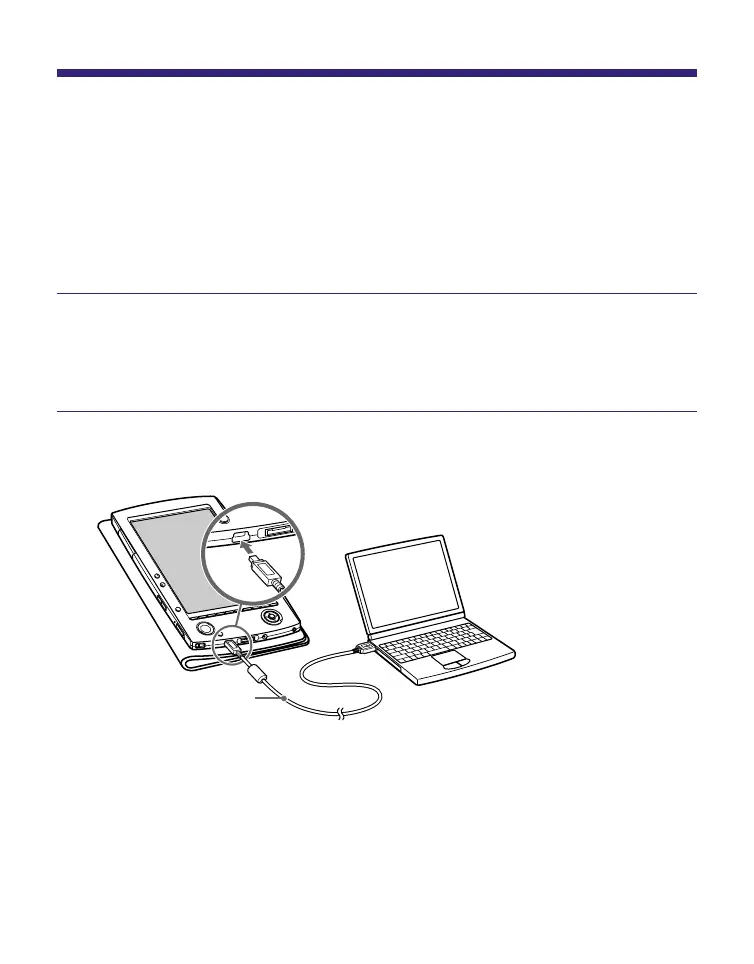
Connect Sony Reader to your computer using the
supplied USB cable.
USB cable
(supplied)
To USB connector
“Sony Reader” appears in the Source view of
CONNECT Reader.
A screen appears on Sony Reader, indicating that it is
connected to the computer.
Continued
26















 To Next Page