2-680-300-01(1)
Guide to Parts and Controls
Front
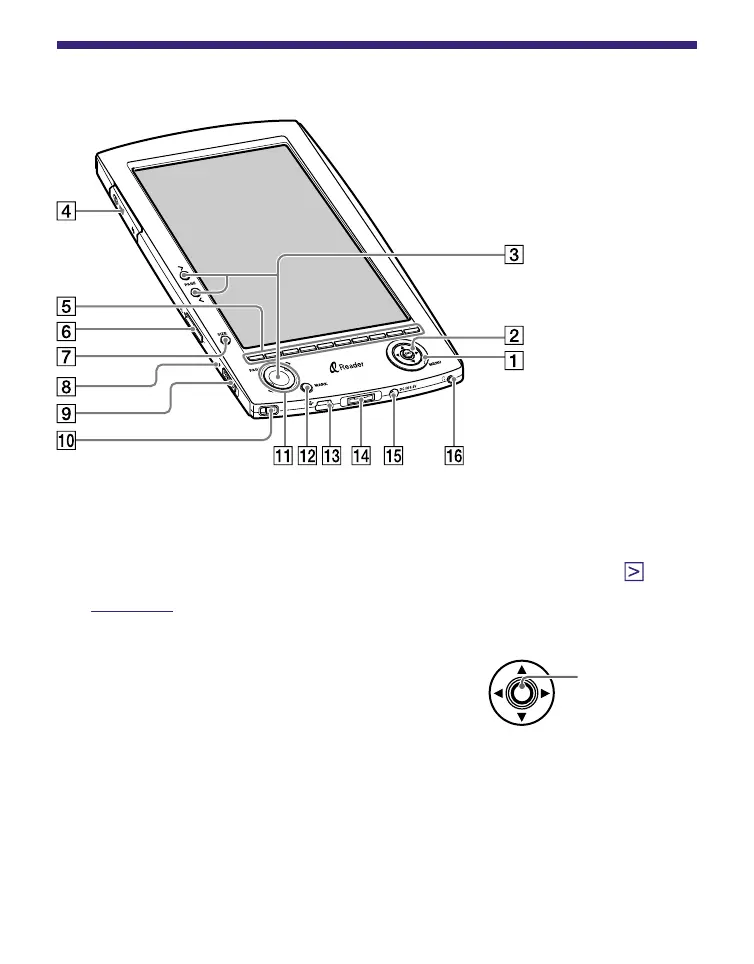
MENU button
To return to the previous screen or show a menu. (
page 13
)
5-way control (////ENT) button
To select an item or scroll around the
screen, press the ENT button, left
(
), up (
), down (
), or right (
).
To decide an item or apply a setting, press down on the
ENT button.
In this manual, the operation of the 5-way control button
is explained as follows.
(Example) Press /// to select “1984” on the Book
list, then press ENT.
Continued















 To Next Page