2-680-300-01(1)
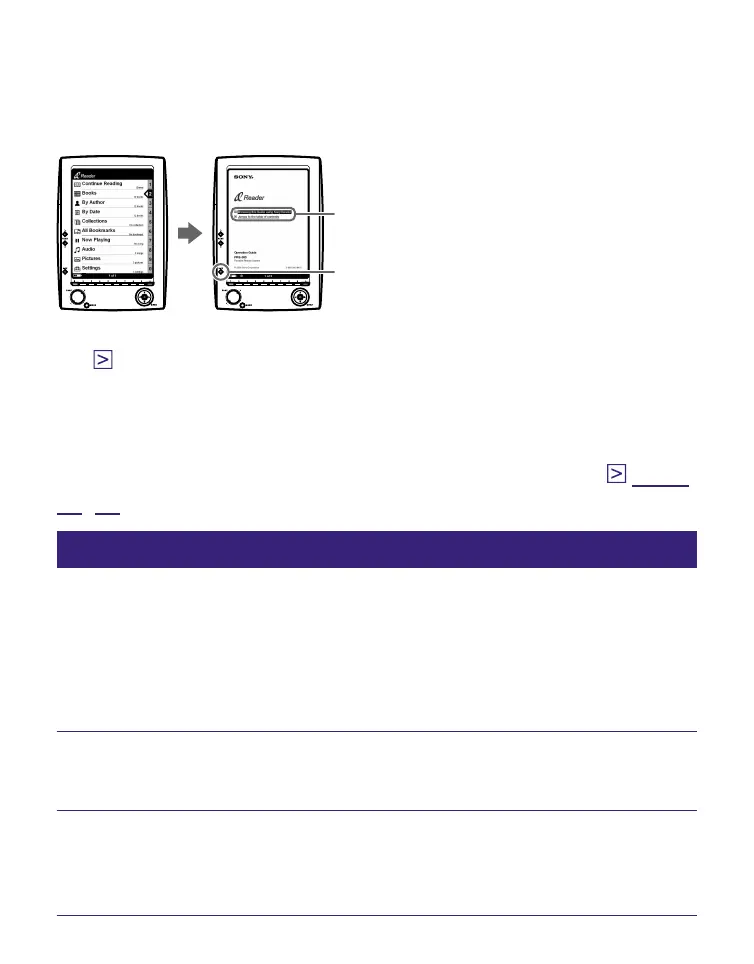
Browsing this Guide using Sony Reader
From the Home menu, select “Books” – “Operation Guide”
from the Book list. The Operation Guide can be opened by
selecting “Option Menu” – “Begin.”
PDF Link
SIZE button
Hints
• A mark on this Guide indicates a link. Using the 5-way control
button, press / to select the desired link, then press ENT to
jump to the linked page.
• To zoom in a page, press SIZE.
For details on how to open books or PDF files, refer to page
32, 37.
Using the CONNECT Reader Help
Refer to the CONNECT Reader Help for details about using
CONNECT Reader, such as importing books to your
computer and transferring them to Sony Reader.
Follow the steps below to start CONNECT Reader and
browse Help.
Click the Start menu, then select “All programs” –
“CONNECT Reader” – “CONNECT Reader.”
Click “Help” – “CONNECT Reader Help” on the Menu
bar.
Help appears.
3















 To Next Page