53
5 When connection is completed, the
wireless LAN must be enabled by
setting Wi-Fi >Wi-Fi (page 93) in the
System menu to Enable.
Note
The SDI OUT output setting must be configured to use
the CBK-WA100 with the camcorder. However, the
camcorder cannot output a signal compatible with the
CBK-WA100 when using ProRes 23.98P (page 76).
About the CBK-WA100
The CBK-WA100 has functions for recording
low-resolution proxy files on an SD card, and for
transferring the files to a server via a wireless
LAN. For details, refer to the operation manual
for the CBK-WA100.
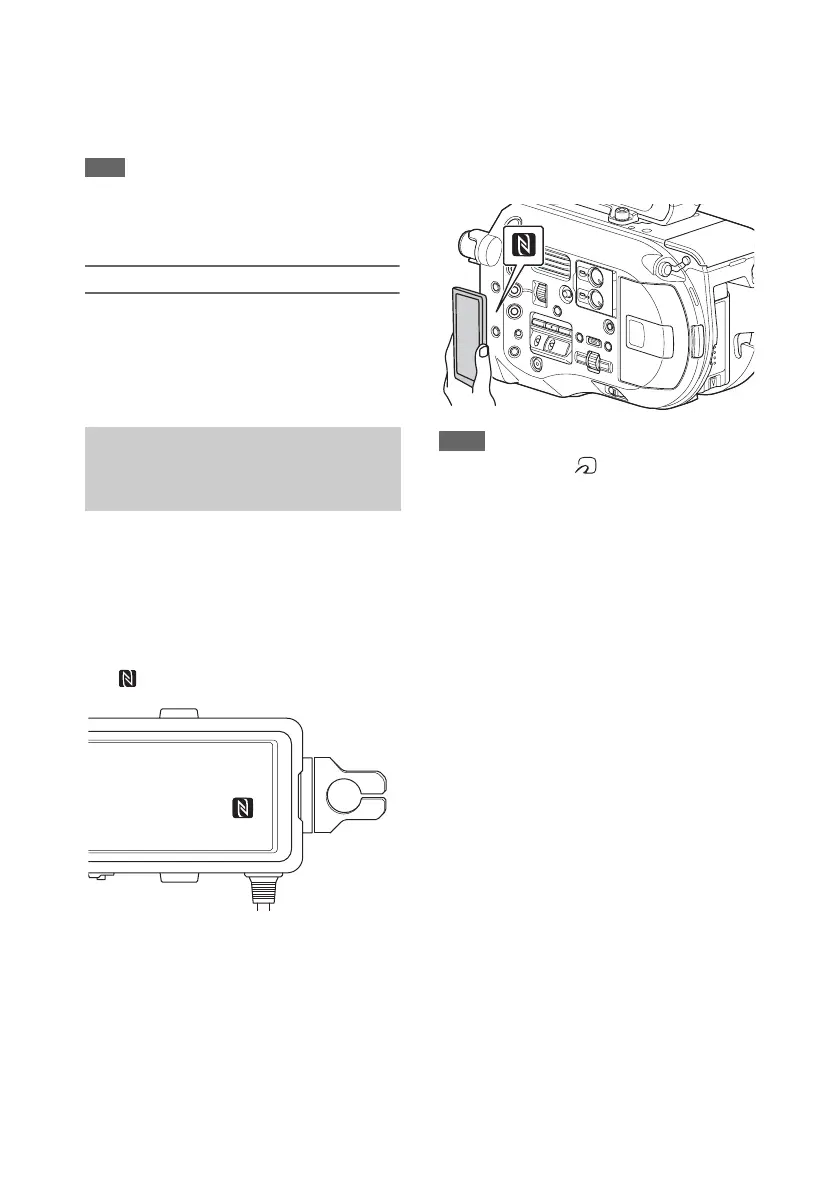
Devices that support NFC can be connected (one-
touch connection) using NFC.
1 Attach an IFU-WLM3 to the camcorder
(page 52), and set Wi-Fi >Wi-Fi
(page 93) in the System menu to
“Enable” to enable wireless LAN.
appears on the screen.
2 Open “Settings” on the device, select
“More,” and place a check mark in the
NFC checkbox.
The various settings will vary depending on
the device. For details, refer to the instruction
manual for the device.
3 Touch the camcorder using the device.
The device connects to the camcorder,
launches a web browser, and displays the
Wi-Fi remote control. Authentication is
required the first time that the device
connects.
Notes
• Some devices with a mark support NFC. For
details, refer to the operation manual for the device.
• Disable sleep mode and screen lock beforehand.
• Touch and hold the device still until the “Content
Browser Mobile” application launches (1 to
2 seconds).
One-touch Connection of NFC-
enabled Devices (Using IFU-
WLM3 Only)




 To Next Page