PRS-300.GB.4-151-151-11(1)
Reading Books
Hints
If you want to continue reading from the last displayed page,
select “Continue Reading” from the “Home” menu.
From the “Home” menu, books can be selected from variety of
lists. For details, see “Selecting a Book.” (
page 37
)
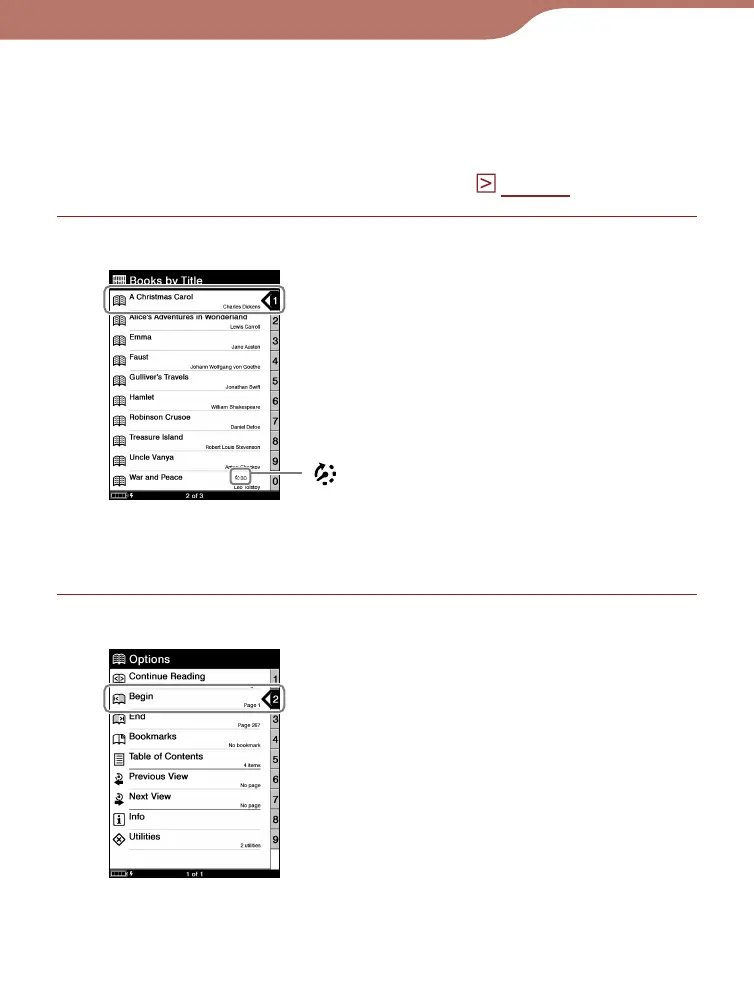
From the Book list, select the desired book.
Book list
(Expiration): Indicates days
remaining until expiration.
“Expired” is displayed when
the book has expired
From the “Options” menu, select “Begin.”
“Options” menu
Continued
35













 To Next Page