22
GB
1 Turn on the TV and choose a program.
Refer to the operating instructions of your
TV for details.
2 Turn the stand on.
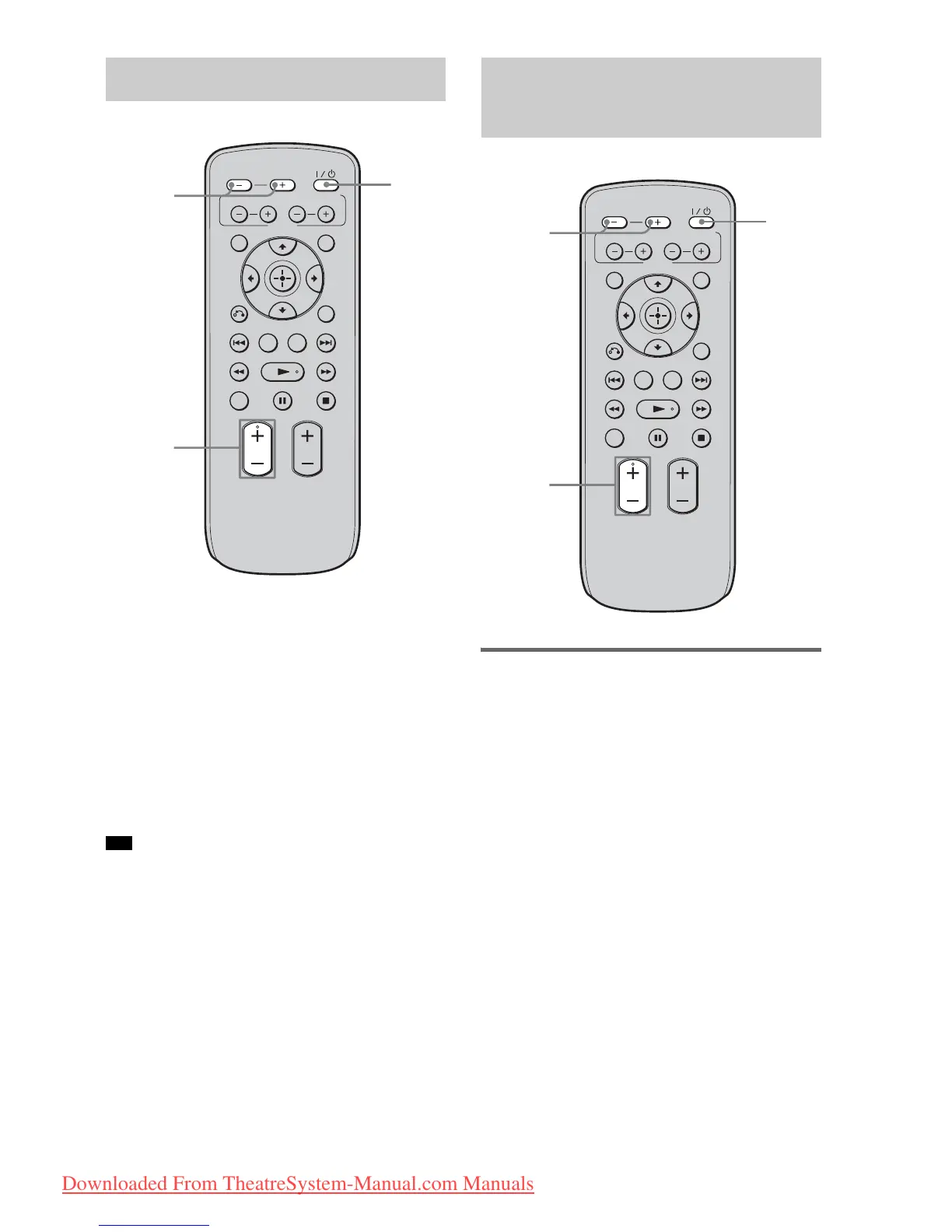
3 Press INPUT SELECTOR + or –
repeatedly until “TV” appears in the
front panel display.
4 Adjust the volume by pressing
VOLUME +/–.
• The sound may be output from the TV’s speaker. In
this case, turn the volume of the TV’s speaker down
to the minimum.
Enjoying a satellite tuner or
cable television tuner
1 Turn on the TV.
Refer to the operating instructions of your
TV for details.
2
Turn the satellite/cable television tuner
and stand on.
3 Press INPUT SELECTOR + or –
repeatedly until “SAT/CATV” appears
in the front panel display.
4 Change the TV input.
Refer to the operating instructions of your
TV for details.
5 Adjust the volume by pressing
VOLUME +/–.
Enjoying TV
Tip
VOLUME
MUTING
TUNING
-
PRESET
-
NIGHT
DISPLAY
CENTER SUBWOOFER
INPUT SELECTOR
AMP MENU
LEVEL
DIMMER
TUNING
+
PRESET+
RETURN
MENU
SOUND FIELD
?/1
VOLUME
+/–
INPUT
SELECTOR
+/–
Enjoying other
components
VOLUME
MUTING
TUNING
-
PRESET
-
NIGHT
DISPLAY
CENTER SUBWOOFER
INPUT SELECTOR
AMP MENU
LEVEL
DIMMER
TUNING
+
PRESET+
RETURN
MENU
SOUND FIELD
?/1
INPUT
SELECTOR
+/–
VOLUME
+/–
Downloaded From TheatreSystem-Manual.com Manuals






 To Next Page