28
GB
Selecting the sound field
This stand can create multi channel surround sound. You can select one of stand’s optimized pre-
programmed sound fields.
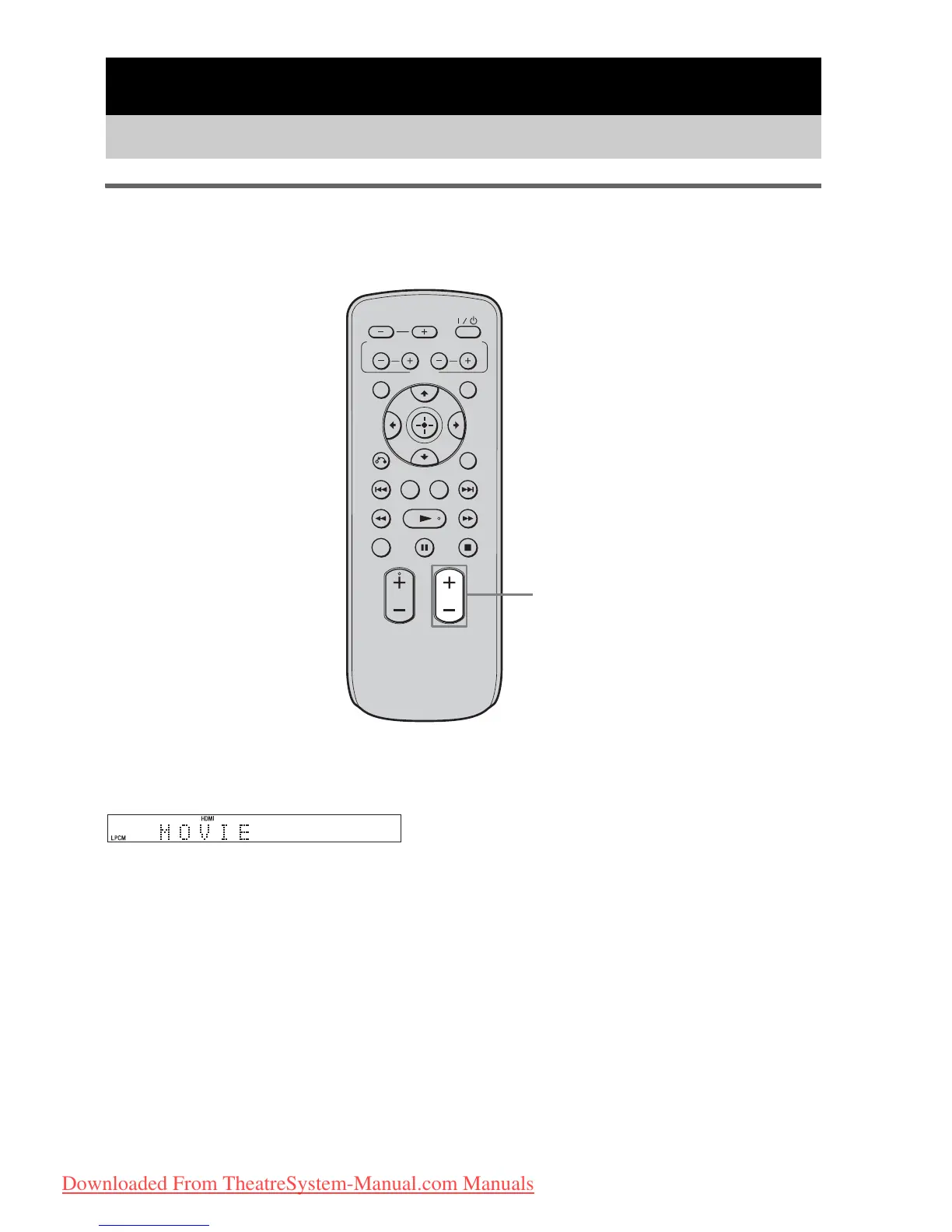
Press SOUND FIELD +/–.
The present sound field appears in the front panel display.
Each time you press the SOUND FIELD +/– button, the display changes cyclically as follows:
STANDARD y MOVIE y DRAMA y NEWS y SPORTS y GAME y MUSIC y JAZZ
y CLASSIC y ROCK y POP y LIVE y FLAT y STANDARD …..
Surround Function
Enjoying the surround effect
VOLUME
MUTING
TUNING
-
PRESET
-
NIGHT
DISPLAY
CENTER SUBWOOFER
INPUT SELECTOR
AMP MENU
LEVEL
DIMMER
TUNING
+
PRESET+
RETURN
MENU
SOUND FIELD
SOUND
FIELD +/–
Downloaded From TheatreSystem-Manual.com Manuals






 To Next Page