43
GB
Additional Information
If the stand still does not operate
properly after performing the
above measures, reset the stand
as follows:
Use buttons on the stand for the operation.
1 Press ?/1 to turn on the power.
2 Press ?/1 while pressing INPUT
SELECTOR and VOLUME –.
“COLD RESET” appears and the stand is
reset. AMP menu, sound field etc., return to
the default settings.
* The shelf board can be installed at three levels (1,
2 or 3).
Specifications
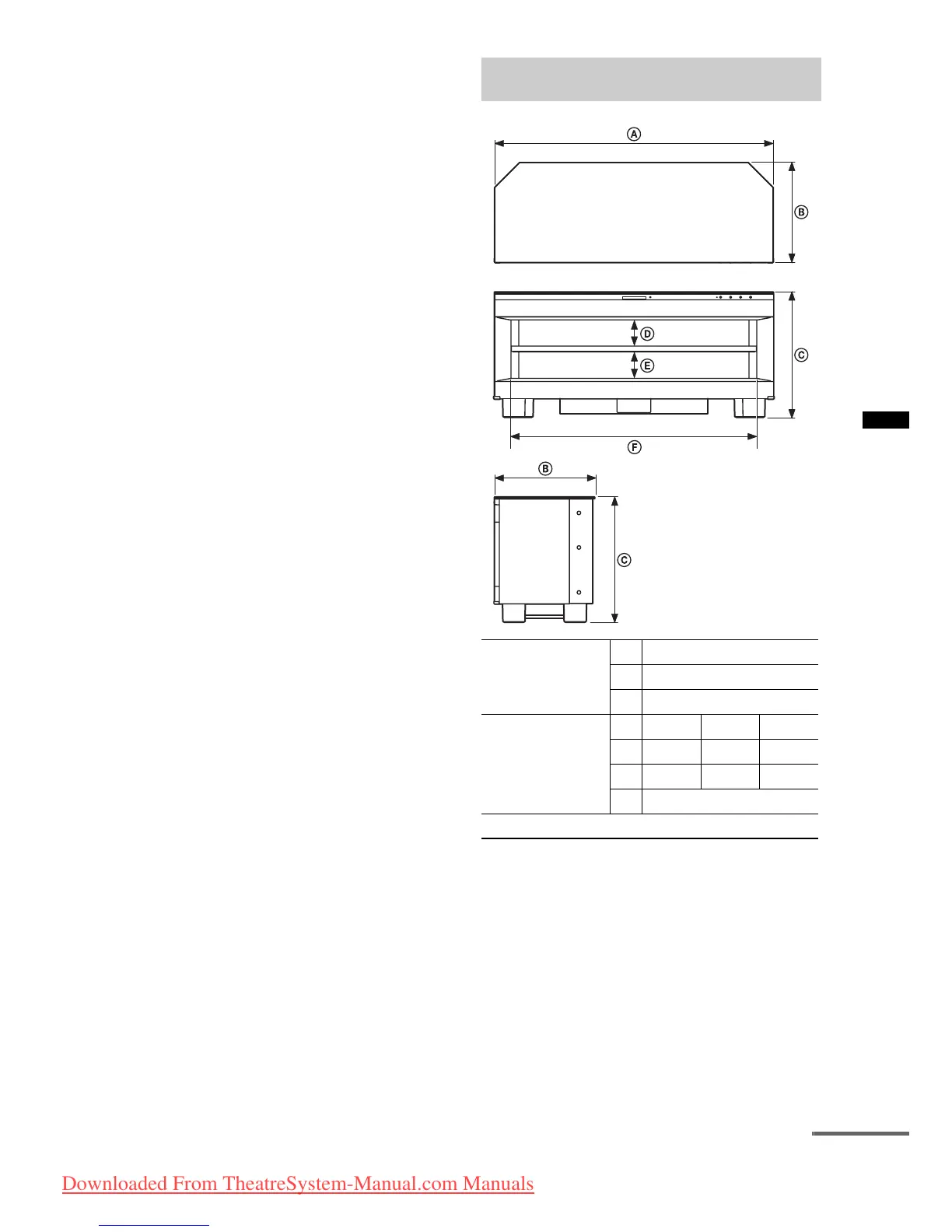
Dimensions:
mm (approx.)
A 1,115
B 400
C 500
Adjustable shelf
dimensions*:
mm (approx.)
(Depth : 340 mm)
123
D 86 104 122
E 123 105 87
F 980
Mass: kg 49
continued
Downloaded From TheatreSystem-Manual.com Manuals





 To Next Page