40
GB
Using the sleep timer
You can set the stand to turn off at a preset time
when you sleep listening to music. You can
preset the time in 10 minutes decrements.
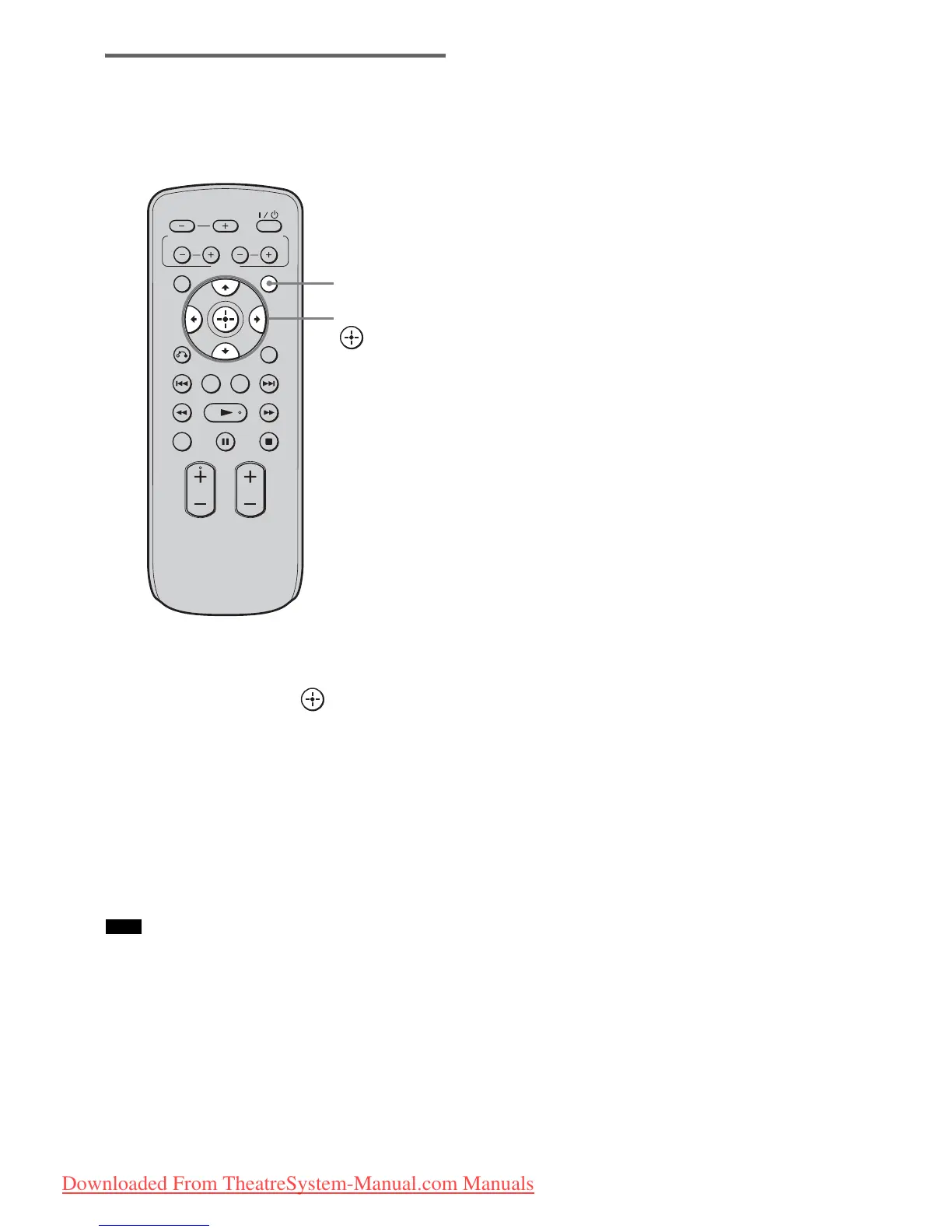
1 Press AMP MENU.
2 Press X/x repeatedly until “SLEEP”
appears, then press or c.
3 Press X/x to select the preset time you
want.
The minutes display (remaining time)
changes as follows:
• This function is only for this stand, not for the
connected TV or other components.
Note
VOLUME
MUTING
TUNING
-
PRESET
-
NIGHT
DISPLAY
CENTER SUBWOOFER
INPUT SELECTOR
AMP MENU
LEVEL
DIMMER
TUNING
+
PRESET+
RETURN
MENU
SOUND FIELD
AMP
MENU
C, X, x, c,
OFF y 10M y 20M
YY
90M y 80M ..... 30M
Downloaded From TheatreSystem-Manual.com Manuals






 To Next Page