EasyManua.ls Logo

Sony RM-E300 - Fine Mode Video Image Memorization; Memorizing Player Playback as Title

Sony RM-E300
73 pages
Print Icon
To Next Page IconTo Next Page
To Previous Page IconTo Previous Page
Loading...
To
Create
the
Video
Image
Title
with
the
Video
Camera
Recorder
e
fine
mode
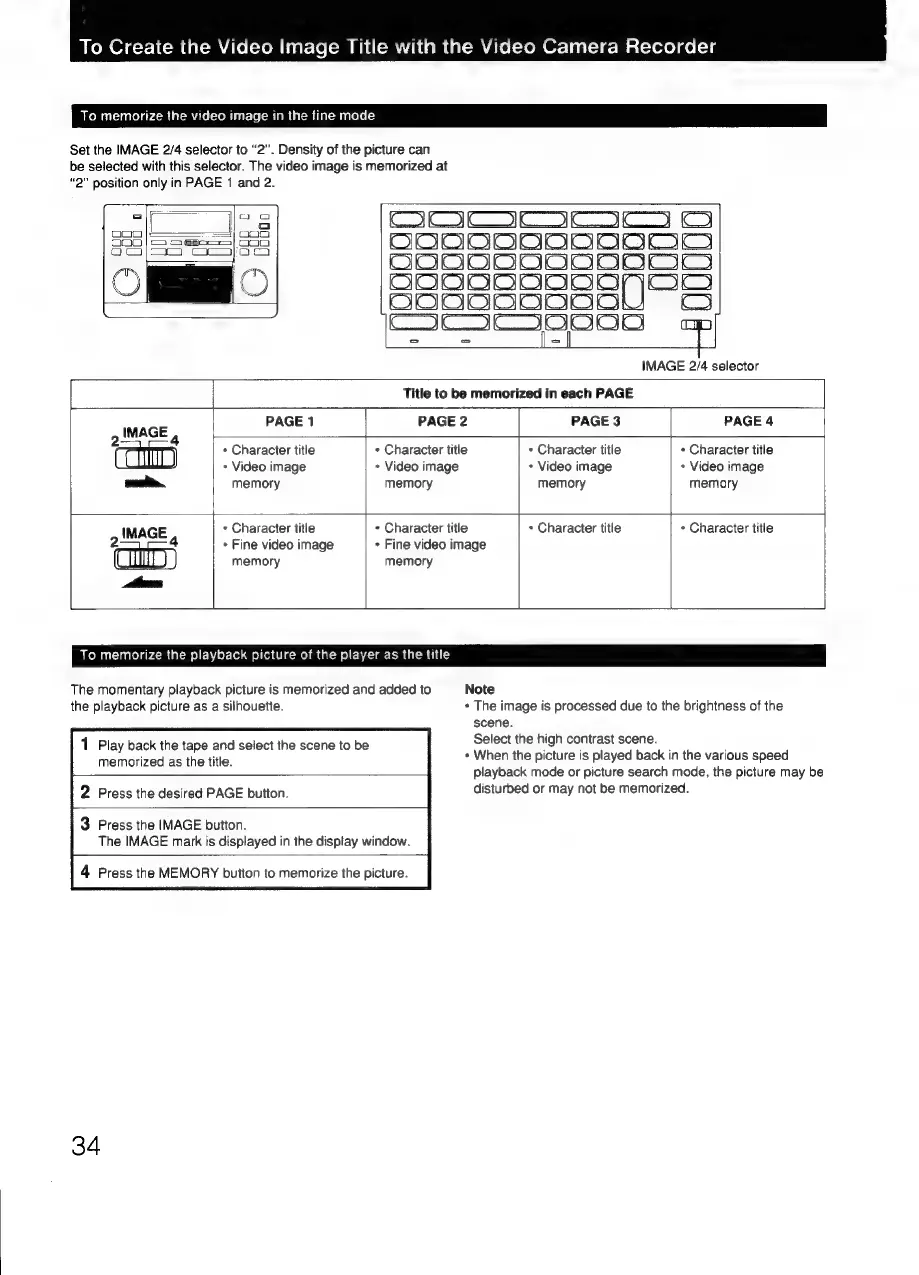
Set
the
IMAGE
2/4
selector
to
“2”.
Density
of
the
picture
can
be
selected
with
this
selector.
The
video
image
is
memorized
at
“2”
position
only
in
PAGE
1
and
2.
Oooo
=|
am
|=
=,
000
000
|S
S605]
000
OCO;—
TI
eS
'
Oey
OME©
OC
wisislelelclalale
IMAGE
4
PAGE
1
|
am
|
ame
|e
|
ee
[e)
ae
[=I
IMAGE
2/4
selector
Title
to
be
memorized
in
each
PAGE
PAGE
2
PAGE
3
PAGE
4
*
Character
title
+
Video
image
memory
*
Character
title
+
Video
image
memory
*
Character
title
+
Video
image
memory
*
Character
title
*
Video
image
memory
IMAGE
,
*
Character
title
+
Fine
video
image
memory
*
Character
title
+
Fine
video
image
memory
«
Character
title
¢
Character
title
To
memorize
the
playback
picture
of
the
player
as
the
title
The
momentary
playback
picture
is
memorized
and
added
to
Note
the
playback
picture
as
a
silhouette.
+
The
image
is
processed
due
to
the
brightness
of
the
scene.
Select
the
high
contrast
scene.
+
When
the
picture
is
played
back
in
the
various
speed
playback
mode
or
picture
search
mode,
the
picture
may
be
disturbed
or
may
not
be
memorized.
1
Play
back
the
tape
and
select
the
scene
to
be
memorized
as
the
title.
2
Press
the
desired
PAGE
button.
3
Press
the
IMAGE
button.
The
IMAGE
mark
is
displayed
in
the
display
window.
4
Press
the
MEMORY
button
to
memorize
the
picture.
34

Related product manuals