EasyManua.ls Logo

Sony RM-E300 - RM-E300 Overview and Compatibility; Compatible Video Equipment

Sony RM-E300
73 pages
Print Icon
To Next Page IconTo Next Page
To Previous Page IconTo Previous Page
Loading...
Outline
of
the
RM-E300
The
RM-E300
editing
controller
is
used
to
select
and
record
desired
scenes
from
an
original
tape
in
a
desired
sequence.
It
also
allows
for
superimposing
character
titles
created
with
the
keyboard
and/or
a
telop
card
shot
with
the
video
camera
recorder
onto
the
tape
to
be
edited.
(Only
titles
cannot
be
inserted
to
the
edited
tape.)
Use
a
Sony
product
for
playback,
but
any
desired
VCR
can
be
used
for
recording.
The
cut-in
and
cut-out
points
are
memorized
from
the
counter
number,
so
frame
editing
is
impossible.
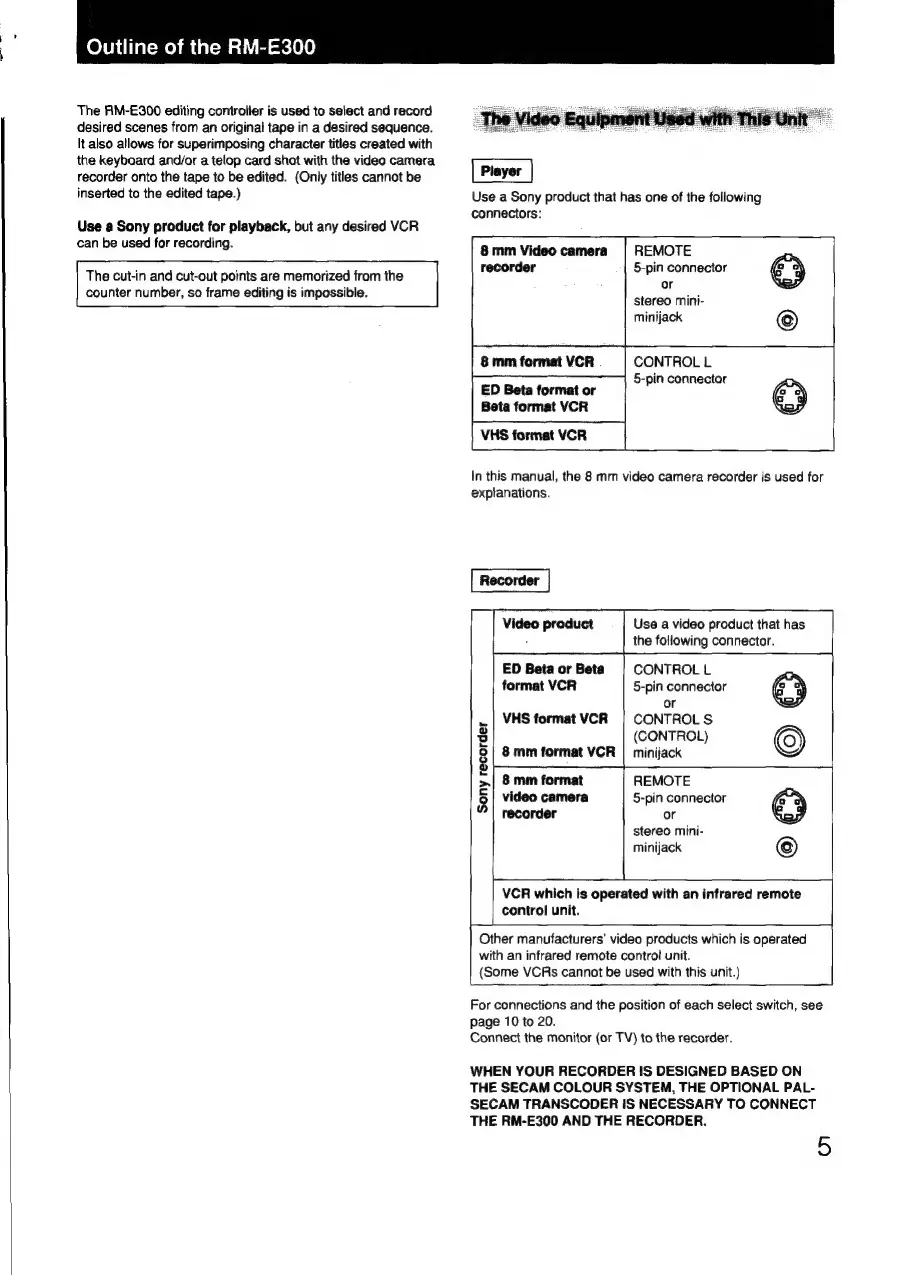
Use
a
Sony
product
that
has
one
of
the
following
connectors:
&
mm
Video
camera
~
|
REMOTE
recorder
5-pin
connector
or
stereo
mini-
minijack
CONTROL
L
5-pin
connector
ED
Beta
format
or
Beta
format
VCR
VHS
format
VCR
In
this
manual,
the
8
mm
video
camera
recorder
is
used
for
explanations.
Recorder
Use
a
video
product
that
has
the
following
connector.
CONTROL
L
ED
Beta
or
Beta
format
VCR
5-pin
connector
or
.|
VHS
format
VCR
|
CONTROLS
2
(CONTROL)
§|
8mm
format
VCR
|
minijack
2
pape
>|
8
mm
format
REMOTE
8
video
camera
5-pin
connector
recorder
or
stereo
mini-
minijack
VCR
which
is
operated
with
an
infrared
remote
control
unit.
Other
manufacturers’
video
products
which
is
operated
with
an
infrared
remote
control
unit.
(Some
VCRs
cannot
be
used
with
this
unit.)
|
For
connections
and
the
position
of
each
select
switch,
see
page
10
to
20.
Connect
the
monitor
(or
TV)
to
the
recorder.
WHEN
YOUR
RECORDER
IS
DESIGNED
BASED
ON
THE
SECAM
COLOUR
SYSTEM,
THE
OPTIONAL
PAL-
SECAM
TRANSCODER
IS
NECESSARY
TO
CONNECT
THE
RM-E300
AND
THE
RECORDER.
5

Related product manuals