EasyManua.ls Logo

Sony RM-E300 - Editing Preparations; Editing the Tape; Pre-Editing Checklist

Sony RM-E300
73 pages
Print Icon
To Next Page IconTo Next Page
To Previous Page IconTo Previous Page
Loading...
Preparations
for
editing
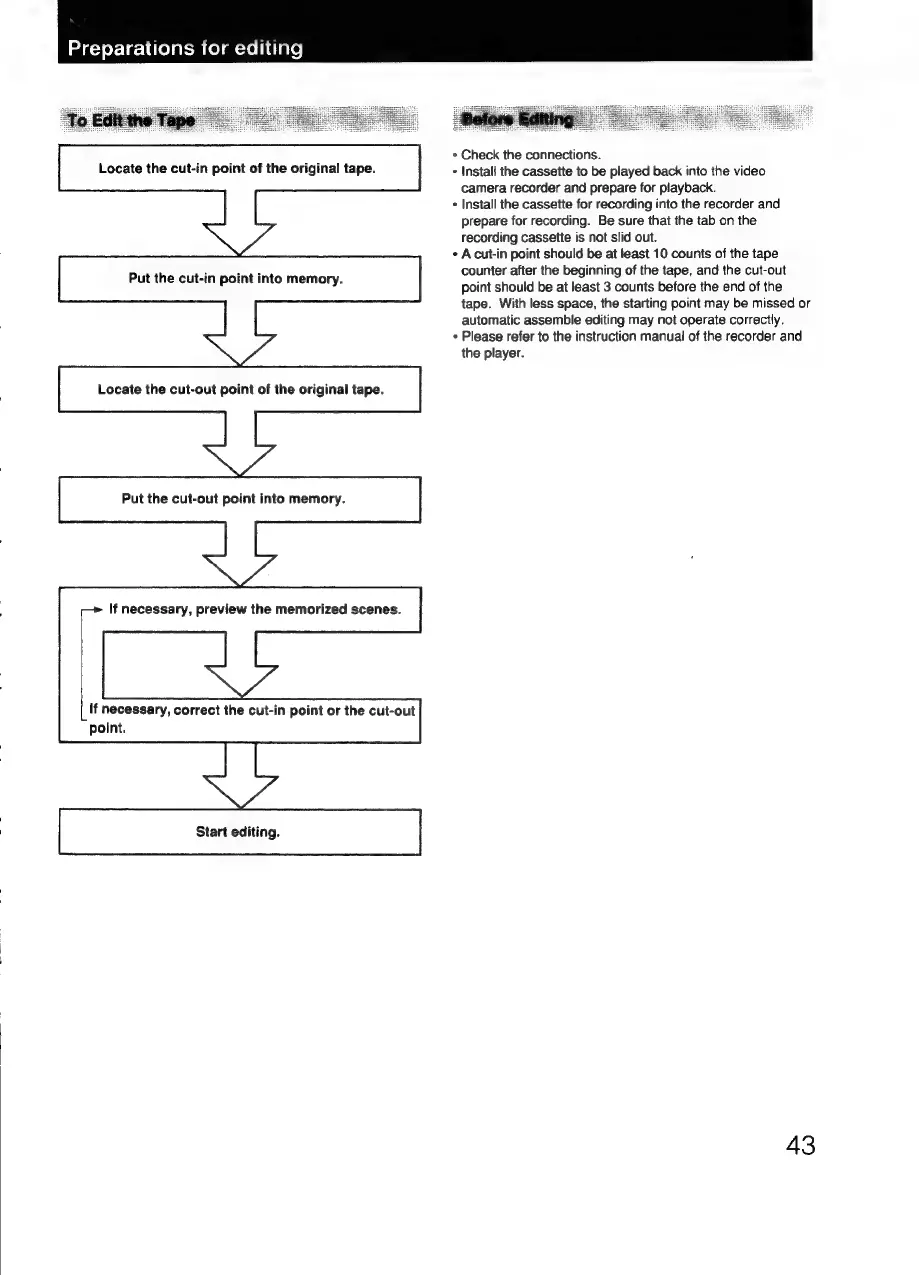
Locate
the
cut-in
point
of
the
original
tape.
Put
the
cut-in
point
into
memory.
Locate
the
cut-out
point
of
the
original
tape.
Put
the
cut-out
point
into
memory.
If
necessary,
preview
the
memorized
scenes.
If
necessary,
correct
the
cut-in
point
or
the
cut-out
point.
Start
editing.
*
Check
the
connections.
*
Install
the
cassette
to
be
played
back
into
the
video
camera
recorder
and
prepare
for
playback.
+
Install
the
cassette
for
recording
into
the
recorder
and
prepare
for
recording.
Be
sure
that
the
tab
on
the
recording
cassette
is
not
slid
out.
¢
Acut-in
point
should
be
at
least
10
counts
of
the
tape
counter
after
the
beginning
of
the
tape,
and
the
cut-out
point
should
be
at
least
3
counts
before
the
end
of
the
tape.
With
less
space,
the
starting
point
may
be
missed
or
automatic
assemble
editing
may
not
operate
correctly.
+
Please
refer
to
the
instruction
manual
of
the
recorder
and
the
player.
43

Related product manuals