EasyManua.ls Logo

Sony RM-E300 - Before Connection

Sony RM-E300
73 pages
Print Icon
To Next Page IconTo Next Page
To Previous Page IconTo Previous Page
Loading...
Before
Connection
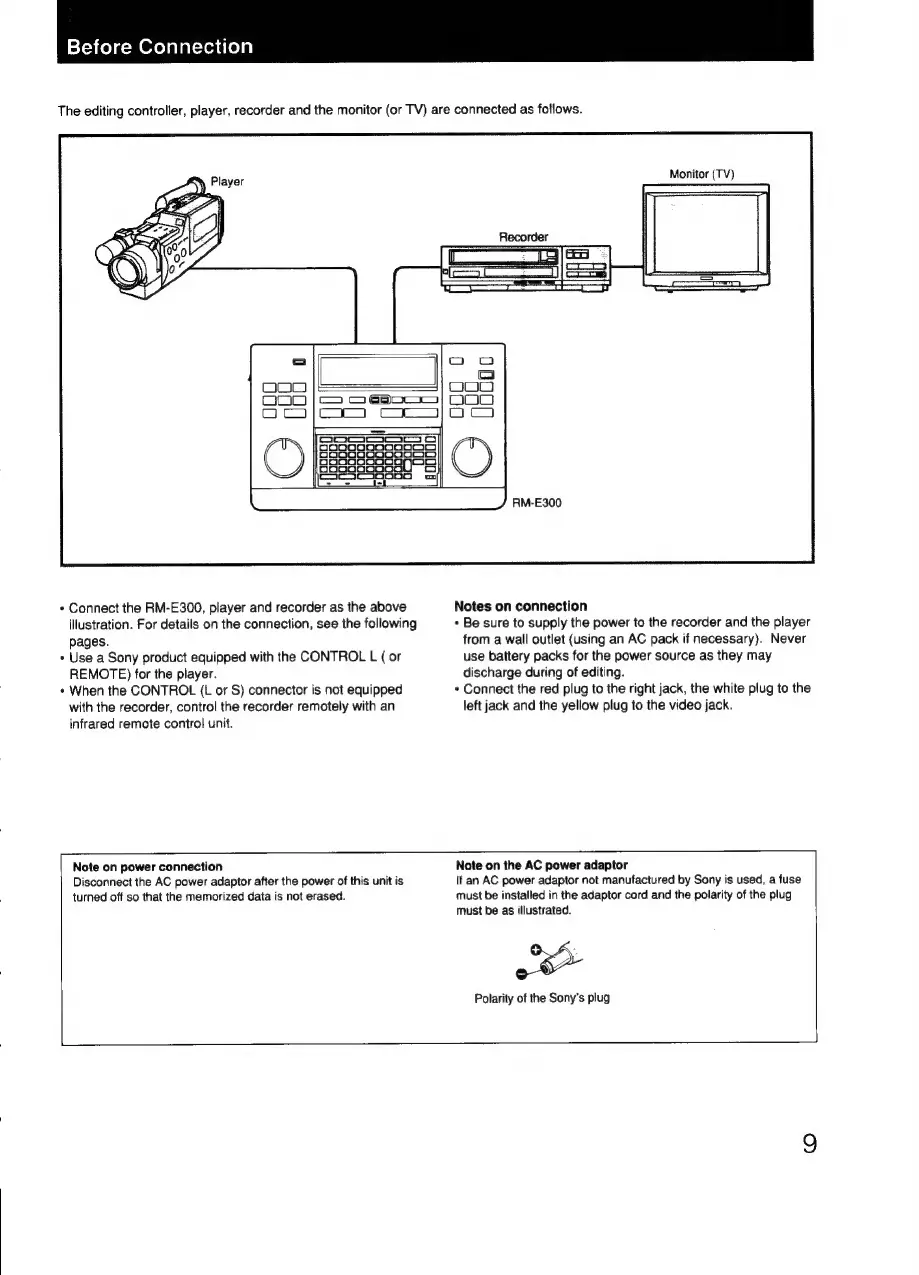
The
editing
controller,
player,
recorder
and
the
monitor
(or
TV)
are
connected
as
follows.
Monitor
(TV)
Recorder
*
Connect
the
RM-E300,
player
and
recorder
as
the
above
illustration.
For
details
on
the
connection,
see
the
following
pages.
+
Use
a
Sony
product
equipped
with
the
CONTROL
L
(
or
REMOTE)
for
the
player.
*
When
the
CONTROL
(L
or
S)
connector
is
not
equipped
with
the
recorder,
control
the
recorder
remotely
with
an
infrared
remote
contro]
unit.
RM-E300
Notes
on
connection
+
Be
sure
to
supply
the
power
to
the
recorder
and
the
player
from
a
wall
outlet
(using
an
AC
pack
if
necessary).
Never
use
battery
packs
for
the
power
source
as
they
may
discharge
during
of
editing.
*
Connect
the red
plug
to
the
right
jack,
the
white
plug
to
the
left
jack
and
the
yellow
plug
to
the
video
jack.
Note
on
power
connection
Disconnect
the
AC
power
adaptor
after
the
power
of
this
unit
is
turned
off
so
that
the
memorized
data
is
not
erased.
Note
on
the
AC
power
adaptor
If
an
AC
power
adaptor
not
manufactured
by
Sony
is
used,
a
fuse
must
be
installed
in
the
adaptor
cord
and
the
polarity
of
the
plug
must
be
as
illustrated.
Polarity
of
the
Sony's
plug

Related product manuals