EasyManua.ls Logo

Sony RM-E300 - Automatic Assemble Editing

Sony RM-E300
73 pages
Print Icon
To Next Page IconTo Next Page
To Previous Page IconTo Previous Page
Loading...
To
Edit
only
Desired
Scenes
Automatically
in
the
Desired
Sequence
—Automatic
Assemble
Editing
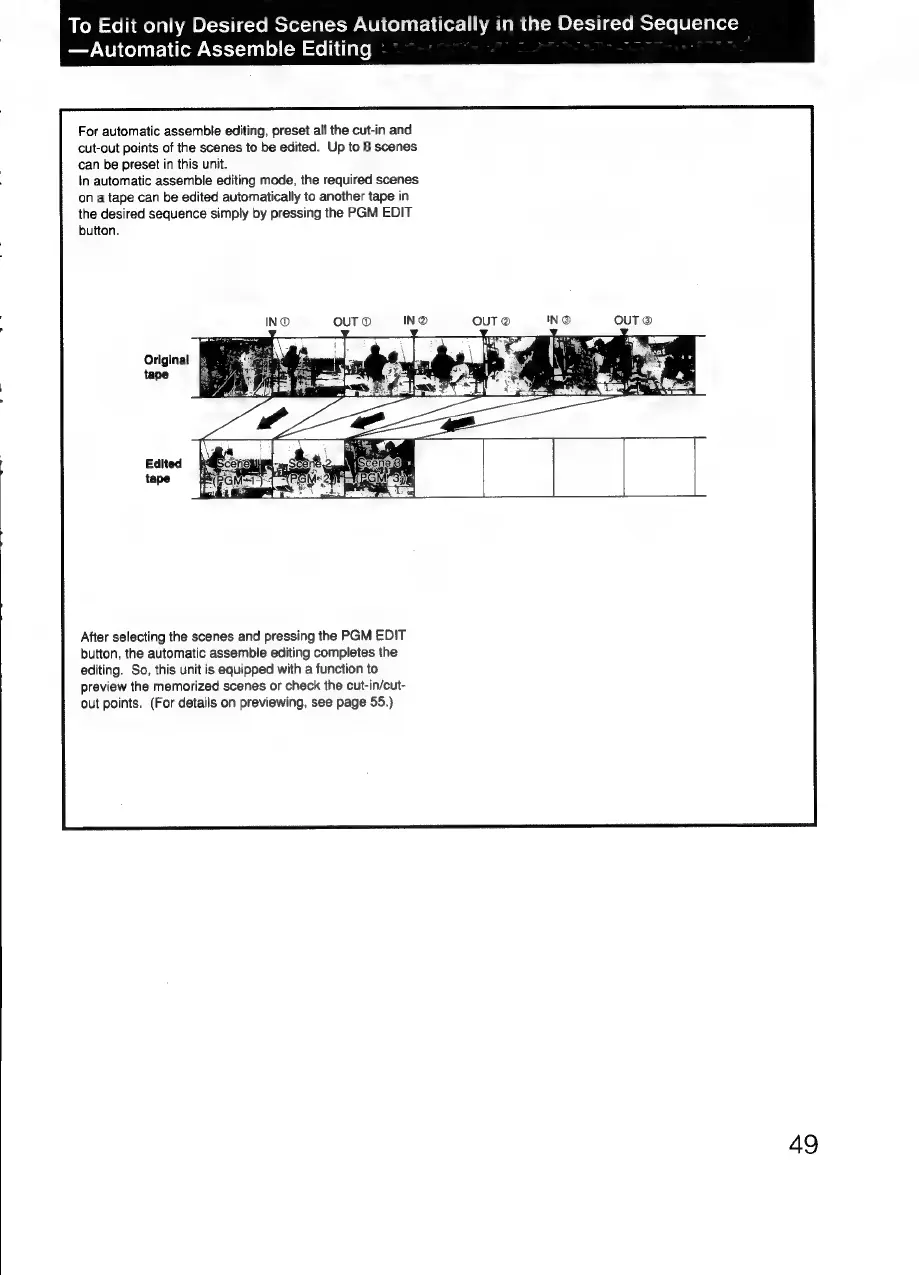
For
automatic
assemble
editing,
preset
all
the
cut-in
and
cut-out
points
of
the
scenes
to
be
edited.
Up
to
8
scenes
can
be
preset
in
this
unit.
In
automatic
assemble
editing
mode,
the
required
scenes
on
a
tape
can
be
edited
automatically
to
another
tape
in
the
desired
sequence
simply
by
pressing
the
PGM
EDIT
button.
Original
&
After
selecting
the
scenes
and
pressing
the
PGM
EDIT
button,
the
automatic
assemble
editing
completes
the
editing.
So,
this
unit
is
equipped
with
a
function
to
preview
the
memorized
scenes
or
check
the
cut-in/cut-
out
points.
(For
details
on
previewing,
see
page
55.)
4g

Related product manuals