EasyManua.ls Logo

Sony RM-E300 - Timing Adjust for Accurate Start

Sony RM-E300
73 pages
Print Icon
To Next Page IconTo Next Page
To Previous Page IconTo Previous Page
Loading...
Preparations
for
editing
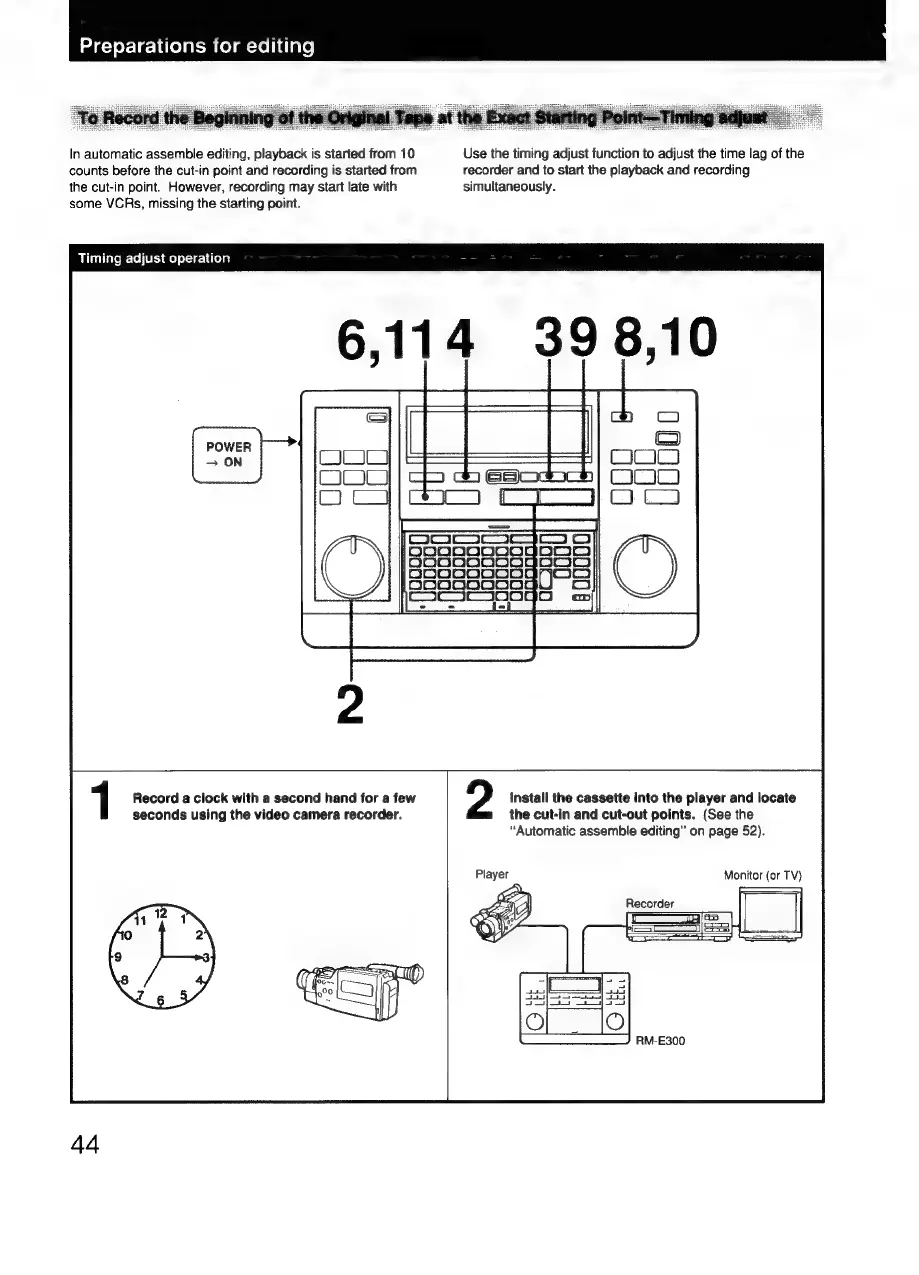
In
automatic
assemble
editing,
playback
is
started
from
10
Use
the
timing adjust
function
to
adjust
the
time
lag
of
the
counts
before
the
cut-in
point
and
recording
is
started
from
recorder
and
to
start
the
playback
and
recording
the
cut-in
point.
However,
recording
may
start
late
with
simultaneously.
some
VCRs,
missing
the
starting
point.
Timing
adjust
operation
1
Record
a
clock
with
a
second
hand
for
a
few
Install
the
cassette
into
the
player
and
locate
seconds
using
the
video
camera
recorder.
the
cut-in
and
cut-out
points.
(See
the
“Automatic
assemble
editing”
on
page
52).
Monitor
(or
TV}
RM-E300
44

Related product manuals