41
Shooting images to suit your subject
Shooting images to suit your subject
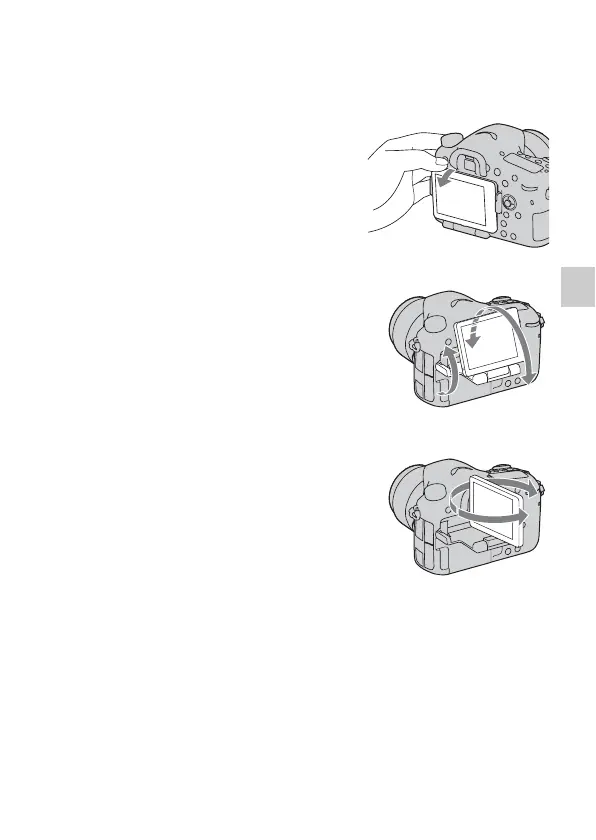
Adjusting the angle of the LCD monitor
Adjust the LCD monitor to an easily
viewable angle.
• Put your finger on the upper-left part of
the LCD monitor and draw it toward
you.
• The LCD monitor tilts 150 degrees
upward and 180 degrees downward.
• The LCD monitor rotates 180 degrees
clockwise and 90 degrees
counterclockwise.
• When the LCD monitor is not used, it is
recommended that you close it with the
screen side facing to the camera.
Note
• When the LCD monitor is open, the eye
sensor may not be able to function in
situations involving low-position shooting. If
you look into the viewfinder and the monitor
is not switched automatically, press the
FINDER/LCD button.



 To Next Page