90
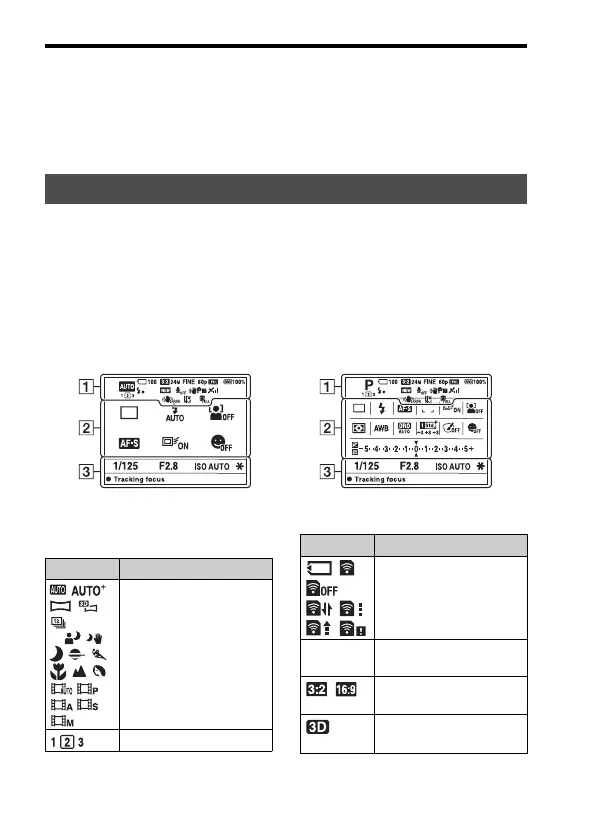
The screen displayed for shooting mode
• When [Setting Effect OFF] is selected, the Live View image in M mode
is always displayed with the appropriate brightness.
Note
• [Setting Effect OFF] cannot be selected when the exposure mode is set to AUTO,
AUTO+, Sweep Panorama, 3D Sweep Panorama, Movie or Scene Selection.
When [For viewfinder] in [DISP Button(Monitor)] is activated, you can set
the status of the LCD monitor to one suitable for used with the viewfinder,
by pressing the DISP button.
See pages in parentheses for details of operation.
A
List of icons for viewfinder mode
In AUTO, AUTO+, or
Scene Selection mode
In Continuous Advance Priority AE/
P/A/S/M mode
Display Indication
P A S
M
Exposure mode (42)
Register number (185)
Memory card (27, 222)/
Upload (183)
100 Remaining number of
recordable images
Aspect ratio of still
images (172)
3D Sweep Panorama (45,
99)
Display Indication



 To Next Page