55Basic Operations
Basic Operations
SLV-975HF 3-858-120-11 (1)
To stop recording
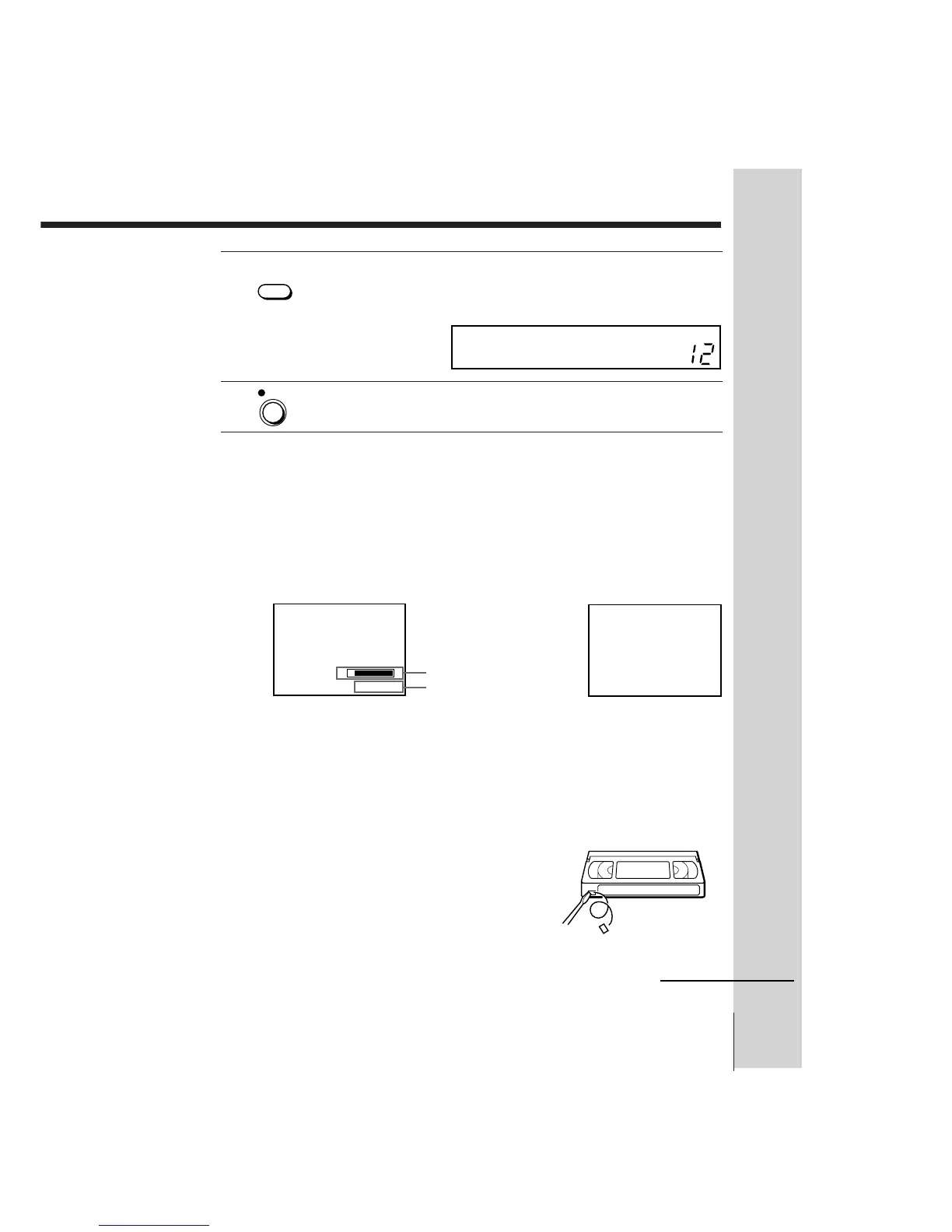
Press p STOP.
To check the remaining tape length
Press DISPLAY. The white bar indicates the approximate length of tape
remaining. With the display on, press COUNTER/REMAIN to check the
remaining time. Each time you press COUNTER/REMAIN, the time
counter and the remaining time appear alternately. The remaining time also
appears in the display window.
To check the remaining time of a tape more than two hours long, set TAPE
SELECT in the ADVANCED OPTIONS menu to “~160.” (For details, see
page 72.)
To watch another TV program while recording
1 Press TV/VTR to turn off the VTR indicator in the display window.
2 If the TV is connected to the VCR’s LINE OUT jacks, set the TV to TV
input; if not, skip this step.
3 Select another channel on the TV.
To save a recording
To prevent accidental erasure, break off the
safety tab as illustrated. To record on a tape
again, cover the tab hole with adhesive tape.
5 Press TAPE SPEED to select the tape speed, SP or EP.
EP provides recording time three times as long as SP, however, SP
produces better picture quality.
6 Press r REC to start recording.
TAPE
• SPEED
REC
SP
VTR
Time counter
Remaining tape length
S
0 : 00 : 22
E
SP



 To Next Page