Basic Operations58
SLV-975HF 3-858-120-11 (1)
Recording TV
programs using
VCR Plus+
Just enter the program’s PlusCode listed
in the TV program guide. The date,
times and channel number of that
program are set automatically. You can
preset up to eight programs at a time.
Before you start…
• Check that the VCR clock is set to the
correct time.
• Turn on your TV and set it to the
video channel. When using a cable
box, turn it on.
• Insert a tape with its safety tab in
place. Make sure the tape is longer
than the total recording time.
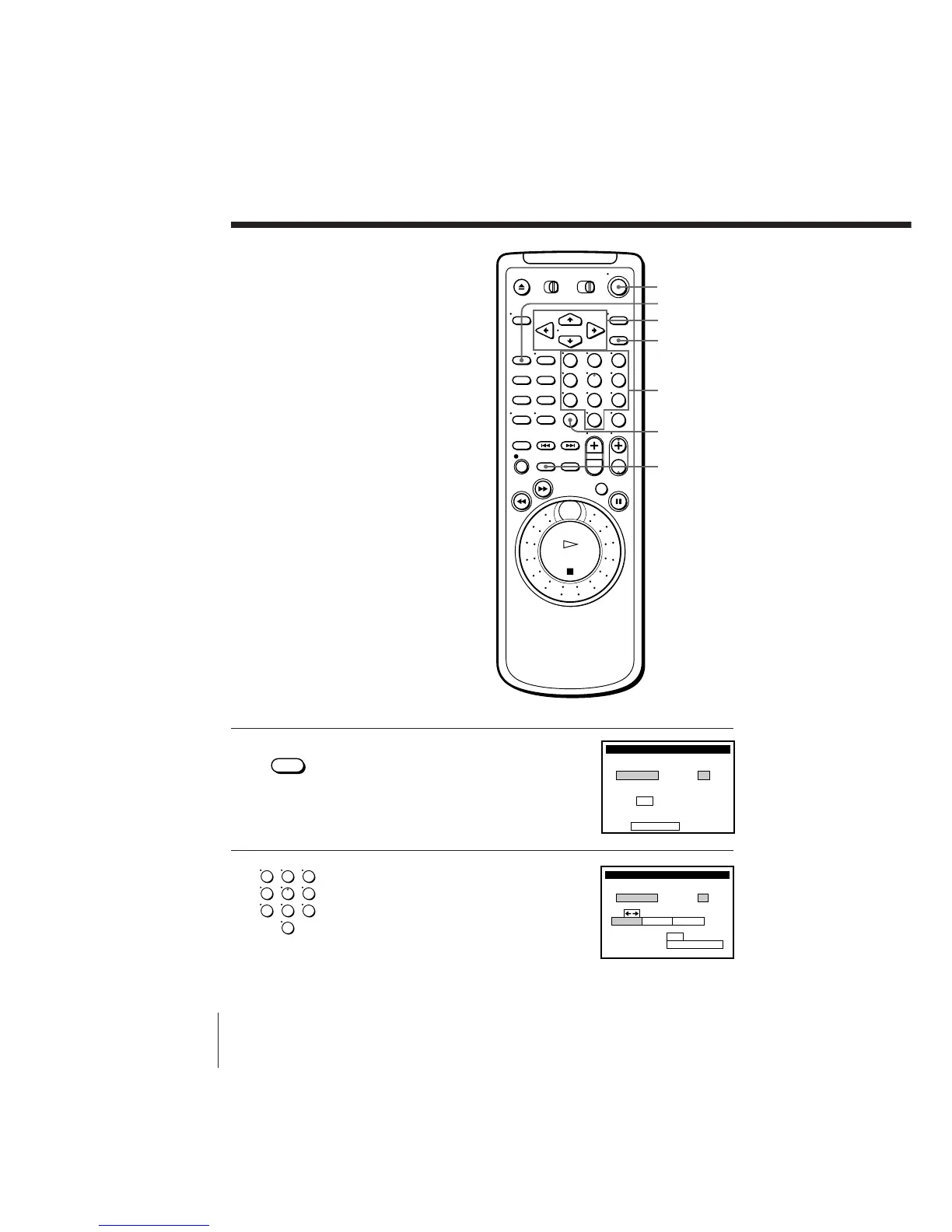
1 Press VCR Plus+.
2 Press the number buttons to enter the
program’s PlusCode.
If you make a mistake, press TIMER
CLEAR and re-enter the correct number.
123
456
789
0
POWER
TIMER CLEAR
VCR Plus+
TAPE SPEED
SET
Number
buttons
CURSOR
• VCR Plus+
123
456
789
0



 To Next Page