48
US
Recording TV programs using the timer
Recording TV programs using the timer
You can preset up to eight programs at a
time.
Before you start…
• Check that the DVD-VCR clock is set to
the correct time.
• Turn on the DVD-VCR and your TV.
When using a cable box, turn it on.
• Set the TV to video input so that the signal
from the player appears on the TV screen.
•Set TV
/ DVD·VIDEO switch to
DVD·VIDEO
on the remote.
• Insert a tape with its safety tab in place.
Make sure the tape is longer than the total
recording time.
• If the DVD player is in play mode, you
cannot display the setup menu. Stop the
DVD playback.
1
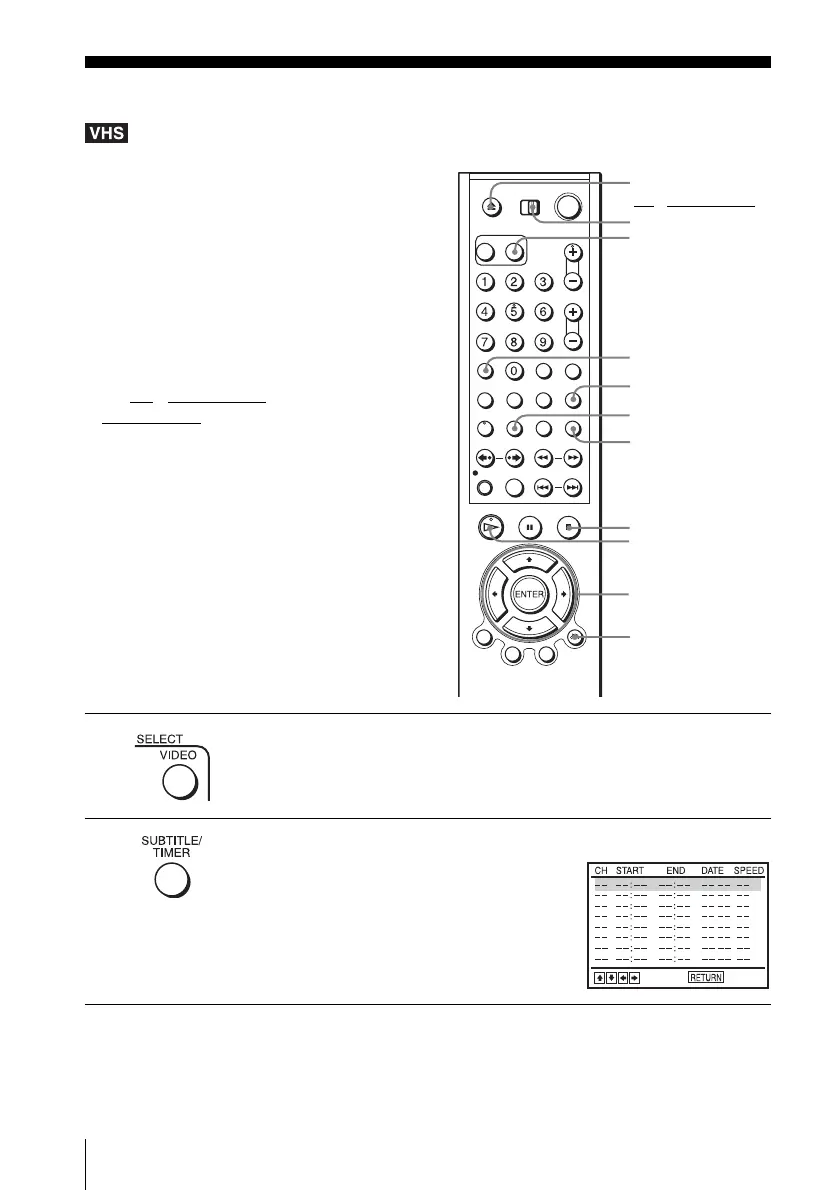
Press SELECT VIDEO to control the VCR.
2
Press TIMER.
The timer programming menu appears.
INPUT SELECT
V/v/B/b
ENTER
x STOP
CLEAR
TIMER
Z
H PLAY
TV/VIDEO
O RETURN
SELECT VIDEO
TV
/ DVD·VIDEO
switch














 To Next Page