54
US
Audio Setup
DVD Settings and Adjustments
Audio Setup
“Audio Setup” allows you to set the sound
according to the playback and connection
conditions.
Before you start…
•Set TV
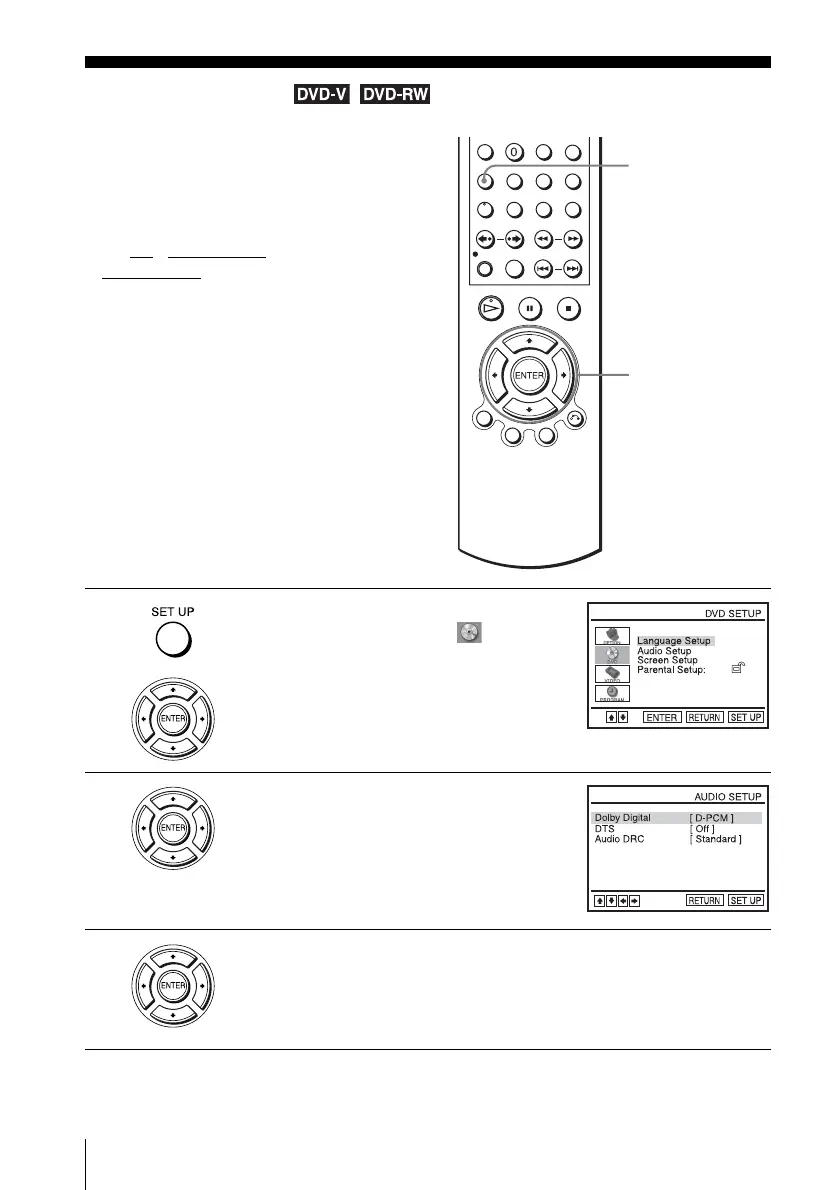
/ DVD·VIDEO switch to
DVD·VIDEO
on the remote.
1
Press SET UP when the DVD player is in stop
mode, then press V/v to select (DVD),
then press ENTER.
2
Press V/v to select “Audio Setup,” then press
ENTER.
3
Press V/v to select the setup item from the displayed list:
“Dolby Digital,” “DTS” or “Audio DRC.”
V/v/B/b
ENTER
SET UP



 To Next Page