DVD Additional Operations
85
US
Playing JPEG image files
To rotate the selected image
3
Press V/v to select “JPEG”, then press
ENTER.
The “Album” display will appears.
If you do not press ENTER after selecting a
media type, the selected media will be
automatically played.
4
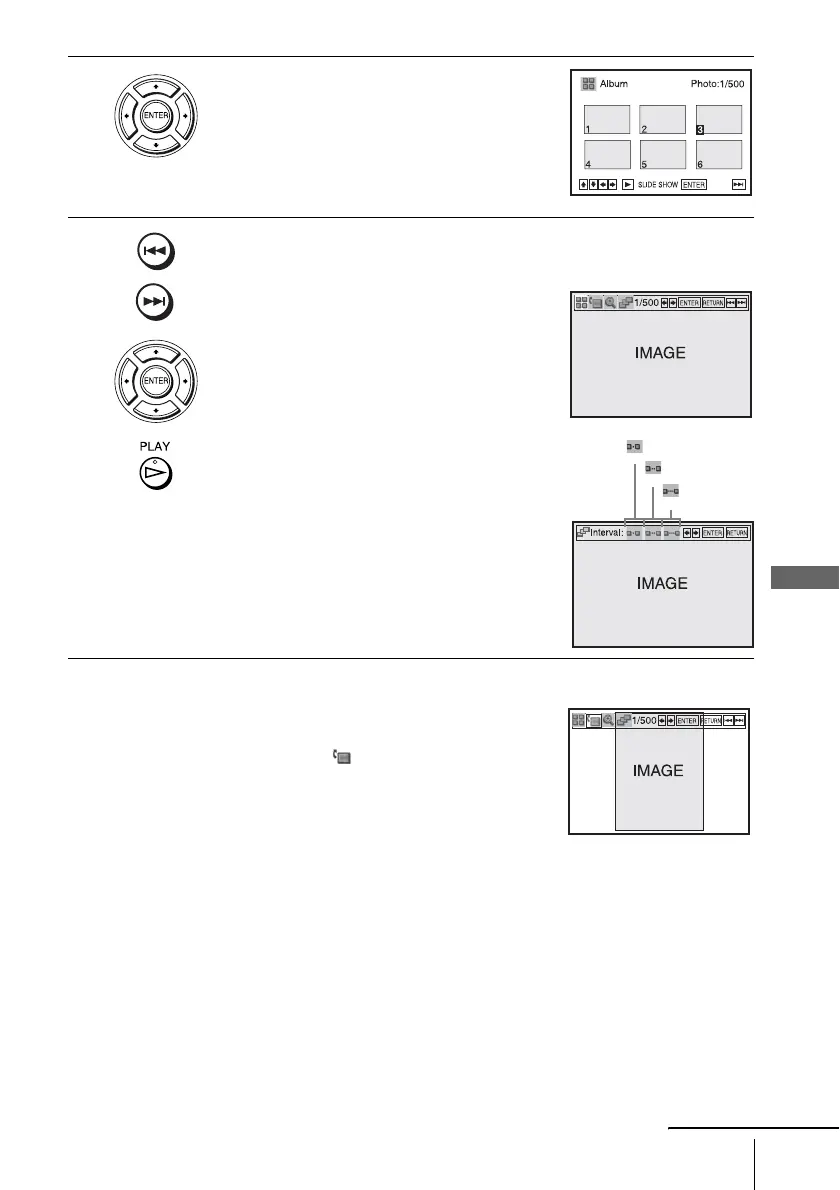
Press ./> to select the next/previous album page, then press V/v/
B/b to select an image in the “Album” display.
To display the selected image
1 Press ENTER.
The selected image number appears in the
display window.
2 To display the next/previous image, press
./>.
To play the Slide show
1 Press H PLAY.
You can also play the Slide show using the
menu on the selected image.
For details, see “To enjoy the Slide show”
on page 86.
2 Press B/b to select the desired playing
speed on the “Interval” menu, then press
ENTER.
Slide show starts from the selected image.
1
Press V/v/B/b to select an image in the “Album”
display, then press ENTER.
2
Press B/b to select “ ”, then press ENTER.
Each time you press ENTER, the image turns
clockwise by 90°.
: Fast
: Normal
: Slow
continued














 To Next Page