EasyManua.ls Logo

Sony SPP-A250 - Recording the Greeting

Sony SPP-A250
86 pages
Print Icon
To Next Page IconTo Next Page
To Previous Page IconTo Previous Page
Loading...
=>
Preparing
the
answering
machine
Recording
the
greeting
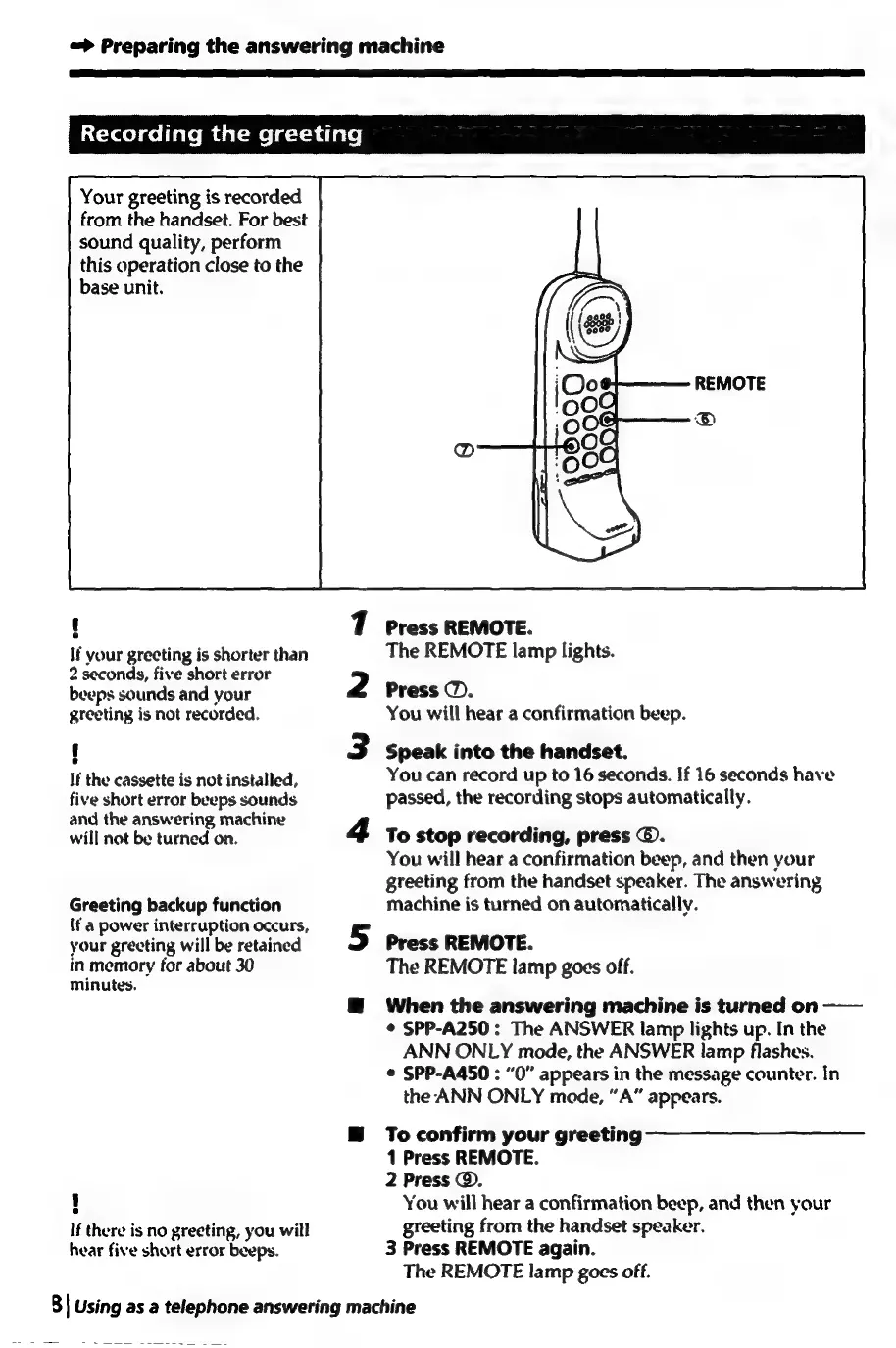
Your
greeting
is
recorded
from
the
handset.
For
best
sound
quality,
perform
this
operation
close
to
the
base
unit.
e
If
your
greeting
is
shorter
than
2
seconds,
five
short
error
beeps
sounds
and
your
greeting
is
not
recorded.
e
If
the
cassette
is
not
installed,
five
short
error
beeps
sounds
and
the
answering
machine
will
not
be
turned
on.
Greeting
backup
function
(f
a
power
interruption
occurs,
your
greeting
will
be
retained
in
memory
for
about
30
minutes.
6
If
there
is
no
greeting,
you
will
hear
five
short
error
beeps.
1
2
3
Press
REMOTE.
The
REMOTE
lamp
lights.
Press
@.
You
will
hear
a
confirmation
beep.
Speak
into
the
handset.
You
can
record
up
to
16
seconds.
If
16
seconds
have
passed,
the
recording
stops
automatically.
To
stop
recording,
press
©.
You
will
hear
a
confirmation
beep,
and
then
your
greeting
from
the
handset
speaker.
The
answering
machine
is
turned
on
automatically.
Press
REMOTE.
The
REMOTE
lamp
goes
off.
When
the
answering
machine
is
turned
on
——
¢
SPP-A250:
The
ANSWER
lamp
lights
up.
In
the
ANN
ONLY
mode,
the
ANSWER
lamp
flashes.
©
SPP-A450
:
“0”
appears
in
the
message
counter.
In
the
ANN
ONLY
mode,
“A”
appears.
To
confirm
your
greeting
1
Press
REMOTE.
2
Press
@.
You
will
hear
a
confirmation
beep,
and
then
your
greeting
from
the
handset
speaker.
3
Press
REMOTE
again.
The
REMOTE
lamp
goes
off.
8|
Using
as
a
telephone
answering
machine

Table of Contents

Related product manuals