EasyManua.ls Logo

Sony SPP-A250 - 40| General; Troubleshooting

Sony SPP-A250
86 pages
Print Icon
To Next Page IconTo Next Page
To Previous Page IconTo Previous Page
Loading...
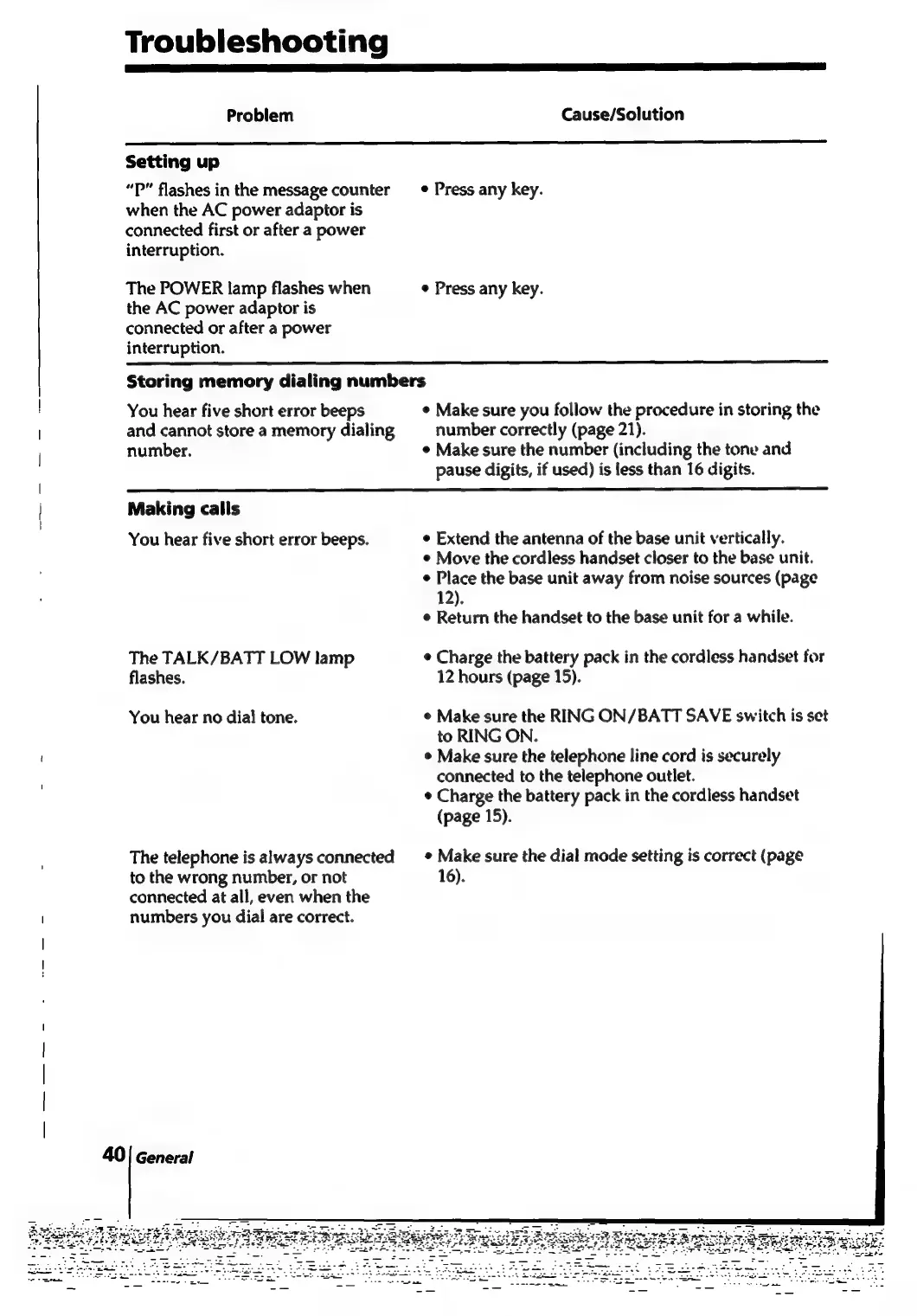
Troubleshooting
Problem
Cause/Solution
Setting
up
“P”
flashes
in
the
message
counter
_—®
Press
any
key.
when
the
AC
power
adaptor
is
connected
first
or
after
a
power
interruption.
The
POWER
lamp
flashes
when
Press
any
key.
the
AC
power
adaptor
is
connected
or
after
a
power
interruption.
Storing
memory
dialing
numbers
!
You
hear
five
short
error
beeps
¢
Make
sure
you
follow
the
procedure
in
storing
the
and
cannot
store
a
memory
dialing
number
correctly
(page
21).
number.
¢
Make
sure
the
number
(including
the
tone
and
pause
digits,
if
used)
is
less
than
16
digits.
|
|
Making
calls
|
You
hear
five
short
error
beeps.
¢
Extend
the
antenna
of
the
base
unit
vertically.
¢
Move
the
cordless
handset
closer
to
the
base
unit.
¢
Place
the
base
unit
away
from
noise
sources
(page
12).
¢
Return
the
handset
to
the
base
unit
for
a
while.
The
TALK/BATT
LOW
lamp
¢
Charge
the
battery
pack
in
the
cordless
handset
for
flashes.
12
hours
(page
15).
You
hear
no
dial
tone.
¢
Make
sure
the
RING
ON/BATT
SAVE
switch
is
set
to
RING
ON.
°
Make
sure
the
telephone
line
cord
is
securely
connected
to
the
telephone
outlet.
¢
Charge
the
battery
pack
in
the
cordless
handset
(page
15).
The
telephone
is
always
connected
*
Make
sure
the
dial
mode
setting
is
correct
(page
to
the
wrong
number,
or
not
16).
connected
at
all,
even
when
the
numbers
you
dial
are
correct.
40|
General

Table of Contents

Related product manuals