EasyManua.ls Logo

Sony SPP-A250 - Playing Back Messages; Starting Playback

Sony SPP-A250
86 pages
Print Icon
To Next Page IconTo Next Page
To Previous Page IconTo Previous Page
Loading...
Playing
back
messages
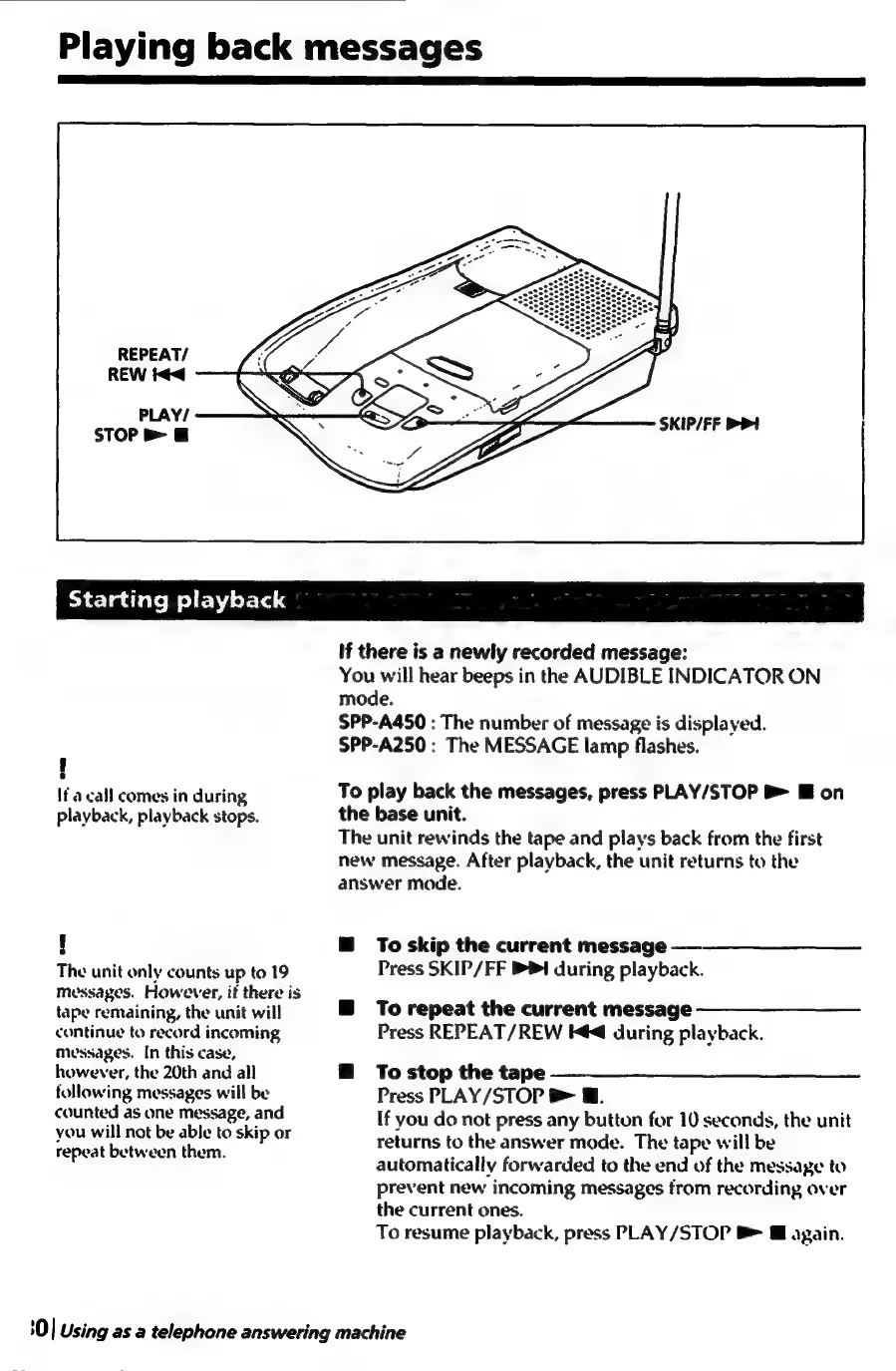
REPEAT/
REW
id
PLAY/
STOP
>
@
Starting
playback
If
there
is
a
newly
recorded
message:
You
will
hear
beeps
in
the
AUDIBLE
INDICATOR
ON
mode.
SPP-A450
:
The
number
of
message
is
displayed.
SPP-A250
:
The
MESSAGE
lamp
flashes.
If
a
call
comes
in
during
playback,
playback
stops.
e
The
unit
only
counts
up
ta
19
messages.
However,
if
there
is
tape
remaining,
the
unit
will
continue
to
record
incoming
mvussages.
In
this
case,
however,
the
20th
and
all
following
messages
will
be
counted
as
one
message,
and
you
will
not
be
able
to
skip
or
repeat
between
them.
To
play
back
the
messages,
press
PLAY/STOP
B>
IE
on
the
base
unit.
The
unit
rewinds
the
tape
and
plays
back
from
the
first
new
message.
After
playback,
the
unit
returns
to
the
answer
mode.
To
skip
the
current
message
Press
SKIP/FF
PI
during
playback.
To
repeat
the
current
message
Press
REPEAT/REW
K@
during
playback.
To
stop
the
tape
Press
PLAY/STOP
8
@.
If
you
do
not
press
any
button
for
10
seconds,
the
unit
returns
to
the
answer
mode.
The
tape
will
be
automatically
forwarded
to
the
end
of
the
message
to
prevent
new
incoming
messages
from
recording
over
the
current
ones.
To
resume
playback,
press
PLAY/STOP
8
@
again.
0
|
Using
as
a
telephone
answering
machine

Table of Contents

Related product manuals