129
5-4 Playback
Chapter 5 Recording/Playback
and continues at the speed(s) stored in memory. When the
tape passes the speed variation end point, normal-speed
playback resumes.
To stop the tape during DMC playback
Press the STOP button.
To exit DMC playback mode
Press the ALT/[F7] (DMC) buttons in the HOME menu to
turn off the DMC indicator.
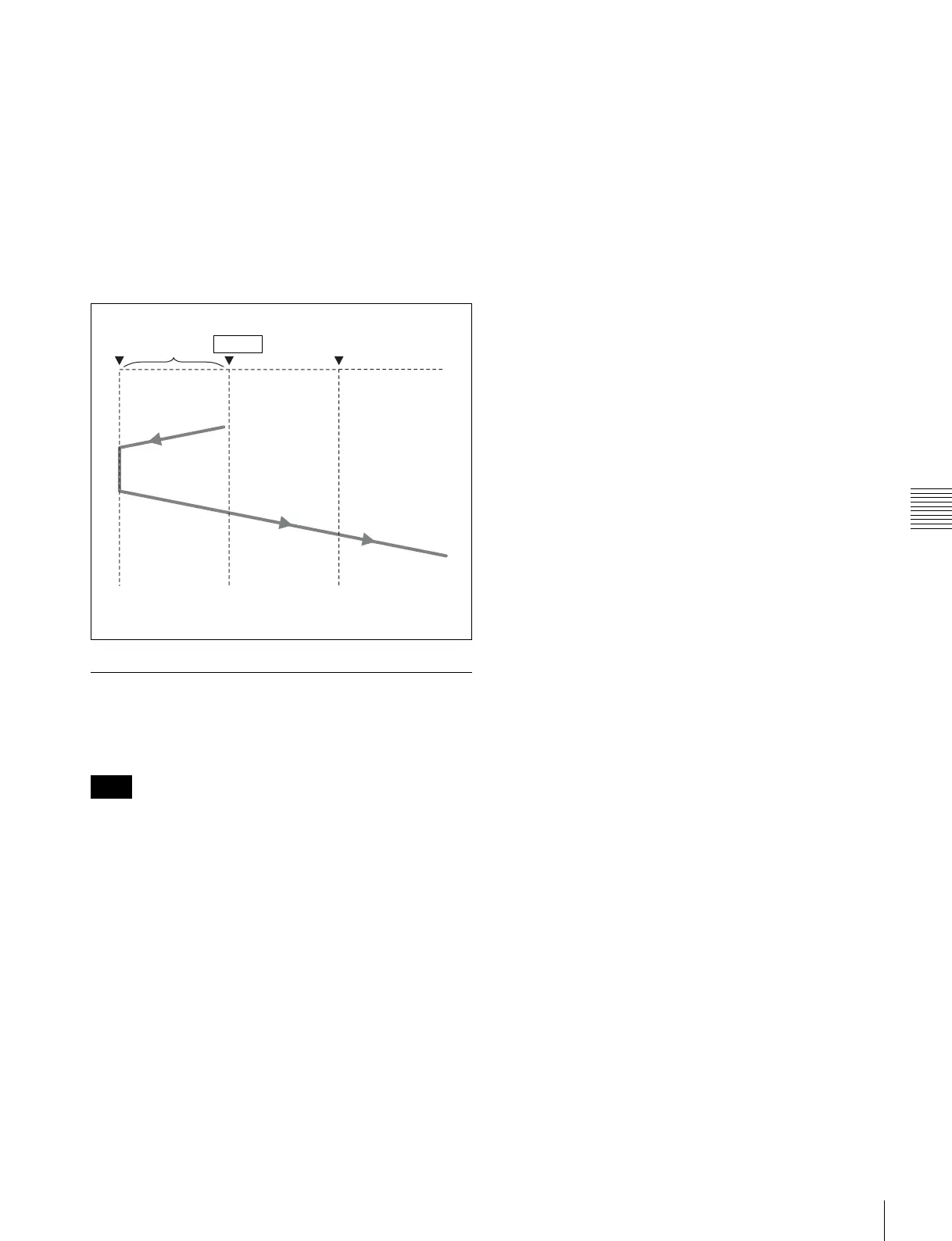
During DMC playback, the tape runs as shown in the
diagram below.
5-4-5 Playing Back Non-audio Data
Non-audio data recorded on a tape is detected
automatically and played back.
When non-audio data is being played back:
• Below the input display in the audio level meter section,
the DATA mark lights in white.
• For the audio level meters, all regions light.
• The analog audio outputs (output to the MONITOR
OUTPUT connector and the PHONES jack) are turned
off.
• The audio output level can be adjusted during non-audio
data playback, but output non-audio data is not affected.
Note
Preroll time ×
initial speed
Speed variation
end point
Tape runs at
initial speed
Playback at
normal speed
Playback at the
memorized speeds
IN point


 To Next Page