47
4-1 Registering and Storing Menu Settings
Chapter 4 Menu Settings
6
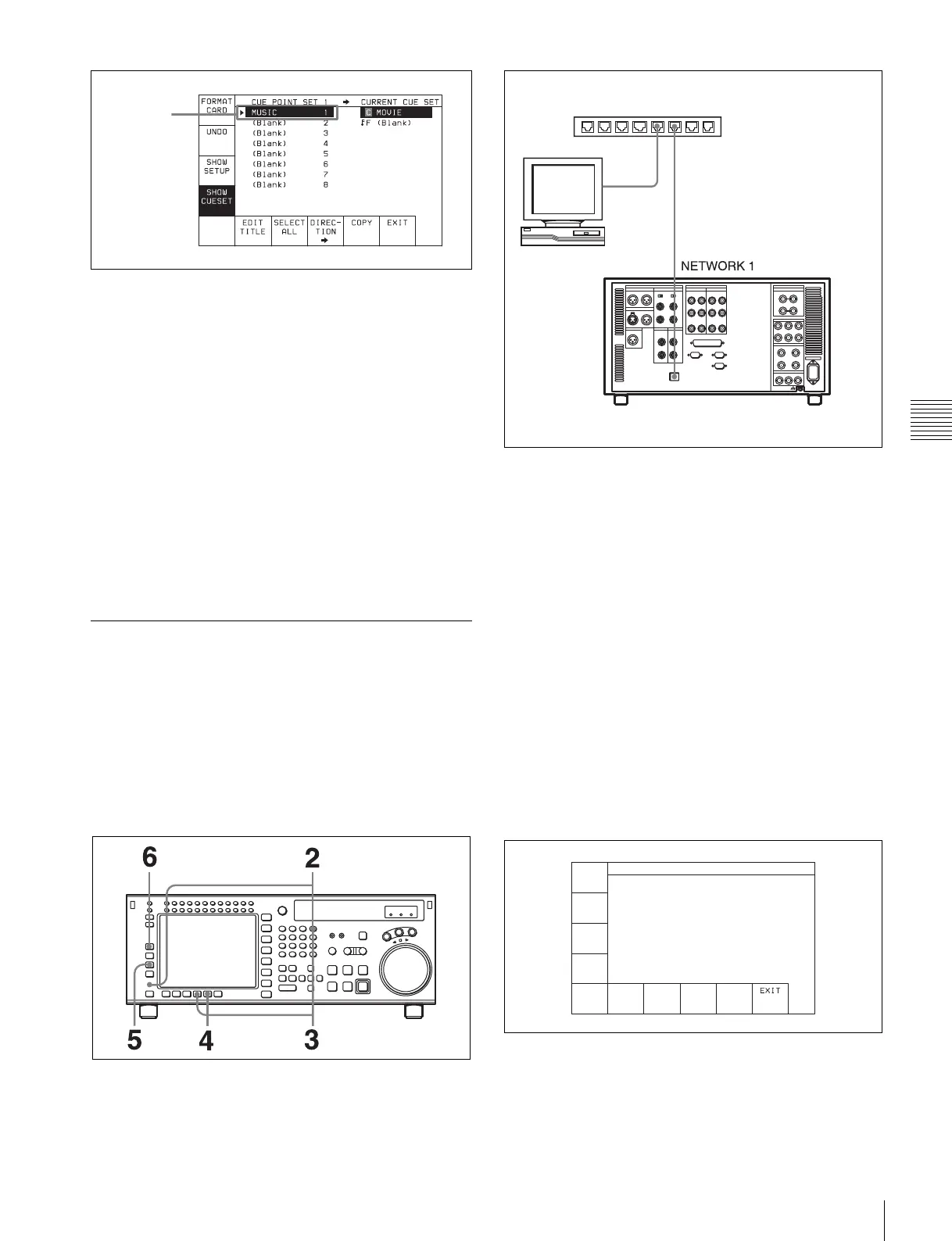
Press the [F9] (COPY) button.
A message asking you to confirm the operation
appears in the display.
7
Press the [F9] (COPY) button while holding down the
SFT button.
The VTR starts to recall the cue point list in the
“Memory Stick”.
After the recalling process is completed, the title of the
cue point list appears under the CURRENT CUE SET
indication.
8
Press the [F10] (EXIT) button.
The SET UP menu appears again.
4-1-6 Storing and Recalling the
Contents of VTR Memory Banks
Through the Network
By connecting this unit as a FTP server to the network, the
contents of VTR memory banks and the cue point lists can
be stored and recalled through the network.
Preparation for networking
1
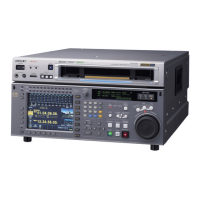
Connect this unit to the FTP client (PC) as described
below.
2
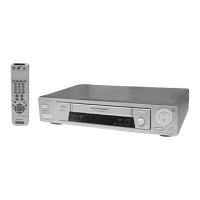
Press the DIAG button while holding down the SFT
button.
The MAINTE INFO menu appears in the display.
3
Press the [F8] (MAINTE EXEC) button while holding
down the SFT button.
The MAINTENANCE menu appears in the display.
4
Press the [F9] (OTHERS CHECK) button.
The OTHERS CK menu appears in the display.
5
Press the [F3] (NETWORK SETUP) button.
The NETWORK1 menu appears in the display.
6
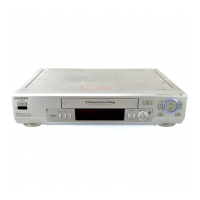
Press the [F1] (NET1 IP) button.
The NET1 IP menu appears in the display.
7
Set the following items in the menu display.
IP Address: IP address of the VTR (example:
192.168.1.251)
Saved data
Switching hub
FTP client (PC)
FTP server (this unit)
NETWORK1 IP ADDRESS SETUP
IP Address - . . .
Subnet Mask - . . .
Default Gateway - . . .
IP
ADDRES
DEFULT
GW
SUBNET
MASK
CANCEL
SAVE


 To Next Page