73
4-3 TC Menu
Chapter 4 Menu Settings
Each press of the button switches time code between
24F and 30F.
24F: Presets the 24 frames time code. The A frame of
the pulldown sequence is preset.
30F: Presets the 30 frames time code. The A frame of
the pulldown sequence is preset.
4
• When 30F is selected in the step 3:
Press the [F6] (PDTC DF/NDF) button to select DF or
NDF.
This selection is effective only for 30F time code.
DF: Drop frame mode
NDF: Non-drop frame mode
auto: The unit switches the running mode (DF/NDF)
automatically according to the frame frequency of
the unit. When the frame frequency is 23.98 Hz,
the unit switches to the drop frame mode and
switches to the non-drop frame mode when it is
24 Hz.
• When 24F is selected in the step 3:
Skip this step.
5
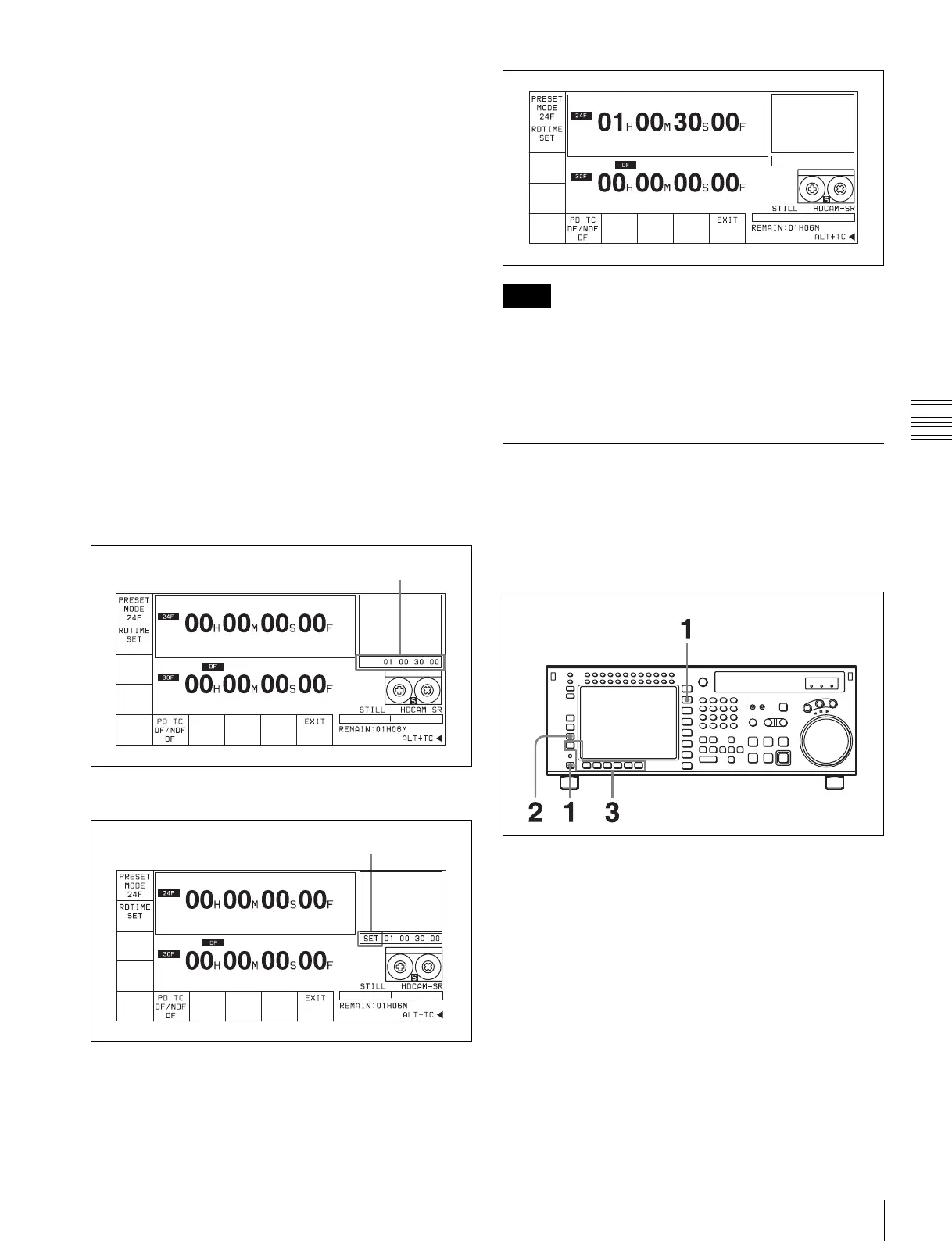
Enter the time code data in the data entry window with
numeric buttons.
6
Press the SET button to set the input data.
7
Press the [F2] (PDTIME SET) button.
• Once the time code is preset, it cannot be reverted.
• Operation information display cannot be displayed while
the pulldown time code appears.
• The pulldown time code cannot be displayed while the
machine-to-machine editing display appears.
4-3-9 Presetting for Conversion
from Frame Time Code (TCCONV
MENU)
Use the following procedure to set the time code
conversion settings.
1
Press the TC button, and then press the ALT button.
The ALT+TC menu appears.
2
Press the [F3] (TCCONV MENU) button.
The TC CONVERT menu appears.
Data entry window
SET is displayed.
Notes



 To Next Page