64
4-2 HOME Menu
Chapter 4 Menu Settings
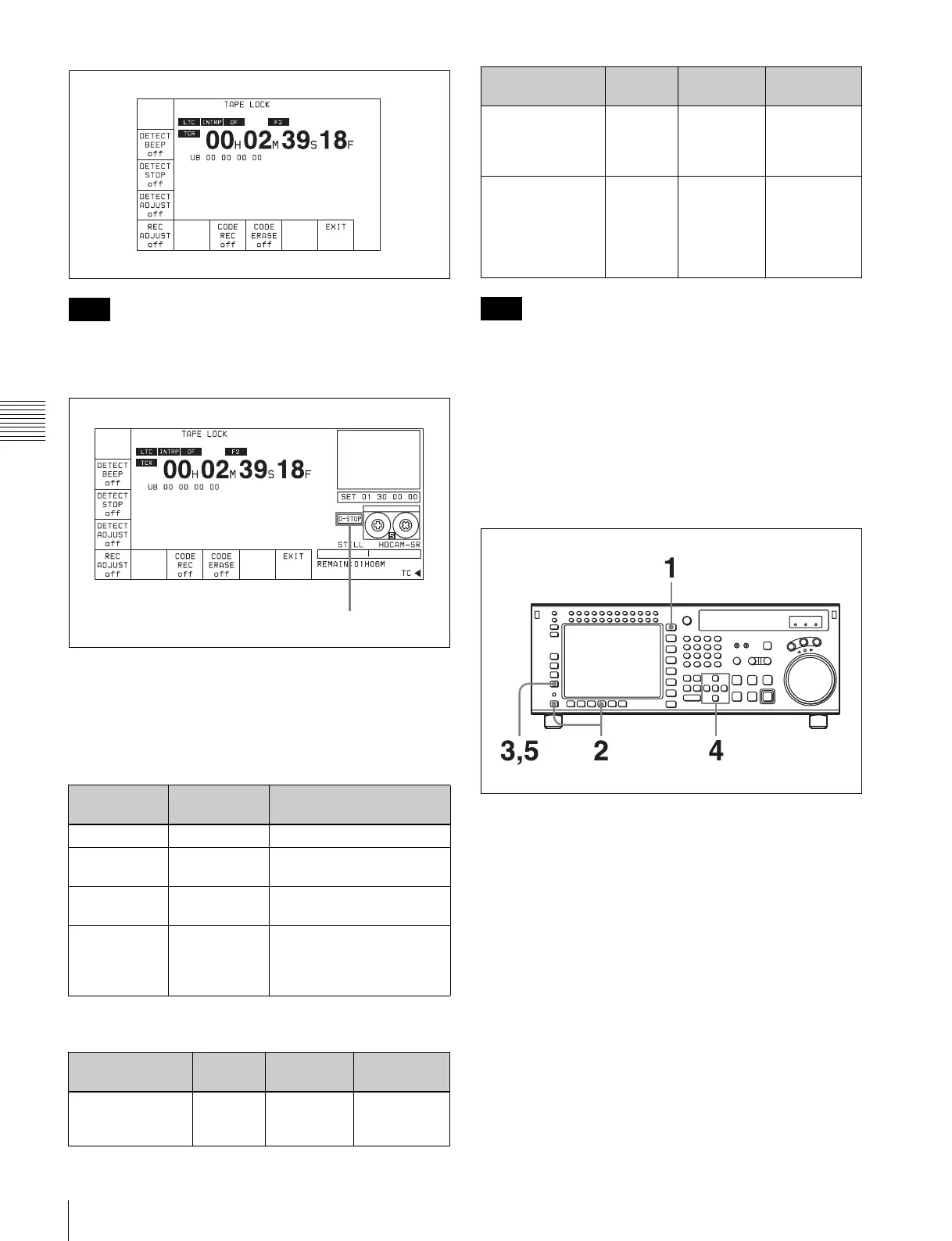
If DETECT STOP is set to “ON”, “D-STOP” appears at
the side of the cassette indication, as shown in the
following figure.
s
To detect stop codes: [F2], [F3]
When playing a tape on which stop codes are recorded,
you can select four different operation modes, according to
the settings of the [F2] (DETECT BEEP) button and [F3]
(DETECT STOP) button, as follows.
The tape transport modes and speed ranges in which stop
codes can be detected are as follows.
In VAR mode, stop codes cannot be detected at ±0.03
times normal speed.
Adjusting the stop position when a stop
code is detected: [F4]
When a stop code is detected, you can adjust the position
at which the tape transport stops in the direction from the
normal stop position toward the SOM point, within the
range of 0 to 150 frames, in frame units.
1
Press the HOME button.
The HOME menu screen appears.
2
Press the ALT/[F8] (STOP CODE) button.
The STOP CODE menu screen appears.
3
Press the [F4] (DETECT ADJUST) button.
The setting display lights up.
4
Change the setting with the cursor R or r button.
You may also use the MULTI CONTROL knob.
5
Press the [F4] (DETECT ADJUST) button.
The data entry window disappears.
Note
[F2] (DETECT
BEEP) button
[F3] (DETECT
STOP) button
VTR operation when stop
code is detected
OFF OFF No operation
OFF ON Stops (for NORMAL PLAY
only)
ON OFF A beeper sounds for 1
second
ON ON Stops (for NORMAL PLAY
only) and simultaneously a
beeper sounds for 1
second
Transport mode
and speed
Detected Beeper
timing
Stop timing
NORMAL PLAY Yes When read
three times
Set by [F4]
(DETECT
ADJUST)
D-STOP
VAR, SHUTTLE
(0 to less than ±8
times normal
speed)
Yes When read
twice
No operation
REC, EDIT, JOG,
CUE UP,
PREROLL,
SHUTTLE (±8
times normal
speed or more)
No No
operation
No operation
Note
Transport mode
and speed
Detected Beeper
timing
Stop timing



 To Next Page