Help Guide
Multi Channel AV Receiver
STR-AZ1000ES
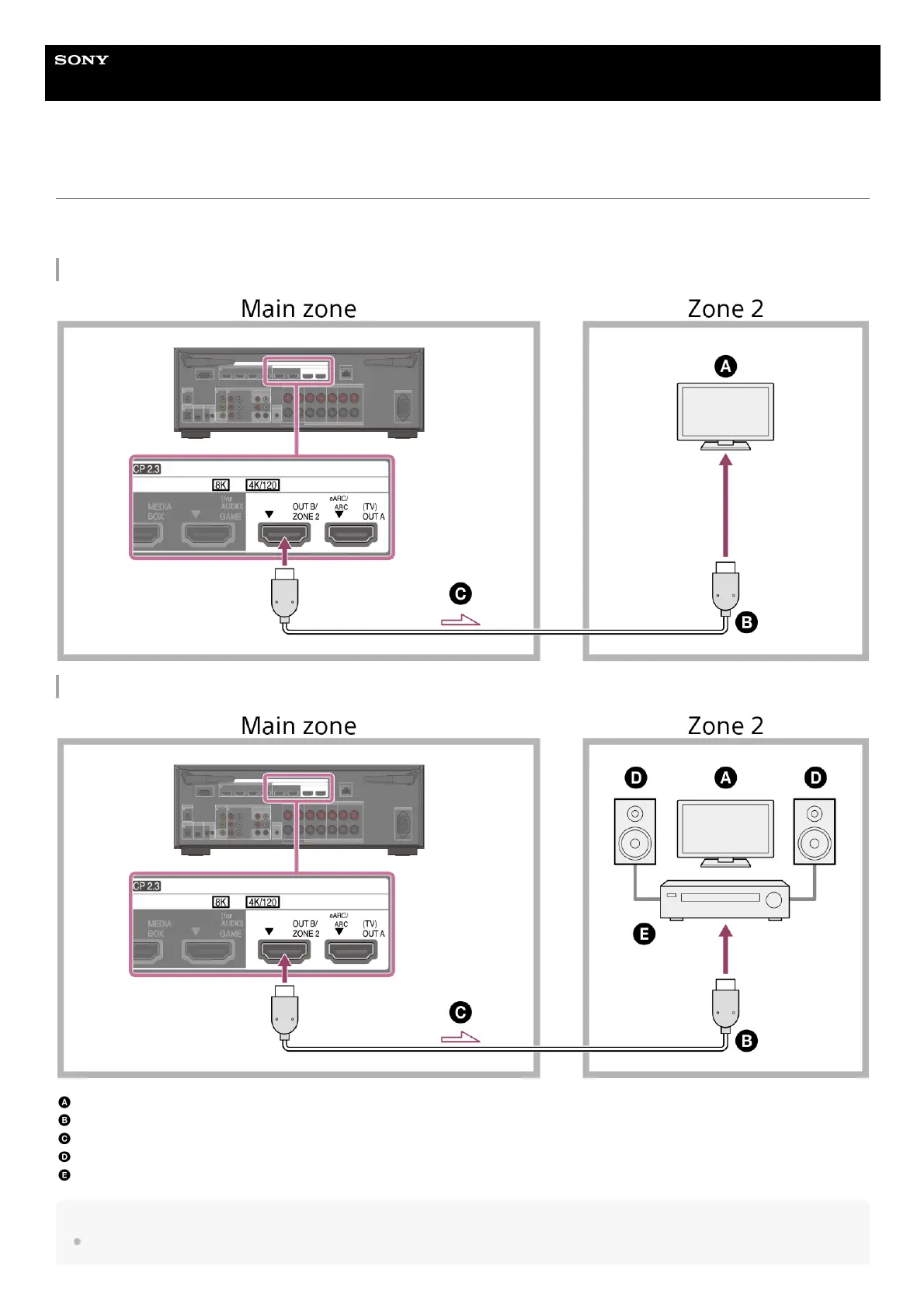
Connecting another amplifier or TV in Zone 2
HDMI input video/audio signals are output in Zone 2 using the HDMI OUT B/ZONE 2 jack of the unit.
Before connecting cables, be sure to disconnect the AC power cord (mains lead).
When connecting to only TV in Zone 2
When connecting to an amplifier/receiver in Zone 2
TV
HDMI cable (not supplied)
Audio/video signals
Speakers
Amplifier/receiver
Note
To use this connection, set [HDMI OUT B Mode] in the [HDMI Settings] menu to [Zone2].











 To Next Page