Help Guide
Multi Channel AV Receiver
STR-AZ1000ES
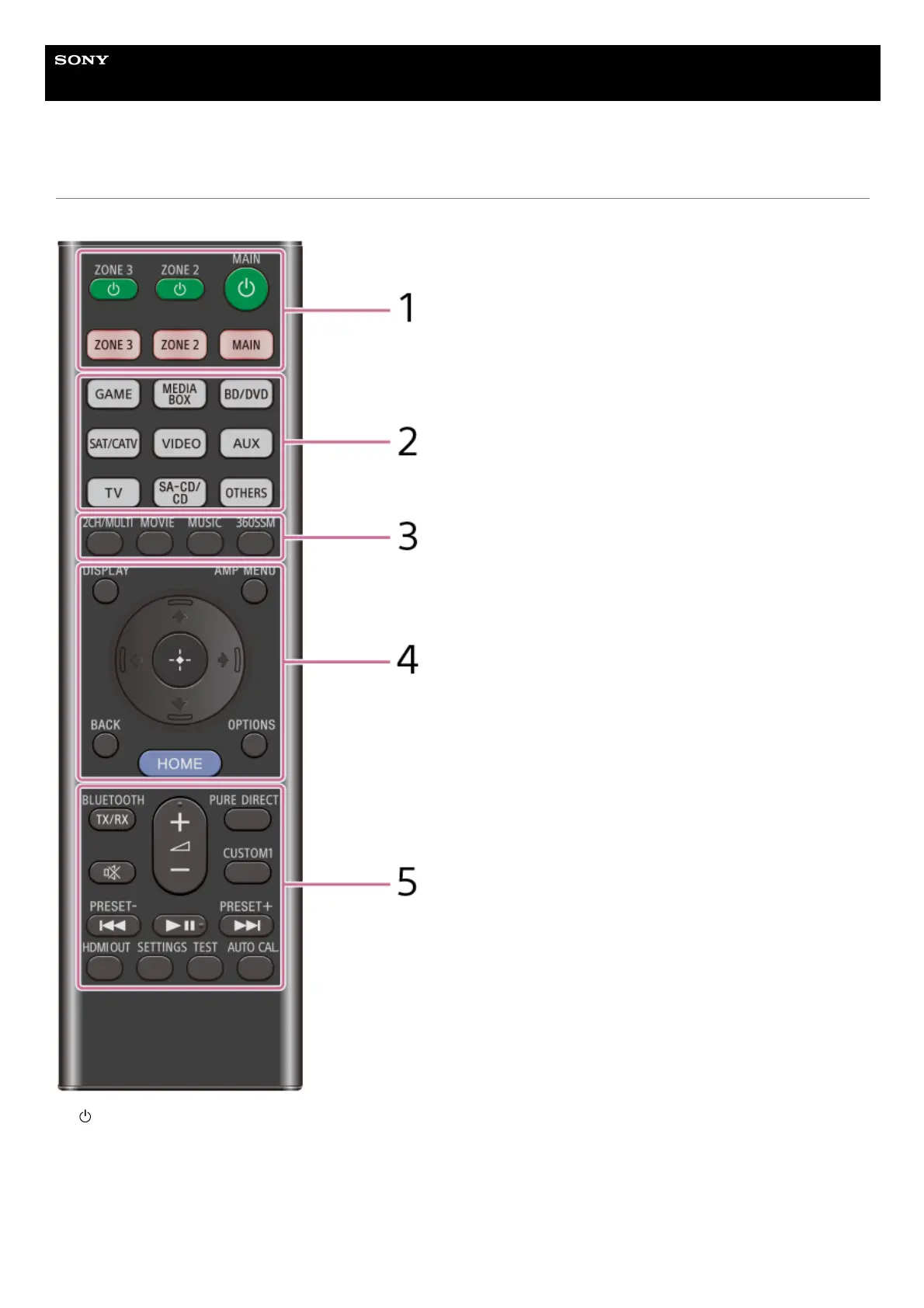
Remote control
Use the supplied remote control to operate this unit.
(power) (MAIN, ZONE 2, ZONE 3)
Turns the unit in the main zone, Zone 2 or Zone 3 on or sets it to standby mode.
MAIN, ZONE 2, ZONE 3
Selects the location to be controlled. For details, see “Remote control buttons that can be operated for each zone.”
1.
Input buttons
GAME, MEDIA BOX, BD/DVD, SAT/CATV, VIDEO, AUX, TV, SA-CD/CD, OTHERS
Selects the input connected to the device you want to play. When you press any of the input buttons, the unit turns on.
2.











 To Next Page