Help Guide
Multi Channel AV Receiver
STR-AZ1000ES
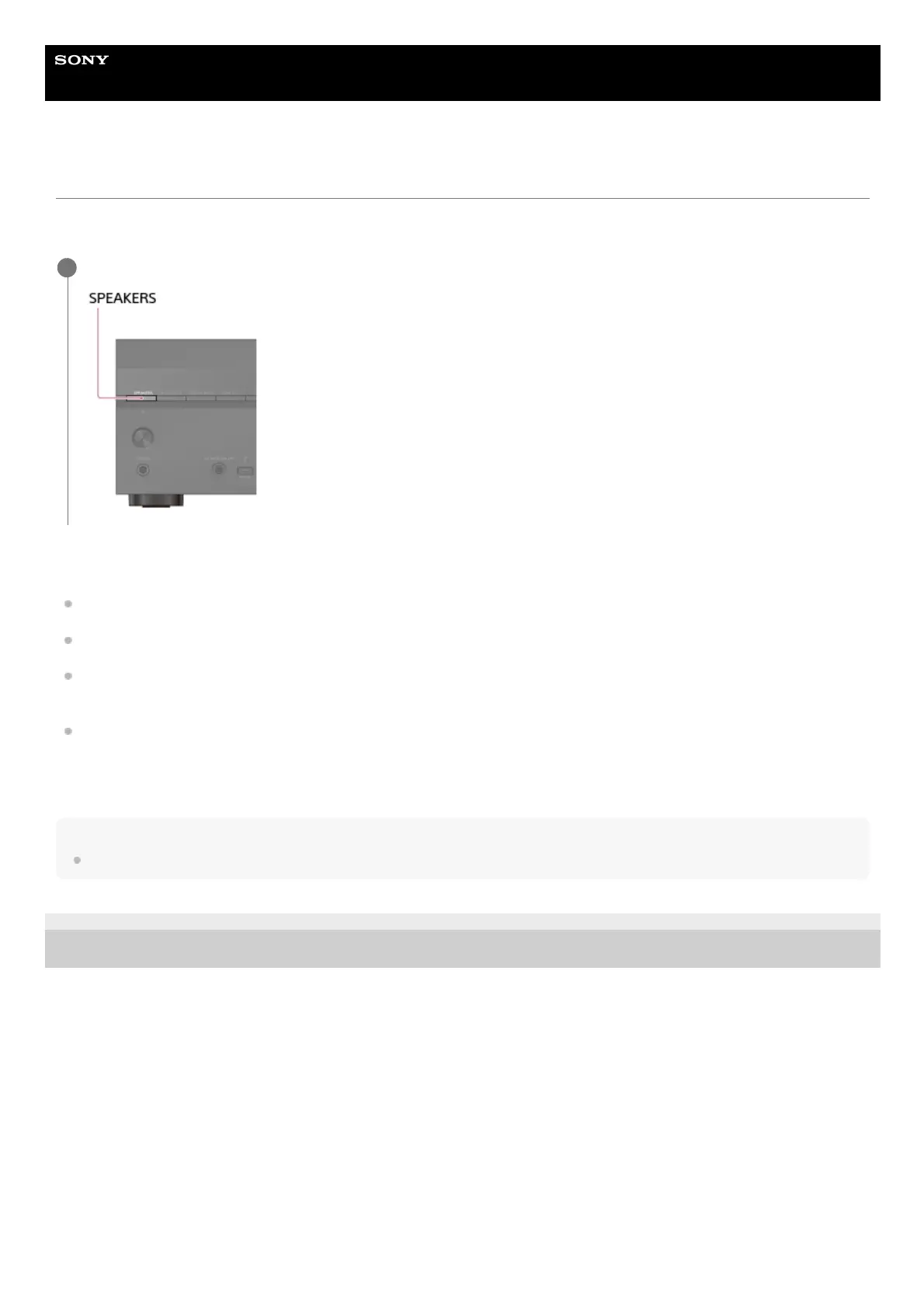
Selecting the front speakers
You can select the front speakers you want to operate.
Be sure to use the buttons on the unit to perform this operation.
The indicators on the display panel shows which set of terminals are selected.
SPA:
Speakers connected to the SPEAKERS FRONT A terminals.
SPB (*):
Speakers connected to the SPEAKERS SURROUND BACK/HEIGHT (FRONT B/BI-AMP/ZONE 3) terminals.
SPA+B (*):
Speakers connected to both the SPEAKERS FRONT A and SPEAKERS SURROUND BACK/HEIGHT (FRONT B/BI-AMP/ZONE 3)
terminals (parallel connection).
(None):
[SPK OFF] appears on the display panel. No audio signals are output from any speaker terminals.
Note
This setting is not available when headphones are connected.
5-037-020-11(1) Copyright 2022 Sony Corporation
Press SPEAKERS on the unit repeatedly to select the front speaker system you want to operate.
1
To select [SPB] or [SPA+B], set the assignment for the SPEAKERS SURROUND BACK/HEIGHT (FRONT B/BI-AMP/ZONE 3) terminals to [Front B] by using [Manual
Speaker Settings] - [Surround Back Speaker Assign] in the [Speaker Settings] menu.
*











 To Next Page