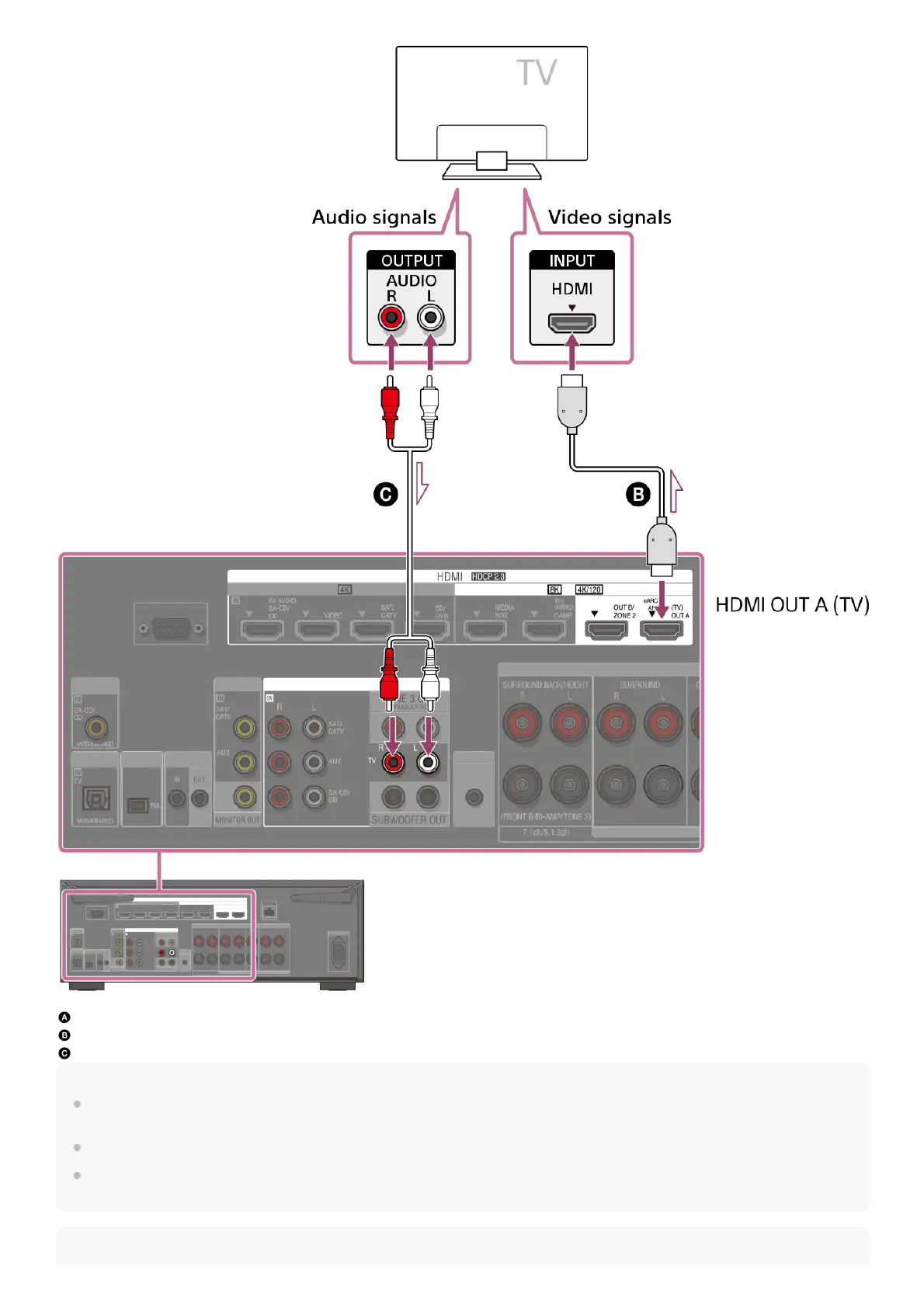
Optical digital cable (not supplied)
HDMI cable (not supplied)
Audio cable (not supplied)
Note
Be sure to use a Premium High Speed HDMI Cable with Ethernet, which supports bandwidths up to 18 Gbps. For video signals that require a high
bandwidth such as 8K, 4K/120p, etc., be sure to use an Ultra High Speed HDMI Cable that supports bandwidths up to 48 Gbps.
Select the HDMI signal format suitable for the video signal band of the TV or AV device connected with the HDMI cable from the menu of the unit.
HDMI-DVI conversion cable is not recommended. If you connect an HDMI-DVI conversion cable to a DVI-D device, you may lose audio and/or image.
If the audio is not output correctly, connect the audio cable or digital connection cable and set the input jack again.
Hint











 To Next Page