Help Guide
Multi Channel AV Receiver
STR-AZ1000ES
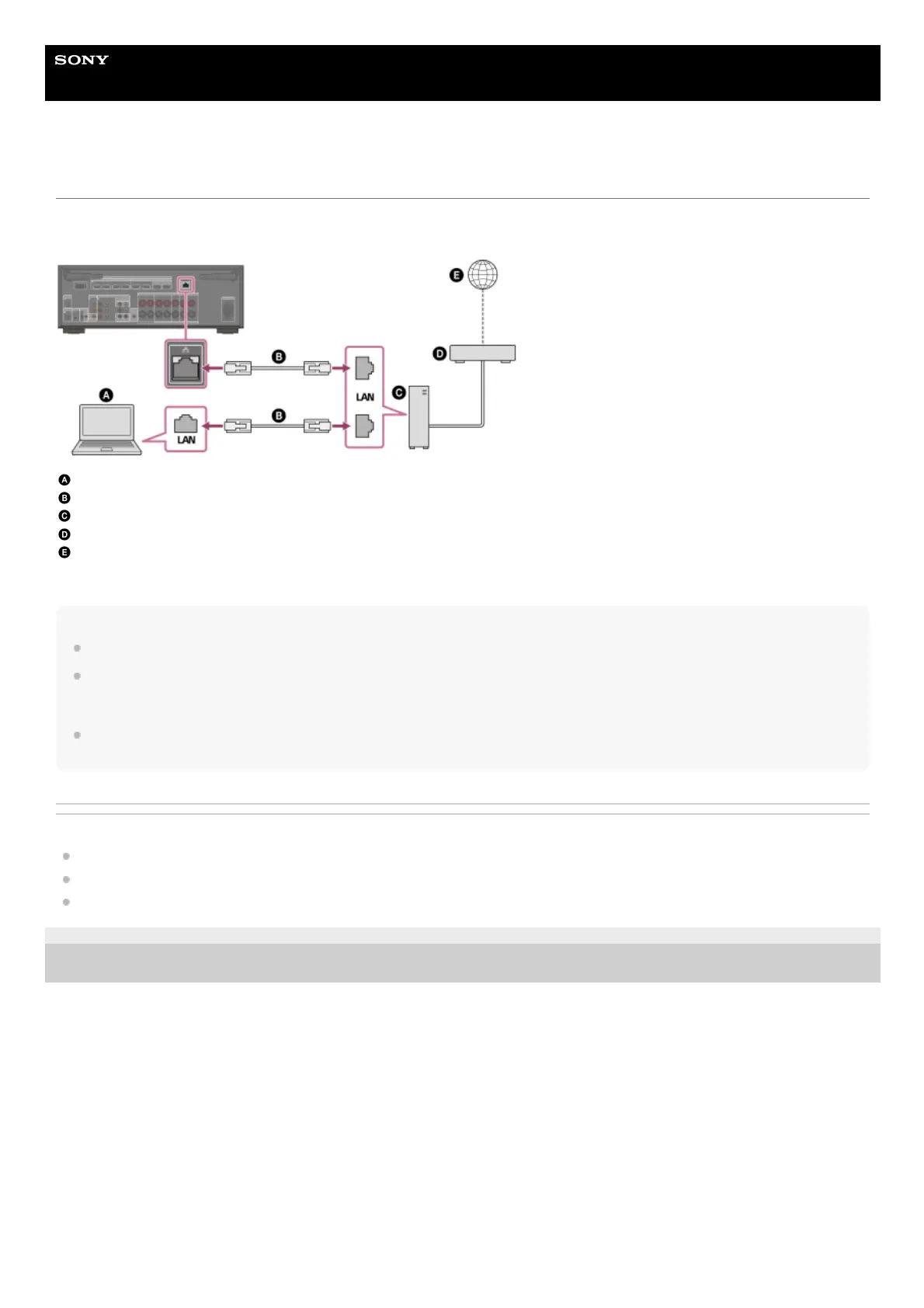
Connecting a LAN cable (for wired LAN connections only)
We recommend that you connect the server to the router with a wired connection. Connect the unit to the network using a LAN cable (*)
(not supplied).
Server (computer, etc.)
LAN cable (*) (not supplied)
Router
Modem
Internet
Hint
Use a router compatible with transmission speeds of 100 Mbps or greater.
We recommend that you use a router equipped with a built-in DHCP (Dynamic Host Configuration Protocol) server because the default setting on the
unit is DHCP.
This function automatically assigns IP addresses to devices on the LAN.
We recommend using a normal shielded type cable for a wired LAN to avoid electric noise.
Some flat-type LAN cables are easily affected by noise. We recommend using a Category 7 cable.
Related Topic
Notes on connecting cables
Setting up a wired LAN connection
Assigning a name to the unit (Device Name Setting)
5-037-020-11(1) Copyright 2022 Sony Corporation
We recommend using category 7 cables.
*











 To Next Page